
Introduction
Automation testing now drives modern software delivery. Teams release updates weekly or even daily. Manual testing alone cannot keep up. Tools like Selenium and TestComplete help teams test faster and with more accuracy. Each tool has unique Pros and Cons, and understanding them helps testers, managers, and learners choose wisely. In this blog, we break down Selenium Vs TestComplete using real-world examples, skills impact, and career relevance while highlighting Pros and Cons at every step.
What Is Selenium?
Selenium is an open-source framework for web application automation. It supports browsers like Chrome, Firefox, Edge, and Safari. It works with languages such as Java, Python, C#, and JavaScript. Many teams use Selenium automation testing because it fits agile and DevOps workflows. When learners evaluate Selenium, they often focus on its Pros and Cons related to flexibility, cost, and skill growth.
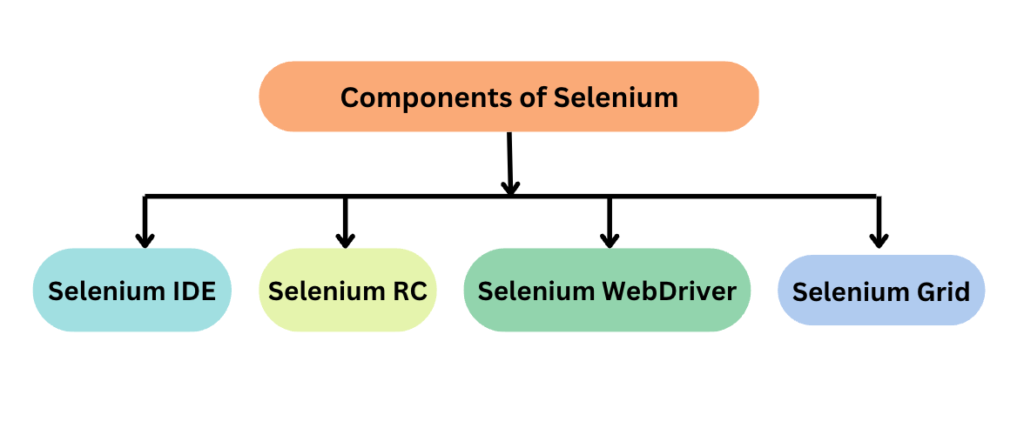
Core Components of Selenium
- Selenium WebDriver: Automates browser actions
- Selenium Grid: Runs tests in parallel across environments
- Selenium IDE: Records and plays back basic test cases
Understanding these parts helps you judge Selenium’s Pros and Cons in real projects.
What Is TestComplete?
TestComplete is a commercial automation tool from SmartBear. It supports web, desktop, and mobile testing. It offers record-and-playback, keyword-driven testing, and script-based testing. Many enterprises like TestComplete for its ease of use. When teams compare Selenium Vs TestComplete, they analyze Pros and Cons such as setup time, cost, and learning curve.
Key Capabilities of TestComplete
- Scriptless testing for beginners
- Support for desktop apps like .NET and Java
- Built-in reporting and object recognition
These features shape the Pros and Cons of TestComplete for different team sizes.
Selenium Vs TestComplete: High-Level Comparison
At a high level, Selenium offers freedom and flexibility, while TestComplete offers speed and simplicity. Each approach has Pros and Cons that affect budgets, skills, and scalability. Open-source tools appeal to developers, while commercial tools appeal to teams that want fast onboarding.
Pros and Cons of Selenium
Pros of Selenium
- Open-source and free to use
- Strong community and frequent updates
- Works well with CI/CD tools like Jenkins
- Supports multiple programming languages
These strengths explain why many teams accept Selenium’s Pros and Cons and invest in long-term skill building.
Cons of Selenium
- Requires strong coding skills
- No built-in reporting by default
- Setup can take time for beginners
These challenges form the Pros and Cons that learners must weigh before choosing Selenium testing as a career path.
Pros and Cons of TestComplete
Pros of TestComplete
- Easy setup and quick start
- Scriptless testing for non-coders
- Built-in reports and debugging tools
These benefits show the Pros and Cons that appeal to business-driven teams.
Cons of TestComplete
- High licensing cost
- Limited flexibility compared to open-source tools
- Vendor dependency for updates
These drawbacks balance the Pros and Cons for long-term automation strategies.
Detailed Feature Comparison
Ease of Learning
- Selenium needs programming knowledge.
- TestComplete supports beginners with record-playback.
This contrast highlights Pros and Cons for freshers versus experienced testers.
Cost Considerations
- Selenium has no license cost.
- TestComplete requires paid licenses.
Budget planning often starts with these Pros and Cons.
Scalability
- Selenium scales well with cloud grids.
- TestComplete scales but adds license cost.
Scalability is a major factor in Pros and Cons analysis for enterprises.
Real-World Use Cases
When Teams Choose Selenium
Startups and tech-driven companies often choose Selenium automation testing. They want control, customization, and integration with DevOps. These teams accept the Pros and Cons because they value flexibility over speed.
When Teams Choose TestComplete
Enterprises with limited automation skills often choose TestComplete. They value faster test creation and support. Here, the Pros and Cons favor ease of use.
Hands-On Example: Selenium WebDriver (Python)
from selenium import webdriver
from selenium.webdriver.common.by import By

driver = webdriver.Chrome()
driver.get("https://example.com")

title = driver.find_element(By.TAG_NAME, "h1").text
print(title)

driver.quit()
This simple script shows why Selenium automation testing has clear Pros and Cons. It offers control but requires coding knowledge.
Hands-On Example: TestComplete Keyword Test (Concept)
- Open TestComplete
- Record login steps
- Save keyword test
- Run and view report
This flow highlights Pros and Cons around speed and simplicity.
Industry Adoption and Statistics
Industry surveys show that Selenium remains one of the most used automation tools worldwide. Many job listings ask for Selenium automation testing skills. TestComplete appears more in enterprise-specific roles. These trends reinforce the Pros and Cons of open-source versus commercial tools.
Career Impact for Testers
Learning Selenium builds strong automation foundations. It supports career growth into SDET and DevOps roles. TestComplete supports faster entry into automation roles. Both options have Pros and Cons depending on long-term goals.
Selenium Certification and Learning Path
A structured Selenium course helps learners master frameworks, reporting, and CI/CD integration. Selenium certification validates skills and reduces the impact of Selenium’s Pros, Cons by guiding learners step by step.
When to Choose Selenium Vs TestComplete

Choose Selenium if:
- You want open-source flexibility
- You plan a long-term automation career
Choose TestComplete if:
- You need quick automation results
- Your team prefers low coding
This decision always comes down to Pros, Cons aligned with goals.
Common Myths Explained
Some believe Selenium is outdated. This is false. Others think TestComplete removes all coding. This is also false. Clearing these myths helps teams see real Pros and Cons without bias.
Key Takeaways
- Selenium and TestComplete serve different needs
- Selenium offers flexibility with coding effort
- TestComplete offers ease with higher cost
- Understanding Pros, Cons avoids wrong tool choices
- Career goals should guide your decision
Conclusion
Both tools succeed when used correctly. The right choice depends on skills, budget, and goals. Understanding Pros, Cons ensures smarter automation decisions.
Enroll in H2KInfosys Selenium courses today to gain hands-on skills, real project exposure, and career-ready automation expertise.