Automation testing has become essential, not optional, for keeping up with modern software development. Tricentis TOSCA has emerged as one of the most powerful test automation tools, empowering QA teams to deliver high-quality software faster and with fewer defects. However, as robust as TOSCA is, testers often encounter challenges that can slow down execution or introduce errors. Understanding Best Practices, Errors and Solutions in TOSCA is critical to maximize efficiency, reduce downtime, and ensure accurate test results.
Professionals seeking to enhance their career in automation testing can benefit significantly from TOSCA Online Training and TOSCA Certification. These programs equip learners with practical skills and hands-on experience to handle real-world automation challenges effectively.
In this guide, we will explore in detail the industry-proven best practices for TOSCA automation, common errors like synchronization failures and server downtime, and step-by-step solutions to overcome these challenges. Whether you are a beginner or a seasoned tester, mastering Best Practices, Errors and Solutions in TOSCA is key to delivering flawless automation projects.
Understanding the Importance of Best Practices in TOSCA
Following best practices in TOSCA is the foundation of efficient test automation. Test automation without structure can lead to redundant work, unreliable test results, and longer project timelines. Adopting Best Practices, Errors and Solutions in TOSCA ensures test scripts are modular, maintainable, and reusable, saving time and resources in the long term.
According to industry research, organizations that implement structured test automation practices experience up to 30–40% reduction in testing time and significant improvement in defect detection. For instance, a large retail company reported smoother releases and fewer production defects after standardizing its TOSCA test case design and synchronization strategies.
By leveraging TOSCA Online Training, testers learn not just how to execute test cases but also how to optimize their workflows, manage reusable modules, and troubleshoot issues efficiently. These skills are essential for achieving TOSCA Certification, which validates both technical competence and practical expertise in Tricentis TOSCA.
Implementing Best Practices for TOSCA Automation
To achieve reliable automation, following well-defined Best Practices, Errors and Solutions in TOSCA is critical. These practices cover modular design, synchronization management, reusable components, and structured test management.
Modular Test Design and Reusable Components
A cornerstone of TOSCA best practices is modular test design. Instead of creating long, monolithic test cases, testers should break them into smaller, reusable Business Components stored in the Business Component Library (BCL). This approach allows test steps to be reused across multiple test cases, reducing redundancy and maintaining consistency.
For example, a login module in a banking application can be reused across multiple test cases, eliminating repetitive scripting and enabling faster updates when the login functionality changes. This is a critical aspect of Best Practices, Errors and Solutions in TOSCA and is heavily emphasized in TOSCA Online Training labs.
Efficient Synchronization Settings
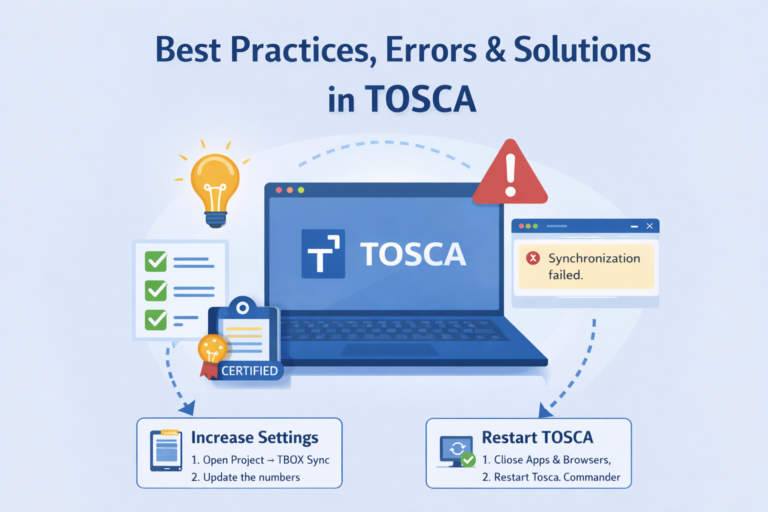
Synchronization errors are among the most common issues in TOSCA automation. When TOSCA tries to interact with an application element that is not yet ready, the following error may occur:
“Synchronization failed. Please increase your synchronization settings.”
Resolving this requires adjusting TBOX Sync settings within Tosca Commander. Here’s how:

- Open your project in Tosca Commander.
- Navigate to Settings → TBOX Sync.
- Increase the values to allow more time for the application to respond.
- Restart Tosca Commander and close all other running applications or browsers to free system resources.
Proper synchronization ensures that test cases interact with applications reliably, reducing false negatives and improving execution stability. Following this method is a key component of Best Practices, Errors and Solutions in TOSCA, and it is a skill covered thoroughly in TOSCA Online Training modules.
Structured Test Management
Organizing test cases systematically is another best practice. Test cases should be arranged hierarchically in Test Case Folders and designed for parameterized testing whenever possible. This allows easier tracking of execution results and faster debugging.
By maintaining a structured repository, QA teams can quickly identify failing test cases, understand dependencies, and make updates without affecting unrelated tests. This approach is widely recognized in industry-standard Best Practices, Errors and Solutions in TOSCA documentation and recommended in official Tricentis resources.
Version Control and Regular Backups
For large-scale automation projects, version control is critical. Integrating TOSCA with Git or other version control systems ensures that test case versions are tracked, changes are auditable, and multiple testers can collaborate seamlessly.
Regular backups prevent data loss during unexpected crashes or server issues. Implementing version control is considered an essential part of Best Practices, Errors and Solutions in TOSCA, ensuring project continuity and reducing downtime.
Common TOSCA Errors and Practical Solutions
Even with best practices in place, TOSCA users often encounter errors that can disrupt automation. Mastering Best Practices, Errors and Solutions in TOSCA requires understanding these errors and knowing how to resolve them efficiently.
Synchronization Failure
The “Synchronization failed” error is one of the most frequently encountered issues. As discussed earlier, this occurs when TOSCA attempts to interact with an application element before it is fully loaded.
Solutions include:
- Increasing TBOX Sync values in project settings.
- Restarting TOSCA Commander and closing all other applications.
- Implementing explicit waits for dynamic elements.
These solutions are not just reactive; they are preventive measures that should be part of any TOSCA automation strategy and are highlighted in official Best Practices, Errors and Solutions in TOSCA documentation.
Tosca Server Downtime
Another common error arises when the Tosca Server or its services stop working. This results in failed test execution across projects.

To resolve:
- Open Windows Services from the Start menu.
- Locate the Consul.Service.
- Right-click and select Restart.
Ensuring the Tosca Server is running optimally is a key part of Best Practices, Errors and Solutions in TOSCA. Many organizations implement scheduled service health checks to prevent unexpected downtime.Official reference here.
Element Not Found or Execution Timeout
Applications with dynamic UI elements can cause TOSCA to fail locating certain elements or exceed execution timeouts.
Practical solutions include:
- Using dynamic XPath or CSS selectors to locate elements reliably.
- Splitting large test cases into smaller, modular ones.
- Increasing test case timeout settings.
- Utilizing reusable Business Components to maintain consistency across tests.
These steps are all integral to implementing Best Practices, Errors and Solutions in TOSCA and are frequently demonstrated in hands-on TOSCA Online Training sessions.
Applying Best Practices in Real-World Scenarios
Many organizations have benefited from adopting structured Best Practices, Errors and Solutions in TOSCA:
- Financial Services: A banking client reduced false-positive test results by 25% after implementing reusable modules and proper synchronization settings.
- E-commerce Applications: Optimizing server health and restarting services regularly prevented unexpected failures during peak load testing.
- Healthcare Software Testing: Modular test case design and structured folders enabled quicker debugging and accelerated delivery timelines.
These examples demonstrate how implementing best practices is not just theoretical, it has real business impact.
Enhancing Skills Through TOSCA Training and Certification
TOSCA Online Training programs cover all aspects of Best Practices, Errors and Solutions in TOSCA, ensuring that learners acquire practical skills in:
- Synchronization management
- Tosca Server troubleshooting
- Modular test case design
- Reusable Business Component implementation
Completing TOSCA Certification validates expertise and equips professionals with the confidence to apply these best practices in live projects. Employers increasingly seek candidates with both practical knowledge and certification, making it a valuable career step.
Tips for Long-Term Success in TOSCA Automation
- Regularly review and update synchronization and TBOX settings.
- Document reusable modules and maintain a centralized repository.
- Conduct periodic Tosca Server health checks to prevent downtime.
- Engage in hands-on practice through TOSCA Online Training labs.
- Apply Best Practices, Errors and Solutions in TOSCA in all test cases, not just critical ones.
Adopting these strategies ensures consistent performance, reduced errors, and higher quality software delivery.
Conclusion
Mastering Best Practices, Errors and Solutions in TOSCA is crucial for QA professionals seeking efficiency, accuracy, and career growth. From modular test case design to synchronization management and server troubleshooting, these practices are foundational to successful TOSCA automation projects.
Investing in TOSCA Online Training and pursuing TOSCA Certification not only validates your skills but also provides practical, hands-on experience in solving real-world errors. Applying these insights ensures smoother test execution, reduced downtime, and improved collaboration across QA teams.
Enroll in H2K Infosys TOSCA Training today to master Best Practices, Errors and Solutions in TOSCA and advance your career with industry-recognized TOSCA Certification.