
Teams need test execution that is both fast and reliable to keep up with software releases. Slow automation runs can delay releases and increase costs. Many QA professionals now focus on ways to improve execution speed in TOSCA to stay competitive. At H2K Infosys, learners gain practical experience through the Best TOSCA Online Training, where real-time scenarios help them understand performance challenges and solutions from day one.
Introduction
Test automation is not just about creating scripts. It is also about running them quickly and efficiently. When execution is slow, teams lose time and productivity. Many companies now expect testers to know how to improve execution speed in TOSCA as part of their daily work.
TOSCA, developed by Tricentis, is a powerful automation tool. It uses a model-based approach. This approach reduces coding effort. However, execution speed still depends on how you design and manage your test cases.
This blog will guide you step by step. You will learn practical methods, real-world examples, and best practices to improve performance. This knowledge is essential for anyone pursuing a TOSCA Automation Course or aiming for TOSCA Certification.
Why Execution Speed Matters in TOSCA
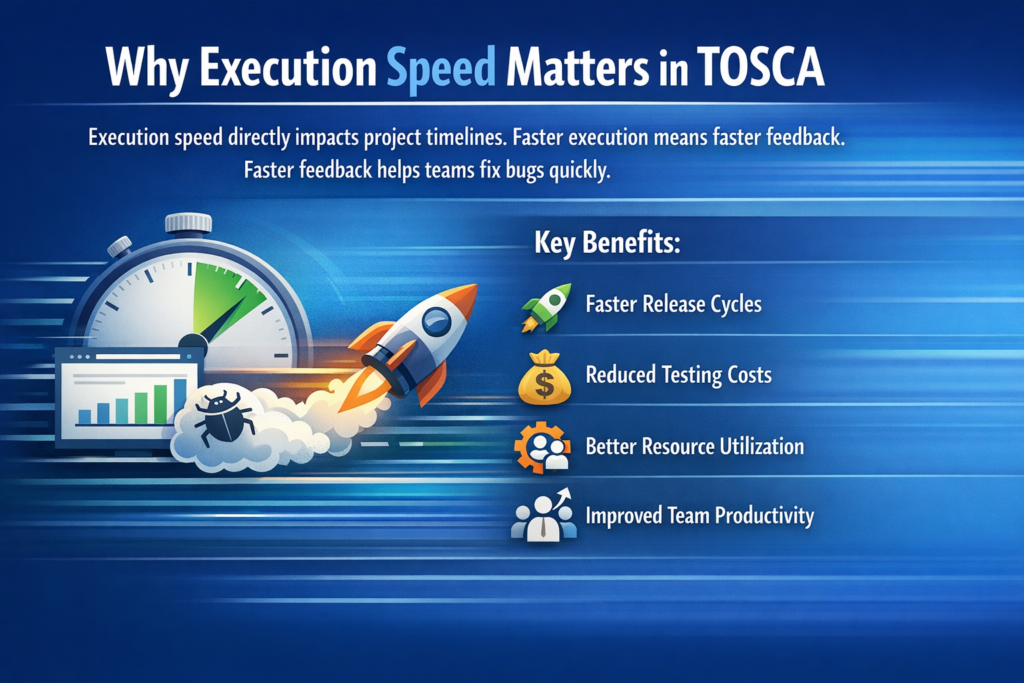
Execution speed directly impacts project timelines. Faster execution means faster feedback. Faster feedback helps teams fix bugs quickly.
Key Benefits:
- Faster release cycles
- Reduced testing costs
- Better resource utilization
- Improved team productivity
Many QA teams report that optimizing automation can reduce execution time by up to 40%. That is why professionals actively look for ways to improve execution speed in TOSCA.
Common Reasons for Slow Execution
Before improving speed, you must identify the problem.
1. Poor Test Case Design
Unstructured test cases slow down execution. Repeated steps increase run time.
2. Heavy Test Data Usage
Large datasets can delay execution.
3. Inefficient Module Design
Overloaded modules take more time to process.
4. Lack of Parallel Execution
Running tests sequentially wastes time.
5. System Performance Issues
Slow environments impact automation speed.
Understanding these issues is the first step to improve execution speed in TOSCA.
Best Practices to Improve Execution Speed
1. Optimize Test Case Design
Keep test cases simple and reusable. Avoid unnecessary steps.
Tips:
- Use reusable test steps
- Remove duplicate actions
- Focus on business-critical paths
A clean design helps you improve execution speed in TOSCA and reduces maintenance effort.
2. Use Buffer and Reuse Data Efficiently
Avoid loading large datasets repeatedly.
Example:
Instead of fetching data multiple times:
Use Buffer to store data once
Reuse it across test steps
This method helps you improve execution speed in TOSCA by reducing data processing time.
3. Enable Parallel Execution
Parallel execution allows multiple tests to run at the same time.
Steps:
- Use TOSCA Distributed Execution (DEX)
- Configure multiple agents
- Assign test cases to different agents
This approach is one of the most effective ways to improve execution speed in TOSCA.
4. Optimize Module Creation
Modules should be lightweight and focused.
Best Practices:
- Keep modules small
- Avoid unnecessary attributes
- Use dynamic identification
- Efficient modules help you improve execution speed in TOSCA and reduce execon delays.
5. Use Smart Waits Instead of Hard Waits
Hard waits slow down execution.
Example:
Instead of:
Wait 10 seconds
Use:
Wait until element is visible
Smart waits help you improve execution speed in TOSCA by reducing idle time.
6. Clean Up Execution Lists
Large execution lists slow down runs.
Tips:
- Remove unused test cases
- Organize execution folders
- Run only required tests
This simple step helps you improve execution speed in TOSCA significantly.
7. Optimize Test Data Management
Efficient data handling improves performance.
Methods:
- Use TestCase Design (TCD) wisely
- Avoid redundant data
- Use data templates
Good data management helps you improve execution speed in TOSCA and ensures faster execution cycles.
8. Use API Testing Instead of UI Testing
UI tests are slower than API tests.
Strategy:
- Automate backend processes using APIs
- Reduce UI dependency
This method helps you improve execution speed in TOSCA by cutting down execution time.
9. Maintain System Health
Execution speed depends on system performance.
Checklist:
- Ensure sufficient RAM
- Close unnecessary applications
- Use stable environments
A healthy system helps you improve execution speed in TOSCA consistently.
10. Use Distributed Execution (DEX)
DEX is a powerful TOSCA feature.
Benefits:
- Runs tests on multiple machines
- Reduces execution time
- Improves scalability
DEX is essential if you want to improve execution speed in TOSCA for large projects.
Step-by-Step Guide to Faster Execution
Step 1: Analyze Current Execution Time
Measure how long your test suite takes.
Step 2: Identify Bottlenecks
Check slow test cases and modules.
Step 3: Apply Optimization Techniques
Use parallel execution, smart waits, and reusable modules.
Step 4: Monitor Improvements
Track performance changes.
Step 5: Continuously Optimize
Keep refining your automation framework.
Following these steps will help you improve execution speed in TOSCA in a structured way.
Real-World Example
A retail company faced slow automation runs. Their test suite took 10 hours to complete.
Problem:
- Sequential execution
- Heavy UI testing
- Duplicate test steps
Solution:
- Implemented parallel execution
- Replaced UI tests with API tests
- Optimized modules
Result:
Execution time reduced to 4 hours.
This case shows how teams can improve execution speed in TOSCA with the right approach.
Tools and Features That Help
1. TOSCA Commander
Manages test cases efficiently.
2. TOSCA DEX
Supports distributed execution.
3. TestCase Design (TCD)
Handles large datasets effectively.
4. API Scan
Speeds up backend testing.
Using these tools correctly helps you improve execution speed in TOSCA and boosts overall productivity.
Skills You Need to Master
To become efficient, you need:
- Strong understanding of TOSCA architecture
- Knowledge of automation frameworks
- Experience with real-time projects
- Problem-solving skills
These skills are covered in the Best TOSCA Online Training programs.
Role of Training and Certification
Structured learning plays a key role in mastering TOSCA.
Benefits of a TOSCA Automation Course:
- Hands-on project experience
- Real-world scenarios
- Expert guidance
- Certification preparation
TOSCA Certification validates your skills. It proves that you can handle real automation challenges, including how to improve execution speed in TOSCA.
Common Mistakes to Avoid
1. Overloading Test Cases
Keep them simple.
2. Ignoring Reusability
Reuse saves time.
3. Using Too Many Hard Waits
Switch to smart waits.
4. Poor Data Management
Optimize test data.
Avoiding these mistakes helps you maintain fast execution.
Key Takeaways
- Execution speed is critical for automation success
- Clean design and reusable components improve performance
- Parallel execution is a game changer
- API testing is faster than UI testing
- Continuous optimization is essential
Learning how to improve execution speed in TOSCA gives you a strong advantage in your QA career.
Conclusion
Fast automation is no longer optional. It is a must-have skill for every QA professional. Start learning the right techniques and apply them in real projects to see results.
Join H2K Infosys today to master TOSCA Automation Course concepts and accelerate your journey toward TOSCA Certification.