
Introduction
The Action class in Selenium is designed to handle advanced user interactions that involve combinations of mouse and keyboard events. It is especially useful for automating dynamic web elements such as hover-based menus, drag-and-drop components, and keyboard shortcuts scenarios that cannot be reliably tested using basic click or sendKeys operations.
Key Concepts
- Actions Class: Located in the
org.openqa.selenium.interactionspackage, this class provides a flexible API for defining complex user gestures. - Builder Pattern: Actions follows the builder pattern, enabling multiple interactions to be chained together into a single, logical sequence.
- build(): This method assembles the defined interactions into one executable action without triggering execution. It is helpful when you want to reuse the same action sequence multiple times.
- perform(): This method runs the configured actions. It can be called after
build()or directly after defining a single action.
Common Actions
The Actions class supports a wide range of mouse and keyboard operations. Mouse-related actions include single click, double-click, right-click, moving the pointer to an element, click-and-hold, drag-and-drop, and releasing the mouse button. Keyboard interactions include typing key sequences, pressing keys down, and releasing them, making it ideal for simulating real user behavior in complex UI scenarios.
Because many enterprise web applications rely heavily on JavaScript-driven UI components, Action Class in Selenium is a critical tool for reliable end-to-end automation.
How Does Selenium Testing Work in Real-World IT Projects?
Selenium testing in enterprise environments is typically implemented as part of a structured automation framework integrated with CI/CD pipelines. Test scripts interact with web applications using WebDriver APIs, validating functional flows such as login, transactions, and data submission.
In real projects:
- Selenium WebDriver handles browser control
- Page Object Model (POM) organizes test code
- TestNG or JUnit manages test execution
- CI tools like Jenkins trigger automated runs
Within this ecosystem, Action Class in Selenium is used whenever UI interactions involve dynamic behavior that standard WebDriver methods cannot handle reliably.
For example:
- Hovering over a navigation bar to reveal a submenu
- Dragging widgets in a dashboard
- Using keyboard navigation in accessibility testing
Why Is Action Class in Selenium Important for Working Professionals?
Modern enterprise applications often use:
- React, Angular, or Vue-based UI components
- Custom JavaScript event handlers
- Rich user interactions
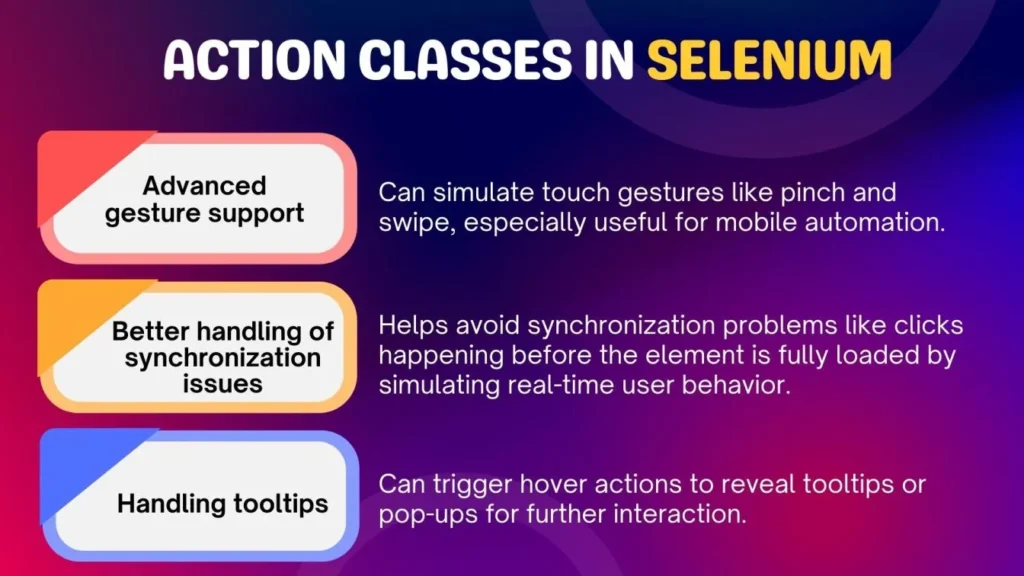
These UI patterns frequently require advanced interaction handling. Action Class in Selenium allows testers and automation engineers to:
- Accurately simulate real user behavior
- Reduce flaky tests caused by improper clicks
- Validate UI workflows that depend on hover or drag events
For working professionals preparing for a Selenium certification course, understanding Action Class in Selenium is essential because it reflects real automation challenges faced in production systems.
How Does Action Class in Selenium Work Internally?
Action Class in Selenium uses a builder pattern. Instead of executing an action immediately, it:
- Creates an action sequence
- Chains multiple low-level interactions
- Executes them using
perform()
Core Workflow
- Initialize the
Actionsclass with a WebDriver instance - Define one or more actions
- Build and execute the action chain
This approach ensures precise control over how and when interactions occur.
Common Methods in Action Class in Selenium
The Action Class in Selenium provides several commonly used methods:
Mouse Actions
moveToElement(WebElement)click()doubleClick()contextClick()dragAndDrop(source, target)
Keyboard Actions
keyDown(Keys.CONTROL)keyUp(Keys.CONTROL)sendKeys("text")
Composite Actions
clickAndHold()release()moveByOffset(x, y)
These methods can be chained together to replicate complex user workflows.
Practical Example of Action Class in Selenium (Conceptual)
Actions actions = new Actions(driver);
actions.moveToElement(menu)
       .click(subMenu)
       .build()
       .perform();
In enterprise test automation, such interaction is common for validating navigation menus, admin panels, and dashboards.
When Should You Use Action Class in Selenium?
It should be used when:
- UI elements require mouse hover
- Drag-and-drop is implemented via JavaScript
- Keyboard shortcuts must be validated
- Standard
click()fails due to overlapping elements
It should not be overused for simple interactions, as unnecessary complexity can reduce test maintainability.
How Is Action Class in Selenium Used in Enterprise Environments?
In enterprise Selenium testing:
- It is encapsulated within utility methods
- Actions are abstracted inside Page Object classes
- Reusable interaction libraries are created
Example Enterprise Use Cases
- Financial dashboards with draggable widgets
- E-commerce sites with hover-based category menus
- Internal tools using keyboard-driven navigation
This aligns closely with automation standards taught in a Selenium course online, where maintainability and reusability are emphasized.
Common Challenges When Using Action Class in Selenium
Synchronization Issues
- Actions may fail if elements are not fully loaded
- Requires proper use of explicit waits
Browser Compatibility
- Some actions behave differently across browsers
- Cross-browser testing must validate behavior
Test Flakiness
- Incorrect chaining can cause intermittent failures
- Small UI changes may break action sequences
Experienced automation engineers mitigate these risks by combining Action Class with robust wait strategies and defensive coding practices.
Best Practices for Using Action Class in Selenium
- Use explicit waits before performing actions
- Encapsulate actions inside Page Objects
- Avoid hard-coded offsets where possible
- Prefer
moveToElement()over coordinate-based actions - Validate UI state after performing actions
These best practices are typically covered in depth during an industry-aligned Selenium certification course.
What Skills Are Required to Learn Selenium Testing?
To effectively use Action Class in Selenium, professionals should have:
- Basic Java programming knowledge
- Understanding of HTML, CSS, and DOM
- Familiarity with Selenium WebDriver
- Knowledge of test frameworks like TestNG
- Basic debugging and log analysis skills
These foundational skills are reinforced in structured learning paths offered through a Selenium course online.
What Job Roles Use Action Class in Selenium Daily?
Several roles rely on it as part of daily automation tasks:
| Job Role | How Action Class in Selenium Is Used |
|---|---|
| QA Automation Engineer | Testing advanced UI workflows |
| SDET | Building reusable interaction libraries |
| Test Automation Architect | Designing scalable automation frameworks |
| DevOps QA | Supporting CI-driven UI test execution |
How Does Action Class in Selenium Fit Into Automation Frameworks?
In production-grade frameworks:
- Action logic is separated from test logic
- Reusable action utilities reduce duplication
- Frameworks integrate Selenium with reporting tools
This becomes part of the interaction layer, ensuring consistent handling of complex UI events across test suites.
Learning Path for Mastering Action Class in Selenium
| Stage | Focus Area |
|---|---|
| Foundation | Core Selenium WebDriver |
| Intermediate | Page Object Model |
| Advanced | Action Class in Selenium |
| Integration | CI/CD and reporting |
| Optimization | Stability and performance tuning |
This structured approach is standard in professional Selenium training programs.
Frequently Asked Questions (FAQ)
What is Action Class in Selenium used for?
It is used to automate complex mouse and keyboard interactions that cannot be handled by basic WebDriver methods.
Is Action Class in Selenium required for all test cases?
No. It is used only when advanced interactions like hover, drag-and-drop, or keyboard shortcuts are required.
Can Action Class in Selenium handle keyboard events?
Yes. It supports key press and release actions using the Keys class.
Is Action Class in Selenium supported in Selenium 4?
Yes. It is fully supported in Selenium 4 with improved W3C WebDriver compliance.
Do Selenium interviews include Action Class in Selenium?
Yes. It is a common topic in interviews and certification exams due to its real-world relevance.
Key Takeaways
- It enables advanced user interaction automation
- It is essential for testing modern, JavaScript-heavy applications
- Widely used in enterprise Selenium testing frameworks
- Requires strong understanding of WebDriver and UI behavior
- Commonly covered in professional Selenium training programs
To gain hands-on experience with Action Class and apply it in real automation projects, explore structured learning paths offered by H2K Infosys.
Their programs are designed to help working professionals build practical Selenium testing skills aligned with industry needs.