

In today’s fast-paced digital world, software development has become the driving force behind innovation and efficiency. Whether you’re an aspiring developer or pursuing a Software testing and quality assurance course, understanding the right tools can make a significant difference in your productivity and project outcomes.
Software Development Tools are the foundation of every successful application, helping teams code, test, deploy, and maintain software effectively. In this blog, we’ll explore five simple yet powerful Software Development Tools that every IT professional should know, especially those undergoing Quality assurance tester training or preparing for careers in software testing and development.
5 Simple Software Development Tools
Software development tools are essential applications that help developers plan, write, test, debug, and manage software projects more efficiently. Whether you are a beginner or an experienced programmer, using the right tools can improve productivity, enhance collaboration, and streamline the entire development lifecycle. Below are five simple software development tools that every aspiring developer should know and understand.
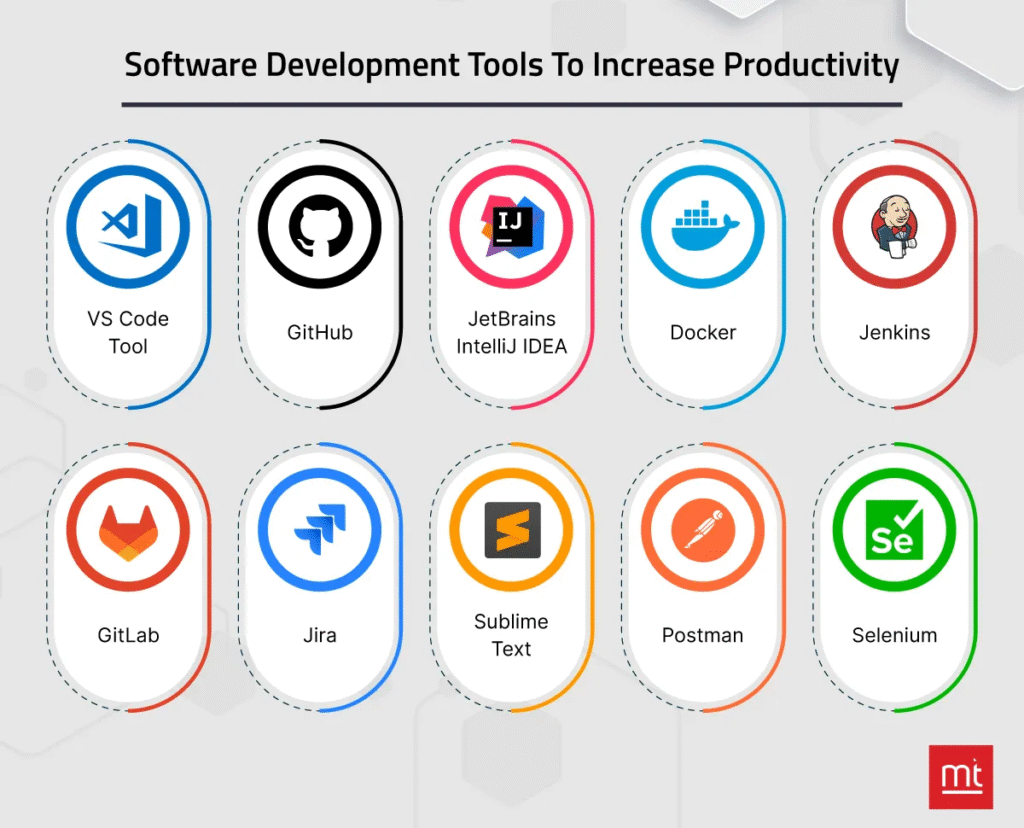
1. Git and GitHub – Version Control and Collaboration Made Easy
Why It Matters:
Git and GitHub are indispensable tools for modern Software Development Tools. Git is a version control system that helps developers track changes in code, while GitHub serves as a cloud-based repository for collaboration, sharing, and management of codebases.
Key Benefits:
- Version Tracking: Git keeps track of every code change, enabling developers to revert to previous versions if bugs appear.
- Collaboration: Multiple developers can work on the same project simultaneously without overwriting each other’s code.
- Branching and Merging: Developers can experiment in separate branches and later merge the best features into the main branch.
- Community Support: GitHub offers millions of open-source projects and a thriving developer community.
Example in Real-World Use:
Imagine a team of five developers working on an e-commerce platform. GitHub enables them to push code changes, review pull requests, and detect issues early, all in a collaborative environment. This workflow enhances code quality and reduces integration errors.
Why QA Professionals Should Learn It:
Students enrolled in a Software testing and quality assurance course should learn Git and GitHub to efficiently manage test scripts, automation code, and defect tracking repositories.
2. Visual Studio Code (VS Code) – The Smart Developer’s IDE
Why It Matters:
Every developer needs a reliable Integrated Development Environment (IDE), and VS Code has emerged as one of the most popular choices worldwide. It’s lightweight, fast, and customizable, making it ideal for both beginners and professionals.
Key Benefits:
- Multi-Language Support: VS Code supports languages like Python, Java, C#, JavaScript, and more.
- IntelliSense: The built-in AI assistant offers smart code completion, parameter hints, and syntax highlighting.
- Extensions Marketplace: Thousands of plugins enhance debugging, version control, testing, and deployment workflows.
- Live Share: Teams can code together in real-time, a major advantage in remote development environments.
Example in Real-World Use:
A developer writing test automation scripts in Python can use VS Code’s debugging tools and extensions like PyLint or Jupyter to analyze code, run unit tests, and identify performance issues instantly.
Relevance for QA Learners:
In Quality assurance tester training, using an IDE like VS Code allows testers to create, edit, and debug automated test scripts efficiently. They can integrate testing tools, plugins, and frameworks like Selenium or PyTest directly within the IDE.
3. Jira – The Agile Project Management Powerhouse
Why It Matters:
Managing projects, tracking bugs, and maintaining visibility across development stages is critical for any software team. Jira, developed by Atlassian, is one of the most widely used Agile project management tools for both developers and QA professionals.
Key Benefits:
- Task Management: Create and assign tasks, user stories, and sprints effortlessly.
- Bug Tracking: Document defects, assign them to developers, and monitor progress until resolution.
- Custom Dashboards: Track key performance indicators (KPIs), deadlines, and team performance visually.
- Integration: Jira integrates with tools like Confluence, GitHub, Jenkins, and Slack, forming a seamless workflow.
Example in Real-World Use:
In a software company using Agile methodology, the QA team logs bugs in Jira during testing. Developers then fix them, link commits from GitHub, and move tasks through workflow columns such as “To Do,” “In Progress,” and “Done.” This transparency keeps teams aligned and accountable.
For QA and Software Testing Learners:
Anyone taking a Software testing and quality assurance course should gain hands-on experience in Jira. It’s the backbone of test case tracking, sprint planning, and real-time collaboration between testers and developers.
4. Postman – The Ultimate API Testing Tool
Why It Matters:
Modern applications rely heavily on Application Programming Interfaces (APIs) to exchange data between front-end and back-end systems. Postman simplifies API development and testing, allowing developers and testers to validate API responses without writing extensive code.
Key Benefits:
- Easy API Testing: Send GET, POST, PUT, and DELETE requests with just a few clicks.
- Automation Support: Create automated test collections to validate endpoints efficiently.
- Environment Variables: Test APIs across multiple environments such as development, staging, and production.
- Documentation and Collaboration: Postman automatically generates API documentation and allows sharing with team members.
Example in Real-World Use:
A QA engineer testing a weather app can use Postman to send requests to the weather API and check if responses contain accurate temperature data. They can then create automated scripts to test data accuracy across multiple cities.
Relevance to QA Courses:
During Quality assurance tester training, learners often encounter API testing as a major component. Postman helps them understand RESTful API principles, validate responses, and build robust automated test suites that ensure back-end reliability.
5. Selenium – The Leader in Web Automation Testing
Why It Matters:
For every QA professional, Selenium is a must-know tool. It’s an open-source automation testing framework used to test web applications across browsers and platforms. It supports multiple languages such as Java, Python, C#, and JavaScript.
Key Benefits:
- Cross-Browser Compatibility: Run test cases on Chrome, Firefox, Safari, and Edge.
- Integration Friendly: Selenium works with CI/CD tools like Jenkins and version control systems like Git.
- Open Source: Completely free with a large global community.
- Framework Support: Combine Selenium with TestNG or JUnit for structured test execution.
Example in Real-World Use:
A QA tester validating an online banking website can automate login tests, transaction verifications, and form validations using Selenium WebDriver. This saves hours of repetitive manual testing and ensures consistent quality checks.
Why It’s Essential for QA Learners:
Students in a Software testing and quality assurance course or Quality assurance tester training program learn Selenium to build hands-on testing experience. It is often part of real-world projects that simulate enterprise-level web applications.
How These Software Development Tools Work Together
Software Development Tools doesn’t happen in isolation. It’s a collaborative effort that integrates multiple tools and processes. Let’s see how the five tools we discussed complement one another:
| Stage | Tool | Function | Benefit |
|---|---|---|---|
| Planning & Tracking | Jira | Manages sprints, user stories, and bug reports | Promotes Agile collaboration |
| Development | VS Code | Enables efficient coding with extensions and debugging | Simplifies software development |
| Version Control | Git/GitHub | Tracks code changes and facilitates collaboration | Prevents data loss and improves code quality |
| Testing | Selenium & Postman | Automates web and API testing | Reduces manual testing and accelerates QA cycles |
| Deployment | GitHub Actions / Jenkins (Optional Integration) | Automates CI/CD pipelines | Speeds up deployment and delivery |
For those undergoing Quality assurance tester training, understanding how these tools integrate within the Software Development Life Cycle (SDLC) is crucial. It enables testers to collaborate better with developers, detect issues early, and maintain consistent software quality.
The Role of QA in Software Development
In modern development workflows, Quality Assurance (QA) plays a pivotal role in delivering reliable, high-performing products. QA professionals are no longer just “testers”; they are quality advocates ensuring that every line of code meets performance, security, and usability standards.
By mastering tools like Selenium, Postman, and Jira, QA testers bridge the gap between development and deployment. Those pursuing a Software testing and quality assurance course gain a strong foundation in these tools and their practical applications in both Agile and DevOps environments.
Benefits of Learning Software Development Tools Through a Structured QA Course
If you’re serious about building a career in QA or development, enrolling in a Software Development Tools and quality assurance course offers several advantages:
- Hands-On Experience: Learn by doing using tools like GitHub, Selenium, and Postman in real projects.
- Industry-Relevant Skills: Understand how top companies apply Agile and CI/CD workflows.
- Job Readiness: Gain practical exposure to bug tracking, automation frameworks, and version control systems.
- Certification & Placement Support: Many institutes offer recognized certifications and career assistance after completion.
- Confidence in Automation: Learn how to write test cases, execute scripts, and analyze reports for professional QA roles.
Similarly, Quality assurance tester training programs are designed to align with the latest industry needs, ensuring that learners are ready for roles such as QA Analyst, Test Automation Engineer, or Software Quality Specialist.
Tips for Beginners Learning Software Development Tools
If you’re new to Software Development Tools or QA, here are some actionable tips to make learning these tools smoother:
- Start Small: Begin with Git and VS Code and master basic commands and coding workflows.
- Practice Automation: Use Selenium for simple web tasks, then expand to data-driven testing.
- Explore APIs: Experiment with Postman to understand how front-end and back-end systems communicate.
- Work in Teams: Join open-source projects on GitHub to gain real-world experience.
- Use Agile Boards: Track your progress using Jira to mirror professional work environments.
Continuous learning and practice are key. Most Software testing and quality assurance course curricula include practical labs that simulate real-world scenarios, helping learners build confidence and technical depth.
Conclusion
Mastering Software Development Tools is essential for anyone aspiring to succeed in today’s technology-driven world. Tools like Git/GitHub, VS Code, Jira, Postman, and Selenium empower developers and QA testers to collaborate effectively, write better code, and ensure high-quality deliverables.
For those enrolled in a Software testing and quality assurance course or undergoing Quality assurance tester training, these tools form the foundation of real-world QA workflows. They not only streamline development but also ensure that every software product meets user expectations and industry standards.
If you’re ready to elevate your career in software testing, mastering these five Software Development Tools is a great place to start, and with structured learning and consistent practice, you’ll soon become a confident, job-ready software professional.
FAQs: about Software Development Tools
1. What are software development tools?
Software development tools are applications that help developers design, code, test, debug, and manage software projects more efficiently.
2. Which software development tool is best for beginners?
Beginners often start with Visual Studio Code because it is free, lightweight, and supports many programming languages.
3. Why are software development tools important?
They improve productivity, reduce coding errors, simplify collaboration, and speed up the software development process.
4. Are software development tools free to use?
Many popular tools, such as Git, Visual Studio Code, and GitHub, offer free versions with powerful features.
5. What is the most commonly used version control t
Git is the most widely used version control system for tracking code changes and collaborating with development teams.


























7 Responses
It helps to plan, track, and manage software development projects. Also, it helps to customise the workflow, collaborate, and release great software. It allows you to manage the team backlog, visualise the work in progress and generate reports.
Embold is a critical component that allows you to manage and monitor the quality of your software projects.
Linx is designed to reduce development time and costs, Linx can read databases, files, or web services, transform and manipulate the data in a variety of ways, ranging from simple to highly complex.
Zoho Creator is a low-code app development platform that lets you launch custom, mobile-ready apps in minutes.
Atom is a free and open-source text and source code editor, Atom is based on Electron, a framework that enables cross-platform desktop applications.
AWS Cloud9 is a cloud-based integrated development environment (IDE) that lets you write, run, and debug your code with just a browser.
kerai.vijay.spart@gmail.com
1. Embold
2. Linux
3. Zpho Creator
4. Atom
5. Cloud9
Those are the most important tools we should be familiar with.
The five software tools that should be known are:
1. Embold
Fixing bugs before deployment saves time and effort. Embold is software analytics platform that analyses ASCII text file and unhides issues that impact stability, robustness, security and maintainability.
2. Linx
Linx is low code tool build and automates backend applications and web services. This tool accelerates the planning, development and automation of custom business processes, including easy integration of application systems and databases.
3. Zoho creator
Zoho creator may be low-code platform which enables rapid development and delivery of web and mobile applications and helps to create powerful enterprise software applications 10x faster. It also has the key features like AI, JavaScript, cloud functions, third party integrations, multi-language support, offline mobile access integration with a payment gateway and more.
4. Atom
Atom is an open source and free desktop editor which is updated friendly and hackable to the core.
5. Cloud 9
In 2010 cloud 9 was a open source, cloud based IDE(integrated development environment)that supports various programming languages like c, perl, python, javaScript, PHP.
The five software development tools :-
1.Embold
2.Linux
3.Zoho creator
4.Atom
5.cloud9
The five software development tools we should know
1.Embold
2.Linux
3.Zoho creator
4.Atom
5.cloud9
Software tools are used to accomplish and investigate the business processes, document the development process of the software and optimize all the processes. By using these tools in the software development process, the outcome of the projects will be more productive.
The five software development tools
1.Embold
2.Linux
3.Zoho creator
4.Atom
5.cloud9