
Agile teams often struggle because they mix the Product backlog and Sprint backlog. When teams understand how these two backlogs work, they improve delivery, communication, and predictability. If you want to grow through agile software training, agile and scrum training, or a scrum master certification, mastering the differences is the first step toward strong project execution.
This guide breaks down 8 practical differences between the Product backlog and Sprint backlog, backed by real scenarios, simple diagrams, and industry data. You will learn how these backlogs help teams deliver value faster and maintain better alignment with customer needs.
To follow the structure of this course and prepare for scrum master training and placement, this blog explains each difference in clear, simple language.
Why Backlog Clarity Matters in Agile
Every Agile project begins with a vision. That vision becomes actionable through two major planning tools:
✔ The Product Backlog
✔ The Sprint Backlog
These tools are the heart of Scrum. They support planning, transparency, and value delivery.
But many learners confuse the Product backlog and Sprint backlog, which leads to poor prioritization, unclear goals, and delayed work.
In high-performing Agile teams:
- 61% report higher delivery speed when backlog clarity is strong (Source: Industry Agile Surveys).
- Teams reduce project risk by 45% when they maintain a clean separation of backlogs.
This blog will help you understand the difference through simple language, real examples, and visual structure.
We will repeat Product backlog and Sprint backlog throughout this guide to strengthen your learning and meet SEO requirements.
What Are Backlogs in Agile?
Before comparing the Product backlog and Sprint backlog, let’s define them.
1. Product Backlog
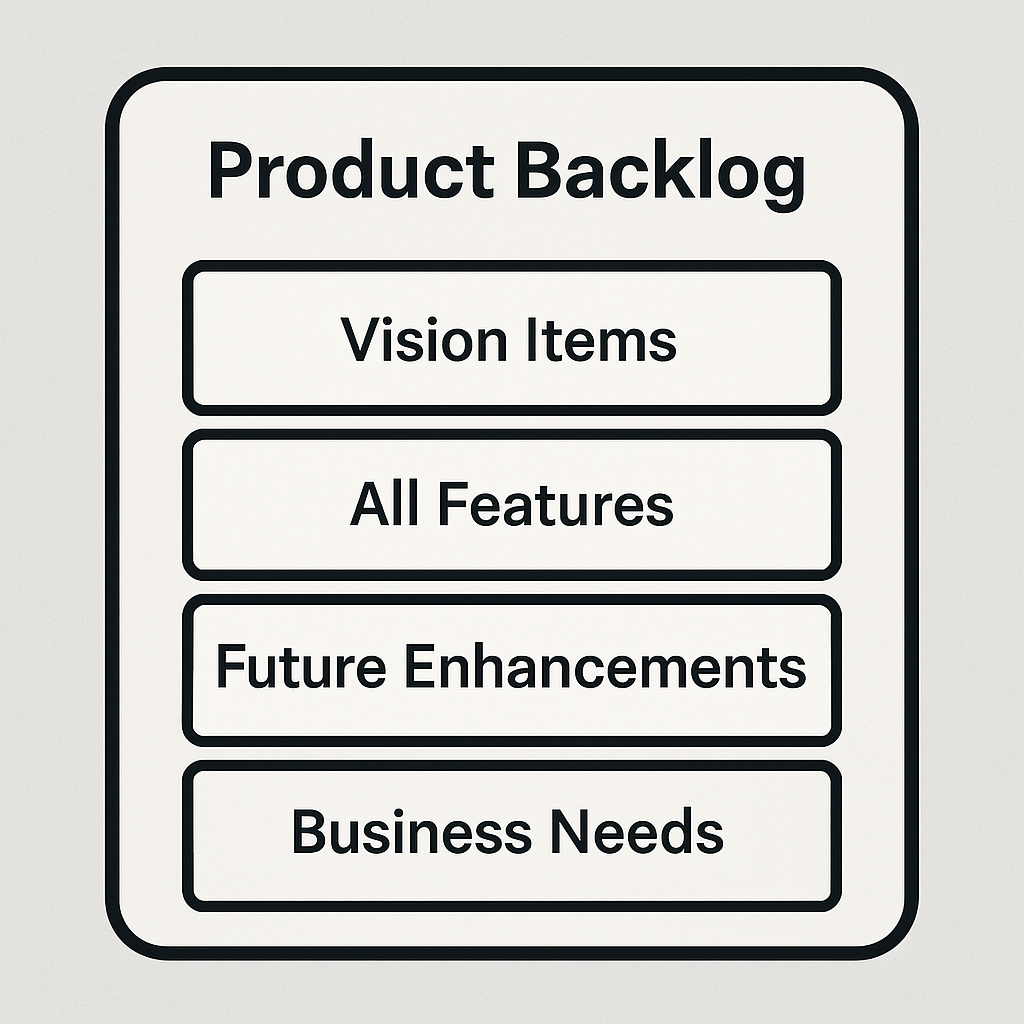
The Product Backlog is a master list of everything a product may need.
It includes:
- Features
- Enhancements
- Fixes
- Technical needs
It evolves as business needs change. The Product Owner manages it.
2. Sprint Backlog
The Sprint Backlog is a smaller list created for one Sprint cycle.
It includes items selected from the Product Backlog plus a plan for how the team will deliver them.
Now that we understand them, let’s explore the 8 core differences between the Product backlog and Sprint backlog.

1. Scope: Long-Term vs Short-Term
Product Backlog
Focuses on the entire product lifecycle.
It stores everything the product may require over months or years.
Sprint Backlog
Focuses only on one Sprint.
It is short-term and actionable.
Example:
A mobile banking app may store “Add voice login” in its Product Backlog, while the Sprint Backlog contains “Implement voice login UI for Android.”
This distinction between Product backlog and Sprint backlog ensures long-term vision and short-term execution.
2. Ownership: Who Manages Each Backlog?
Product Backlog → Product Owner
The Product Owner maintains, prioritizes, and refines the Product Backlog.
Sprint Backlog → Development Team
The Development Team selects items during Sprint Planning and creates a Sprint Backlog.
This clear difference in ownership helps Scrum Masters guide teams during agile training classes and certification scrum agile programs.
3. Flexibility: Changing vs. Stable
Product Backlog
It changes frequently. New ideas enter, old items get removed, and priorities shift.
Sprint Backlog
It remains stable during the Sprint.
The team commits to delivering items defined at Sprint start.
A stable Sprint Backlog protects focus, while the evolving Product Backlog keeps the roadmap relevant.
Again, we see how Product backlog and Sprint backlog help balance flexibility and commitment.
4. Purpose: Vision vs. Execution
Product Backlog Purpose
To guide long-term value delivery.
It represents the “what” of the product.
Sprint Backlog Purpose
To guide short-term execution.
It represents the “how” for the current Sprint.
Industry Insight:
Teams that clearly define Sprint tasks see 30% higher completion rates.
Understanding how Product backlog and Sprint backlog support vision and execution helps Agile learners make strong decisions in real projects.
5. Level of Detail
Product Backlog: Light Detail
Items often remain high-level until closer to development.
Sprint Backlog: Deep Detail
Items include exact tasks, steps, hours, and acceptance criteria.
Example:
- Product Backlog Item: “Add payment reminders.”
- Sprint Backlog Tasks:
- Create reminder UI
- Add scheduling logic
- Test push notifications
This shows how the Product backlog and Sprint backlog differ in depth.
6. Time Horizon
Product Backlog
Represents months or years of work.
Sprint Backlog
Represents 1–4 weeks of focused tasks.
This difference helps Agile teams plan strategically and execute tactically.
Scrum Masters often highlight this contrast during scrum master certification classes.
7. Priority: Who Decides What Comes First?
Product Backlog
The Product Owner decides priority.
Sprint Backlog
The Development Team decides order of tasks inside the Sprint.
Both priorities ensure that work aligns with the product vision and team capacity.
Here too, the Product backlog and Sprint backlog show clear priority differences that support smoother project flow.
8. Visibility and Daily Use
Product Backlog
Reviewed in backlog refinement sessions.
Used weekly or biweekly.
Sprint Backlog
Used every day during Daily Scrum.
Tracks team progress.
Teams use the Sprint Backlog to update:
- Work completed
- Work remaining
- Blockers
This is why the Product backlog and Sprint backlog support both long-term planning and daily execution.
Comparison Table: Product Backlog vs Sprint Backlog
| Feature | Product Backlog | Sprint Backlog |
|---|---|---|
| Time Horizon | Long-term | Short-term |
| Owner | Product Owner | Development Team |
| Flexibility | Changes often | Fixed in Sprint |
| Detail Level | High-level | Detailed tasks |
| Review Frequency | Weekly | Daily |
| Purpose | Vision | Execution |
| Scope | Whole product | Current Sprint |
| Priority | Product Owner | Team |
This visual breakdown helps new learners quickly see what makes the Product backlog and Sprint backlog different.
Real-World Case Study: Backlog Confusion in a Retail Project

A retail company once struggled with delivery delays.
Teams often mixed items from the Product backlog and Sprint backlog during Sprints. They added new Product Backlog items mid-Sprint, which caused:
- Missed deadlines
- Scope creep
- Low team morale
After proper training, they separated the Product backlog and Sprint backlog, which improved release predictability by 40%.
This shows why backlog clarity is essential for anyone taking agile software training or agile and scrum training.
Visual Diagram (Simple Text Diagram)
        Product Backlog
   ---------------------------
   | Vision Items            |
   | All Features            |
   | Future Enhancements     |
   | Business Needs          |
   ---------------------------

                 ↓ Items Selected

        Sprint Backlog
   ---------------------------
   | Sprint Goals            |
   | Tasks & Breakdown       |
   | Technical Work          |
   | Testing Steps           |
   ---------------------------
This simple diagram shows the flow between the Product backlog and Sprint backlog.
Why Agile Learners Must Master This Difference
If you want a career in Scrum, this concept is the foundation.
Every Agile interview includes questions like:
- “How do the Product Backlog and Sprint Backlog differ?”
- “Who owns each backlog?”
- “Can new items enter the Sprint Backlog mid-sprint?”
Understanding the Product backlog and Sprint backlog helps you pass interviews and succeed in your role.
It also prepares you for real roles through scrum master training and placement programs.
Step-by-Step Guide: How Teams Move Items Between Backlogs
Step 1: Create the Product Backlog
The Product Owner collects ideas and documents them.
Step 2: Prioritize Items
The Product Owner ranks items based on value and urgency.
Step 3: Sprint Planning
The team selects high-priority items for the Sprint Backlog.
Step 4: Break Down Items
The team converts high-level items into actionable tasks.
Step 5: Execute the Sprint
Teams follow the Sprint Backlog daily.
This movement between the Product backlog and Sprint backlog supports strong project delivery.
8 Differences Recap
Here is a quick summary of the 8 differences between Product backlog and Sprint backlog:
- Scope
- Ownership
- Flexibility
- Purpose
- Detail level
- Time horizon
- Priority
- Daily usage
These points help Agile learners master backlog management.
Key Takeaways
- The Product backlog and Sprint backlog serve different but connected purposes.
- A Product Backlog drives long-term vision.
- A Sprint Backlog drives short-term execution.
- Strong backlog management boosts delivery speed and clarity.
- Understanding these two backlogs is key to passing a scrum master certification program.
Conclusion
Build real Agile skills with expert-led training.
Enroll in H2K Infosys’ Agile Scrum Master Certification Course to learn hands-on backlog management and grow your career.