Software testing is not just about finding bugs it’s about communicating them clearly, accurately, and professionally. No matter how skilled a tester is at identifying issues, the real value lies in how effectively those issues are documented and conveyed to developers. This is where a Defect Report becomes one of the most powerful tools in the QA process.
A well-written defect report helps teams reproduce issues quickly, understand the impact, plan fixes, and deliver high-quality software. Poorly written ones create confusion, delays, rework, frustration, and even production failures.
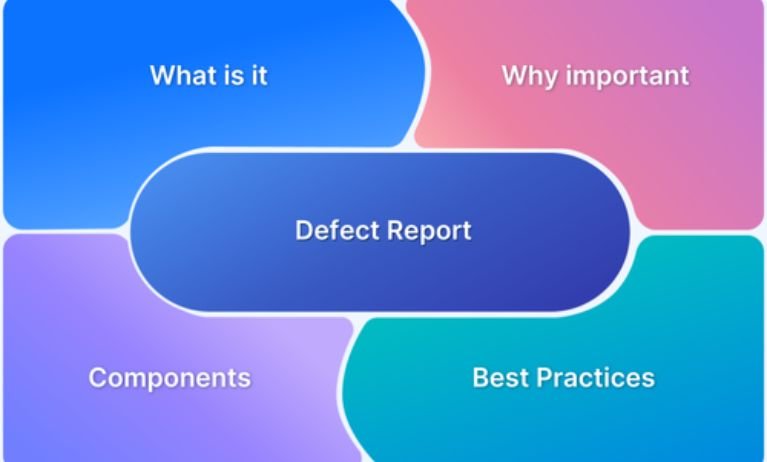
Whether you’re a beginner preparing for QA Tester Training interviews or an experienced tester improving your reporting skills, this guide helps you understand what a defect report is, why it matters, the structure of a good report, and best practices.
Understanding the Definition: What Is a Defect Report?
A Defect Report, also known as a Bug Report, is a detailed document that records any flaw, issue, or unexpected behavior identified during software testing. It provides complete information about the defect what it is, where it occurs, how to reproduce it, its severity, impact, and supporting evidence.
In simple terms:
👉 A defect report is a written communication between QA and development teams that describes the problem so clearly that anyone can understand and reproduce it.
It acts as an official record of issues found during testing, ensuring nothing is missed, ignored, or misunderstood.
Why Is a Defect Report Important?
Defect reports are the backbone of structured testing. Without them, teams would rely on memory or informal verbal communication, which leads to:
- Missed bugs
- Misinterpretations
- Delays in release
- Poor product quality
A clear defect report provides multiple benefits:
1. Ensures Clear Communication
A well-documented bug eliminates confusion between QA, developer, product owner, and business teams.
2. Improves Developer Productivity
Developers can reproduce the issue faster when steps and environment details are clear.
3. Prioritizes Fixes Based on Impact
Severity and priority help teams decide what must be resolved immediately vs later.
4. Acts as a Historical Record
Defect reports help track recurring problems, regression issues, and improvement areas.
5. Enhances Product Quality
Clear documentation ensures bugs are fixed properly and reduces risk of defects leaking into production.
Key Components of a Good Defect Report
A high-quality defect report must be complete, clear, consistent, and concise. Below are the essential fields included in most bug tracking systems (Jira, Bugzilla, Azure DevOps, QC/ALM, Trello, etc.).
1. Defect ID
A unique identifier automatically generated by the tool (e.g., BUG-1023).
Used for tracking and referencing.
2. Title / Summary
A one-line, crisp description of the defect.
Example:
“Login button remains disabled even after entering valid credentials.”
Tips:
- Mention the affected function and behavior.
- Avoid vague titles like “Login issue” or “Button not working.”
3. Description
A detailed explanation of the defect with context.
Include:
- What went wrong
- Where it occurred
- Expected behavior
- Actual behavior
Example:
“When the user enters valid email and password, the login button remains disabled. Expected behavior: the button should get enabled.”
4. Steps to Reproduce
The most important part of any defect report.
These steps must be:
- Simple
- Sequential
- Easy to follow
Example:
- Open the login page
- Enter a valid email
- Enter a valid password
- Observe the login button
If the issue is not reproducible, note the frequency (e.g., “Occurs 2/5 times”).
5. Environment Details
Include:
- Browser version
- Device
- Operating system
- Build version
- Test environment URL
This helps developers replicate the issue in the exact setup.
6. Severity
Defines impact of the defect.
Common levels:
- Critical – System crash, data loss
- High – Major functionality broken
- Medium – Partial or moderate impact
- Low – Minor issue, UI defect
7. Priority
Defines urgency of fixing the defect.
- P1 – Immediate fix needed
- P2 – Fix in next sprint
- P3 – Fix in backlog
Severity ≠ Priority
A UI defect may be low severity but high priority before a client demo.
8. Screenshots / Videos / Logs
Evidence increases credibility and eliminates guesswork.
Attach:
- Screenshots
- Console logs
- Error codes
- Network logs
- Video recordings
Tools like Loom, Snagit, and browser dev tools help capture issues.
9. Expected vs Actual Result
Clear comparison helps developers understand the impact instantly.
10. Module / Function / Feature
Mention the exact area where issue is found.
11. Test Data Used
Useful for issues involving:
- Payment
- User roles
- Authentication
- Dynamic data
12. Assigned To
The developer or team responsible for fixing the defect.
13. Status
Shows where the defect is in the lifecycle.
Common statuses include:
- New
- Assigned
- In Progress
- Fixed
- Retest
- Closed
- Reopened
- Deferred
- Not a Bug
- Duplicate
How to Write an Excellent Defect Report: Examples and Best Practices
A strong defect report saves time, reduces frustration, and speeds up resolution. Follow these proven guidelines:
1. Be Clear and Specific
Avoid:
Page not working.”
Checkout page freezes after clicking ‘Proceed to Pay’ on Chrome 120.”
2. Provide Exact Reproduce Steps
No matter how obvious the issue seems to you, developers need clarity.
3. Avoid Emotionally Charged or Blaming Language
The developer forgot validation again.”
Validation is missing for the email field on the registration form.”
4. Include Attachments
Images and videos communicate faster than text.
5. Focus on Facts, Not Assumptions
Stick to observed behavior. Don’t guess the root cause.
6. Use Proper Formatting
Use bullets, numbers, and spacing for readability.
7. Always Check for Duplicates
Search existing defects before logging a new one to avoid clutter.
8. Validate Test Data Properly
Incorrect test data leads to invalid defect reports.
9. Mention Frequency
If intermittent, specify occurrence rate (e.g., 3/10 times).
10. Reproduce Before Reporting
Never log a defect without confirming it is consistent and valid.
Sample Defect Report Template
Defect ID: AUTO-2345
Title: Login button remains disabled after entering valid credentials.
Description:
The login button on the web application does not get enabled after entering valid email and password. This prevents the user from accessing the account.
Environment:
- Browser: Chrome 120
- OS: Windows 11
- Build Version: 5.8.2
- URL: test.xyz.com
Severity: High
Priority: P1
Steps to Reproduce:
- Open the login page
- Enter a valid email
- Enter a valid password
- Observe the login button remains disabled
Expected Result:
Login button should be enabled once valid input is provided.
Actual Result:
Login button stays disabled, blocking user login.
Attachments:
- Screenshot.png
- Screenrecording.mp4
Status: New
Assigned To: UI Development Team
Common Mistakes QA Testers Make in Defect Reporting
Understanding mistakes helps you avoid them:
1. Lack of Detail
“Page not loading” is not enough. Provide steps, URL, logs, and frequency.
2. Vague Titles
Titles like “Issue found” waste developer time.
3. Missing Expected Result
Developers cannot fix something unless they know the intended behavior.
4. Using Wrong Severity or Priority
Incorrect classification leads to poor sprint planning.
5. Not Reproducing Defect Before Reporting
Intermittent or false defects damage QA credibility.
6. Unclear Screenshots
Blurred or partial images slow down debugging.
7. Duplicate Defects
Clutters the backlog and confuses teams.
Why Defect Reporting Skills Matter for QA Careers
A QA tester’s value is measured not only by the number of bugs they find but by how well they communicate defects. These skills directly impact:
- Team efficiency
- Developer relationships
- Sprint planning
- Release timelines
- Product stability
- Your professional reputation
In many interviews, hiring managers evaluate defect reporting skills through:
- Practical test scenarios
- Sample bug reports
- Jira exercises
- Video-based evidence analysis
Clear defect reporting reflects your analytical thinking, attention to detail, and professionalism qualities every successful QA must master.
Real-World Example: Impact of Poor vs Good Defect Reporting
Scenario 1: Poor Report
“App crashes sometimes.”
Developers spend hours:
- Reproducing
- Hunting logs
- Understanding context
- Asking QA for details
Scenario 2: Good Report
“App crashes when user imports a 50MB CSV file on Android 14 using Samsung S22. Crash occurs after clicking ‘Upload’ step 3. See logs and video attached.”
Developers:
- Reproduce issue in 2 minutes
- Identify memory leak
- Apply fix quickly
Good defect reporting accelerates development.
Tools Commonly Used for Logging Defects
Below are the most popular tools in QA teams:
- Jira
- Azure DevOps
- Bugzilla
- Mantis
- QC / ALM
- YouTrack
- Redmine
- Asana
- Trello
- ClickUp
Most of these tools support:
- Custom workflow
- Priority/severity management
- Attachments
- Dashboards
- Notifications
- Sprint tracking
Conclusion
A Defect Report is more than just a document it’s a bridge between testers and developers. The quality of this communication directly impacts how fast bugs get fixed and how reliable the final product becomes. The best QA testers are not just good at identifying bugs; they excel at explaining them clearly.
Mastering defect reporting helps you:
- Improve team collaboration
- Build trust with developers
- Reduce rework
- Deliver bug-free releases
- Stand out in QA interviews
Strong defect reporting is a core skill for every QA professional—and one of the most powerful ways to elevate your career.