

Accessing the Internet in Python certification online with H2K Infosys: Using the online resources through the Urllib Library, which is included in the standard library and requires no separate installation. In practice, you import the right urllib module, open a URL, read the response, and handle possible network errors.
The first successful request may take four lines. The real learning begins when a server returns JSON, rejects the request, redirects you, or times out.
What Is the Urllib Library?
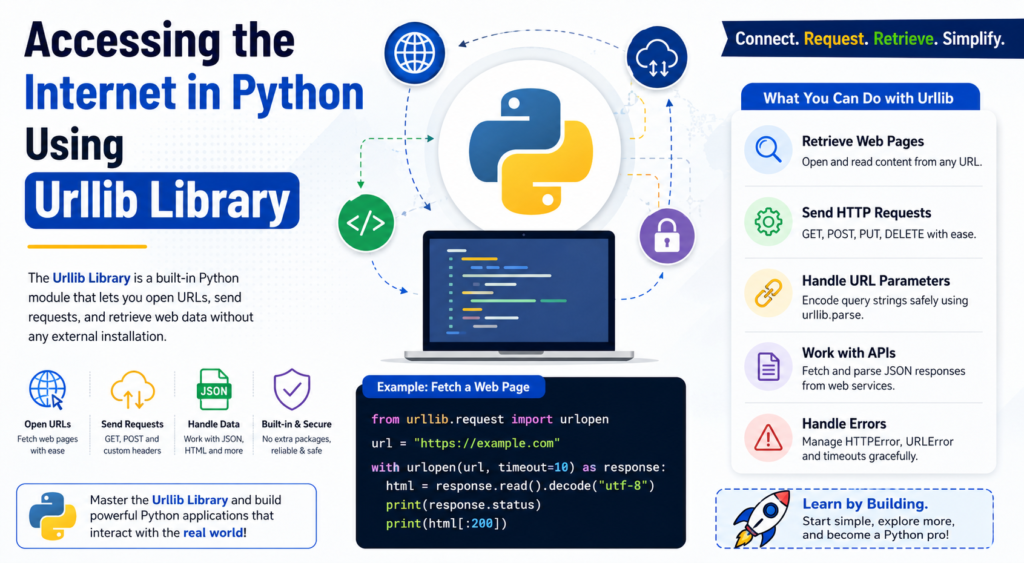
The Urllib Library is Python’s built-in toolkit for working with URLs. The package name is lowercase urllib in code, and it is divided into focused modules:
urllib.requestopens and reads URLs.urllib.parsebuilds, splits, and safely encodes URLs.urllib.errorprovides exceptions for request failures.urllib.robotparserreadsrobots.txtrules.
The current Python documentation describes urllib as a collection of URL-handling modules, with urllib.request responsible for opening and reading URLs. It can also support redirects, authentication, cookies, proxies, and other web situations. Urllib Library when third-party packages such as Requests or HTTPX exist? Because it ships with Python. That matters on restricted servers, coding assessments, and lightweight automation jobs. It also exposes the mechanics behind an HTTP request instead of hiding every detail.
Your First Internet Request
Here is the simplest useful example:
from urllib.request import urlopen

url = "https://example.com"

with urlopen(url, timeout=10) as response:
    html = response.read().decode("utf-8")
    print(response.status)
    print(html[:300])
The urlopen() function sends the request. The response gives you the status, headers, and body. Calling read() returns bytes, so the example decodes those bytes into text.
The with block closes the network resource cleanly. The timeout matters too; without one, a script may wait far too long when a server is slow or unreachable. It is a small habit that separates a demo from usable code.
When practicing the Urllib Library, start by printing the status code and the first few hundred characters of the response. Seeing the response is more useful than assuming the request worked.
Reading JSON from an API
Most API responses are JSON rather than HTML. The Urllib Library returns raw bytes, so you decode the body and pass it to Python’s json module.
import json
from urllib request import Request, urlopen

url = "https://api.github.com/repos/python/cpython"
request = Request(
    url,
    headers={"User-Agent": "Python-learning-example"}
)

with urlopen(request, timeout=10) as response:
    data = json.load(response)

print(data["full_name"])
print(data["html_url"])
A Request object lets you add headers. A clear User-Agent is good practice because some services reject missing client identification. Public APIs may enforce rate limits and authentication, so follow the provider’s documentation.
This is where the Urllib Library feels useful. The pattern can check a service status, retrieve repository information, read a data feed, or pull records into an internal report.
Adding Query Parameters Correctly
Manually joining search terms with spaces and ampersands is a reliable way to create broken URLs. Use urllib.parse.urlencode() instead.
from urllib.parse import urlencode
from urllib.request import urlopen

params = {
    "q": "python networking",
    "page": 1
}

url = "https://example.com/search?" + urlencode(params)

with urlopen(url, timeout=10) as response:
    content = response.read().decode("utf-8")
The urllib.parse module provides standard tools for splitting, joining, and encoding URL components. That becomes important when values contain spaces, punctuation, non-English characters, or reserved symbols. g the Urllib Library, resist the temptation to “just build the string.” Encoding bugs often look harmless during testing and then fail with real user input.
Sending Data with a POST Request
A POST request sends data to a server. For JSON, encode the payload as UTF-8 bytes and set the content type.
import json
from urllib.request import Request, urlopen

payload = {
    "name": "Asha",
    "topic": "Python networking"
}

body = json.dumps(payload).encode("utf-8")

request = Request(
    "https://httpbin.org/post",
    data=body,
    headers={
        "Content-Type": "application/json",
        "User-Agent": "Python-learning-example"
    },
    method="POST"
)

with urlopen(request, timeout=10) as response:
    result = json.load(response)

print(result["json"])
The Urllib Library does not automatically serialize a dictionary into JSON for you. That extra step may feel slightly clunky, but it makes the request body explicit. You can see exactly what is being transmitted and why the server interprets it as JSON.
This pattern can submit form data, trigger a webhook, or create an API record. Never place passwords or tokens directly in source code; use environment variables or managed secrets.
Handling Errors Without Crashing
Network code fails for perfectly normal reasons. A page can return 404, an API can respond with 401, DNS can fail, or a server can time out. The Urllib Library gives you HTTPError and URLError for these cases.
from urllib.error import HTTPError, URLError
from urllib.request import urlopen

try:
    with urlopen("https://example.com/missing", timeout=10) as response:
        print(response.read().decode("utf-8"))

except HTTPError as exc:
    print(f"HTTP error: {exc.code} {exc.reason}")

except URLError as exc:
    print(f"Connection error: {exc.reason}")

except TimeoutError:
    print("The request timed out.")
HTTPError represents an HTTP-level failure, while URLError is the broader base exception used when a handler encounters a problem. When working with the Urllib Library is to, log enough context to diagnose the problem, but not secret headers, tokens, or personal data. Error handling should help you recover or fail clearly, not quietly hide every exception.
A Practical Mini-Project
Suppose a small training team publishes a JSON file containing upcoming class dates. A script needs to download the feed, keep only Python sessions, and print the next available batch.
The workflow is simple:
- Open the feed with the Urllib Library.
- Decode the JSON response.
- Validate that required fields exist.
- Filter records by course name and date.
- Handle connection and data-format errors.
- Save a local timestamp so users know when the information was checked.
That mini-project beats disconnected syntax exercises. It combines networking, JSON, dates, exceptions, and validation the mix learners meet in real work.
Security and Reliability Checks
The Urllib Library is capable, but network access deserves care. Use HTTPS, set timeouts, validate downloaded content, and avoid blindly opening URLs supplied by untrusted users. In server-side software, an unchecked user-provided URL can create server-side request forgery risks by reaching internal services that were never meant to be public.
Respect API terms, rate limits, and crawling rules. urllib. robotparser can read robots.txt, but permission involves more than parsing one file. Identify your client, cache responses, and avoid excessive requests.
For file downloads, check the response type and size before writing data to disk. The Urllib Library will fetch what the URL returns; it cannot decide whether that content is safe or appropriate for your application.
Where This Fits in Modern Python Learning
In 2026, developers often use higher-level HTTP clients for larger applications, yet the Urllib Library still belongs in a serious Python foundation. It appears in standard-library work, interview exercises, dependency-light scripts, automation tasks, and environments where package installation is limited.
Google’s current guidance for AI-driven search also makes a related point for educational content: foundational SEO still matters, but visibility depends on unique, useful, expert-led information rather than supposed AEO or GEO tricks. Clear examples, original explanations, and content that genuinely solves a reader’s problem remain the durable approach. This principle applies to learning Python. Memorizing one request snippet is not enough. You need to understand status codes, bytes versus strings, headers, JSON parsing, timeouts, exceptions, and safe input handling.
Why Learn with H2K Infosys?
A structured Python certification course can help when self-study starts becoming fragmented. H2K Infosys publishes a Python online training program that includes instructor-led learning, certification, and real-time project work; its course page lists a 40-hour duration. Emphasis is relevant here. The Urllib Library makes more sense when you use it inside a complete task rather than reading isolated definitions. Learners comparing Python online course certification options should look for guided coding, feedback, debugging practice, API exercises, and a final project they can explain in an interview.
For someone searching for python certification online, the practical question is not simply, “Will I receive a certificate?” It is, “Can I build and troubleshoot something after the course?” H2K Infosys leans toward job-oriented instruction and hands-on project exposure in its published program description. ies when evaluating python programming online training. A useful course should move from syntax to files, exceptions, object-oriented programming, databases, APIs, testing, and deployable projects. The Urllib Library can serve as a compact bridge between basic Python and real internet-connected applications.
Final Takeaway
The Urllib Library gives Python a dependency-free way to open URLs, read web pages, call APIs, encode parameters, submit data, and manage common network errors. Start with urlopen(), then add Request, headers, JSON handling, urlencode(), timeouts, and deliberate exception handling.
More than anything, build something small that solves an actual problem. Fetch a public feed. Check an endpoint. Download a report. Parse the result. Break the script on purpose and see how your error handling behaves. That is where the Urllib Library stops being a topic you studied and becomes a tool you genuinely know how to use.