
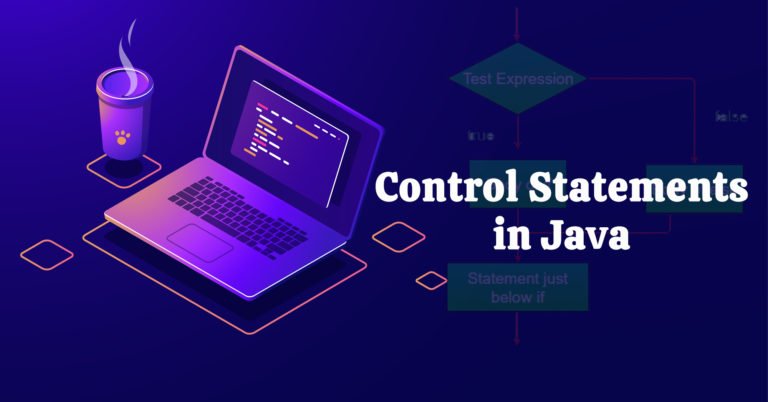
That sounds basic, but it is one of those “small” topics that keeps showing up everywhere. Login validation, payment processing, shopping-cart discounts, API retries, role-based access, inventory checks you will find Control Statements in Java sitting quietly behind all of them.
I once built an order module that worked until a customer combined a coupon with free shipping. The database and UI were fine; the problem was a badly ordered if-else chain. That was the day Control Statements in Java stopped feeling like a beginner chapter and started feeling like real software engineering.
What Are Control Statements in Java?
Control Statements in Java are language features that alter the normal flow of program execution. They are usually grouped into three practical categories:
- Decision-making statements:
if,if-else,else-if, andswitch - Looping statements:
for, enhancedfor,while, anddo-while - Branching statements:
break,continue,return, and, in switch expressions,yield
Oracle’s Java documentation groups the topic similarly: decisions choose paths, loops repeat work, and branching statements transfer execution. It also warns that omitting braces around a one-line if can make later edits brittle. rstand the flow, code becomes easier to trace: “If this happens, do that. Otherwise, take another path. Repeat only while needed.”
Why Control Statements in Java Matter in Full-Stack Work
A full-stack developer does not write isolated syntax exercises all day. The logic usually sits inside a larger flow.
Imagine an online banking transfer. The Java back end checks the account, available balance, daily limit, and possible fraud review. Each result changes the next action. Control Statements in Java connect those business conditions to application behavior.
A serious Full stack java developer course should not rush through control flow. Frameworks and libraries change, while AI assistants can generate a controller or loop in seconds. GitHub’s recent developer analyses show AI compatibility increasingly influencing technology choices. That makes logic review more important: generated code can compile cleanly and still make the wrong decision. and else in Control Statements in Java
The if statement runs a block only when its condition evaluates to true.
double accountBalance = 750.00;
double withdrawalAmount = 500.00;

if (withdrawalAmount <= accountBalance) {
    System.out.println("Withdrawal approved");
}
Real applications usually need a second path:
if (withdrawalAmount <= 0) {
    System.out.println("Enter a valid amount");
} else if (withdrawalAmount > accountBalance) {
    System.out.println("Insufficient balance");
} else {
    System.out.println("Withdrawal approved");
}
This example shows an important lesson: condition order matters. Check a broad rule too early, and a more specific rule may never run.
Here is a common e-commerce version:
if (customer.isPremium() && cartTotal >= 100) {
    discount = 20;
} else if (cartTotal >= 100) {
    discount = 10;
} else {
    discount = 0;
}
The premium condition comes first because it is more specific. Put the general $100 check first, and premium customers may receive the smaller discount. The code compiles either way. The business outcome does not.
Choosing switch in Control Statements in Java
A switch is useful when one value can match several known options. Think order status, user role, support priority, payment method, or menu choice.
String status = "SHIPPED";

switch (status) {
    case "NEW" -> System.out.println("Prepare order");
    case "PAID" -> System.out.println("Send to warehouse");
    case "SHIPPED" -> System.out.println("Notify customer");
    case "DELIVERED" -> System.out.println("Close order");
    default -> System.out.println("Unknown status");
}
Modern switch syntax reduces accidental fall-through and makes branches easier to scan. The choice is practical, not cosmetic: use if-else for ranges or combined conditions, and switch when one expression is compared with fixed alternatives. Tax bands often suit if-else; named order states usually suit switch.
Loops Within Control Statements in Java
Loops repeat work while a condition remains valid. The syntax is simple; the operational risk is not. Code that handles 10 records may struggle with 100,000.
for Loop
Use a for loop when the number of iterations is known or controlled by an index.
for (int attempt = 1; attempt <= 3; attempt++) {
    System.out.println("Login attempt: " + attempt);
}
Enhanced for Loop
Use the enhanced form when you simply need each item in an array or collection.
for (String product : products) {
    System.out.println(product);
}
while Loop
Use while when repetition depends on a condition whose duration is not known in advance.
while (jobQueue.hasNext()) {
    process(jobQueue.next());
}
do-while Loop
A do-while runs its body at least once because the condition is checked afterward.
do {
    choice = readMenuChoice();
} while (choice != 0);
That “at least once” detail is the whole point. Oracle’s Java guidance makes the distinction explicit: checks before executing, while do-while checks at the bottom. Control statements in Java mean planning termination. Ask what changes the condition, what happens with missing data, and whether the loop can run forever. Infinite loops often begin quietly as a service consuming more CPU than expected.
Branching in Control Statements in Java
Branching statements change the current path immediately.
breakexits a loop or applicable switch.continueskips the rest of the current loop iteration.returnexits the current method.yieldproduces a value from a switch expression.
Consider a product search:
for (Product product: products) {
    if (!product.isActive()) {
        continue;
    }

    if (product.getId() == targetId) {
        selectedProduct = product;
        break;
    }
}
Here, continue ignores inactive products, while break stops the search after the target is found. Without these tools, the same logic can become deeply nested and harder to scan.
Do not use branching to hide unclear design. A few continue statements may be fine; multiple labels and cross-jumps usually deserve a rewrite. Good flow makes intent visible.
Common Mistakes With Control Statements in Java
Comparison errors still happen with objects. For strings, use .equals() or a null-safe alternative rather than == when comparing content. The latter compares references, not the text value you usually intend.
Another mistake is forgetting boundaries. age > 18 excludes an 18-year-old; age >= 18 does not. The compiler cannot tell you which rule the business intended.
The third mistake is nesting too deeply:
if (user != null) {
    if (user.isActive()) {
        if (user.hasPermission("ADMIN")) {
            // action
        }
    }
}
Early returns often read better:
if (user == null) return;
if (!user.isActive()) return;
if (!user.hasPermission("ADMIN")) return;

// action
This is where realistic practice helps. “Print even numbers” teaches syntax, but not how to simplify authorization logic, validate API input, or stop processing safely.
Learning Control Statements in Java With H2K Infosys
People searching for the best java classes should look beyond recorded syntax lectures. The useful question is whether the training connects fundamentals to projects, debugging, databases, APIs, and interview-style problem solving.
H2K Infosys lists a 50-hour Java Full Stack Developer program covering Java syntax and control statements, OOP, JDBC, APIs, networking, multithreading, coding practices, mock interviews, resume preparation, and job-placement support. The page also highlights real-time project work, flexible scheduling, and class recordings. Control Statements in Java become more memorable when used inside an application rather than learned as isolated definitions. Comparing a Java full-stack developer course, that progression is practical: learn a condition, use it in a service method; learn loops, process collections; learn return, simplify validation.
H2K Infosys also emphasizes career preparation. That can help learners who know theory but freeze during debugging questions. The best java classes should make you explain why a branch runs, not merely recite syntax.
Control Statements in Java in the AI-Assisted Development Era
Java 26 is now available, and Oracle continues to position Java around enterprise, cloud-native, security, performance, and AI-ready development. The platform evolves, but core flow logic remains essential. good at first drafts. Ask for a retry loop and you will get one. The skill is checking edge cases: Does it stop? Are safe exceptions retried? Could the same payment run twice?
That is why Control Statements in Java still deserve deliberate practice in 2026. AI can accelerate typing. It cannot take responsibility for your business rules.
A well-designed full stack java developer course should teach both manual logic and critical review of AI-generated code. H2K Infosys places those fundamentals within a broader Java, JDBC, API, and project-oriented path.
Final Thoughts on Control Statements in Java
Control Statements in Java are not merely exam topics. They are the decision layer of your application the point where requirements become behavior.
Learn them slowly enough to notice condition order, boundary values, loop termination, and readable branching. Then practice them in realistic modules: authentication, order processing, banking limits, support tickets, and inventory checks. That is where the ideas stick.
This is the part many learners underestimate. Framework names look impressive on a résumé, but clean logic keeps production code trustworthy. H2K Infosys can help bridge that gap through Java fundamentals, project work, and career-focused preparation.