Reading data from files is one of the most fundamental skills every Python developer must master. Whether you are processing log files, handling configuration data, analyzing large datasets, or working with text-based reports, file handling is unavoidable. Among the different ways Python provides to read files, the readline() method plays a critical role when efficiency and control matter.
This article provides a complete, practical, and beginner-friendly guide to the Python readline() method. We will explore how it works, when to use it, how it compares with other file-reading methods, and how it fits into real-world Python programming.
Understanding File Handling in Python
Before diving into readline(), it’s important to understand how Python handles files.
Python uses a file object to interact with files stored on disk, a core concept typically covered in a Python Training Course focused on real-world programming fundamentals. A file object acts as a bridge between your program and the file system. Once a file is opened, you can read from it, write to it, or both—depending on the mode you choose.
Common File Modes in Python
| Mode | Description |
|---|---|
"r" | Read (default) |
"w" | Write (overwrites file) |
"a" | Append |
"r+" | Read and write |
"rb" | Read binary |
"wb" | Write binary |
For reading text files, "r" mode is most commonly used.
What Is the Python readline Method ?
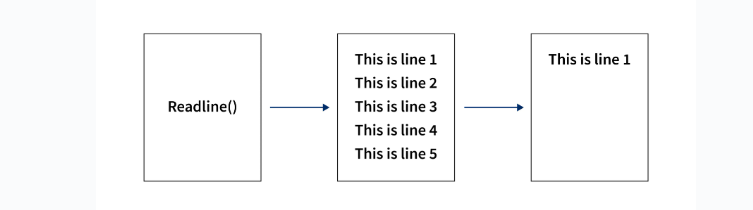
The Python readline() method is a file object method used to read one line at a time from a file.
Basic Definition
readline()reads a single line from the file starting from the current file pointer position and returns it as a string.
This makes Pythonreadline() ideal for working with large files, where loading the entire file into memory would be inefficient.
Syntax of readline()
file_object.readline(size)
Parameters
- size (optional)
Specifies the maximum number of bytes to read from the line.
If the size is omitted, the entire line is read until a newline (\n) character is encountered.
Opening a File and Using readline()
Let’s look at a simple example.
Example: Reading the First Line of a File
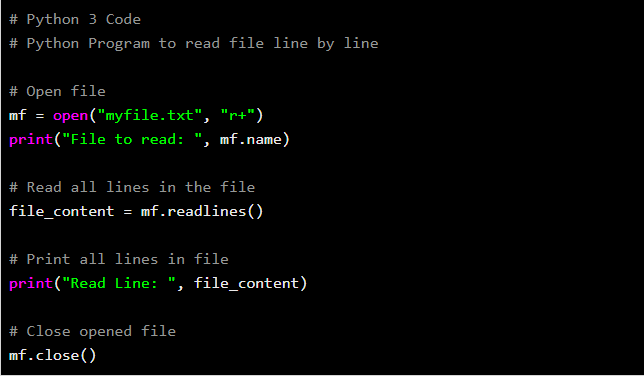
file = open("example.txt", "r")
line = file.readline()
print(line)
file.close()
What Happens Here?
- The file is opened in read mode.
Python readline()reads the first line from the file.- The line is printed.
- The file is closed to free system resources.
How readline() Handles Newline Characters
One important behavior of Python readline () is how it handles newline characters.
- If a line ends with
\n,readline()includes it in the returned string. - If it’s the last line and no newline exists, it returns the line as-is.
Example
File content:
Python
Java
C++
Code:
file = open("languages.txt", "r")
print(repr(file.readline()))
print(repr(file.readline()))
print(repr(file.readline()))
file.close()
Output:
'Python\n'
'Java\n'
'C++'
Detecting End of File (EOF)
When Python readline () reaches the end of the file, it returns an empty string ("").
This behavior is extremely important when reading files in a loop.
Example: Reading Until EOF
file = open("example.txt", "r")

while True:
    line = file.readline()
    if line == "":
        break
    print(line, end="")

file.close()
This pattern ensures the program stops reading once all lines have been processed.
Using readline() in a Loop
A very common real-world use of Python readline () is reading files line by line.
Example: Line-by-Line Reading
with open("data.txt", "r") as file:
    while True:
        line = file.readline()
        if not line:
            break
        print(line.strip())
Why This Matters
- Prevents memory overload
- Ideal for large files
- Gives fine-grained control over processing
readline() with the size Parameter
The optional size argument limits how many characters are read.
Example
file = open("example.txt", "r")
line = file.readline(5)
print(line)
file.close()
If the line is longer than 5 characters, only the first 5 characters are returned.
This feature is useful when:
- Parsing fixed-width data
- Streaming partial input
- Limiting memory usage
Comparing readline() with Other File Reading Methods
Python provides multiple ways to read files. Understanding the differences helps you choose the right tool.
1. read()
file.read()
- Reads the entire file into a single string
- Not memory efficient for large files
2. readlines()
file.readlines()
- Reads all lines into a list
- Each element represents one line
- Uses more memory than
readline()
3. readline()
file.readline()
- Reads one line at a time
- Best for large files
Comparison Table
| Method | Returns | Memory Usage | Best Use Case |
|---|---|---|---|
read() | String | High | Small files |
readlines() | List | Medium to High | Line-based processing (small files) |
readline() | String | Low | Large files |
Using readline() with the with Statement
Python encourages using the with statement for file handling.
Why Use with?
- Automatically closes the file
- Prevents resource leaks
- Cleaner syntax

Example
with open("example.txt", "r") as file:
    line = file.readline()
    print(line)
Even if an exception occurs, the file is safely closed.
Practical Example: Counting Lines Using readline()
count = 0

with open("data.txt", "r") as file:
    while file.readline():
        count += 1

print("Total lines:", count)
This approach avoids loading the entire file into memory.
Practical Example: Searching for a Keyword
keyword = "error"

with open("log.txt", "r") as file:
    while True:
        line = file.readline()
        if not line:
            break
        if keyword in line.lower():
            print(line.strip())
This is commonly used in:
- Log analysis
- Debugging
- Monitoring scripts
Reading Large Files Efficiently
When working with massive files (hundreds of MB or GB), readline() becomes invaluable.
Why Not read()?
- High memory consumption
- Possible crashes
- Slower performance
Why readline() Works Better
- Reads only one line at a time
- Minimal memory footprint
- Suitable for streaming data
File Pointer Behavior with readline()
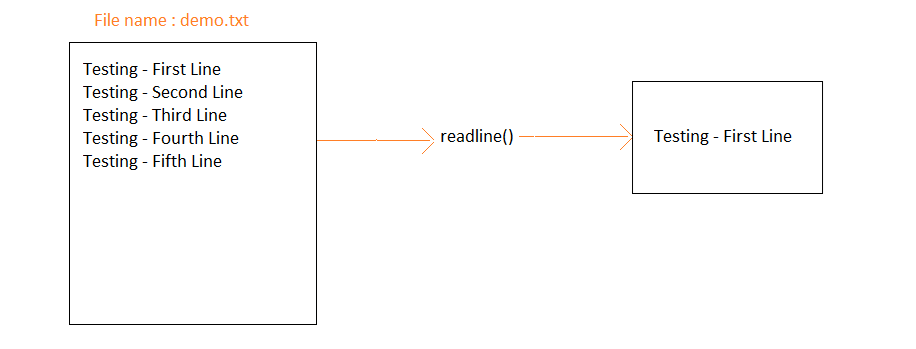
Each call to Python readline () advances the file pointer.
Example
file = open("example.txt", "r")

print(file.readline())
print(file.readline())

file.close()
Each call reads the next line, not the same one.
Resetting the File Pointer with seek()
You can move the file pointer manually.
Example
file = open("example.txt", "r")
print(file.readline())
file.seek(0)
print(file.readline())
file.close()
This resets the pointer back to the beginning of the file.
Common Mistakes When Using readline()
1. Forgetting to Close the File
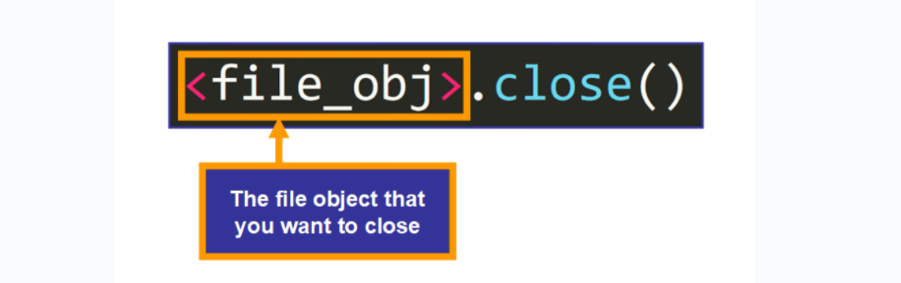
file = open("data.txt", "r")
file.readline()
# file not closed
Fix: Use with.
2. Infinite Loops
while True:
    line = file.readline()
    print(line)
Fix: Check for empty string at EOF.
3. Misunderstanding Blank Lines
- A blank line returns
"\n" - EOF returns
""
This distinction is critical in conditional checks.
Python readline () vs Iterating Over the File Object
Python allows direct iteration over a file:
with open("example.txt") as file:
    for line in file:
        print(line)
So Why Use readline()?
- When you need manual control
- When mixing reads with pointer movement
- When implementing custom parsing logic
Real-World Use Cases for readline()
- Processing log files line by line
- Streaming sensor data
- Parsing configuration files
- Reading user input from files
- Handling large CSV or text datasets
Performance Considerations
While iterating directly over a file is often faster, readline() provides:
- Explicit control
- Predictable behavior
- Easier debugging in complex workflows
In performance-critical applications, always test both approaches.
Best Practices When Using readline()
- Always use
withfor file handling - Handle EOF properly
- Strip newline characters when needed
- Use
readline()for large files - Combine with
seek()for advanced control
Interview Questions Related to readline()
Q1. What does readline() return at EOF?
An empty string ("").
Q2. Does readline() include newline characters?
Yes, if present.
Q3. Is readline() memory efficient?
Yes, especially for large files.
Q4. Difference between readline() and readlines()?readline() reads one line; readlines() reads all lines into a list.
Final Thoughts
The Python readline() method is a powerful yet simple tool that every Python developer should understand, especially for learners preparing for a Python Programming Certification that emphasizes core file-handling concepts. While modern Python encourages iteration over file objects, readline() remains essential when you need fine-grained control, efficient memory usage, or custom file-processing logic.
Mastering readline() not only improves your Python fundamentals but also prepares you for real-world tasks such as log analysis, data processing, and backend development.
If you’re building strong foundations in Python, understanding file handling at this level will significantly enhance your confidence and coding efficiency.