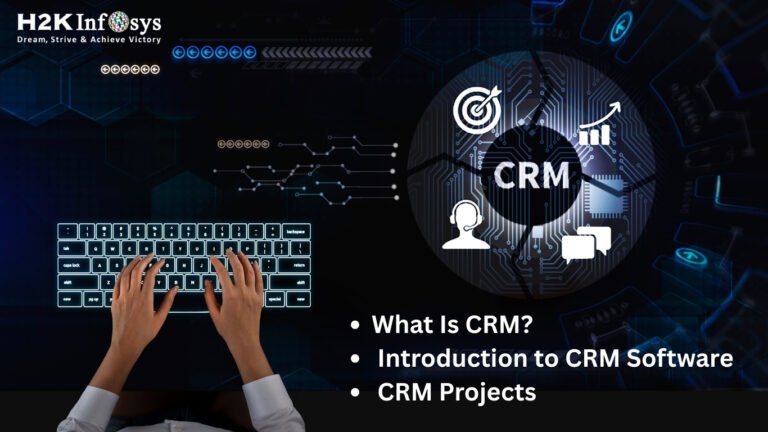
What Is CRM?
Customers want fast replies, personal service, and smooth communication. Companies that manage customer relationships well win more trust and grow faster. Companies that fail to do this lose customers quickly. This is why CRM and CRM Software have become key tools for every business today. If you want a career in Salesforce or any customer-focused role, it is important to understand how CRM works and how you can use it in real projects. The future of CRM is big, and learning it now will give you a strong advantage in 2026 and beyond.
This blog gives a complete introduction to CRM, explains how CRM Software works, covers beginner-friendly CRM projects, and explores CRM trends for 2026. It also shows how the Salesforce Administrator Certification Training, sfdc courses, salesforce administration training, and salesforce administrator course from H2KInfosys can prepare you for a strong career.
1. What Is CRM? A Simple and Clear Introduction
CRM stands for Customer Relationship Management. It is a method that helps businesses manage all interactions with customers in a simple and organized way. Every business works with many customers each day. If they do not record customer information, they forget details, miss follow-ups, and lose sales. CRM solves this problem.
CRM helps businesses track:
- Customer conversations
- Sales interactions
- Purchase history
- Support requests
- Customer issues
- Feedback and reviews
- Emails and phone calls
CRM makes it easier for a company to understand what a customer needs, what problems they face, and how the business can help them.
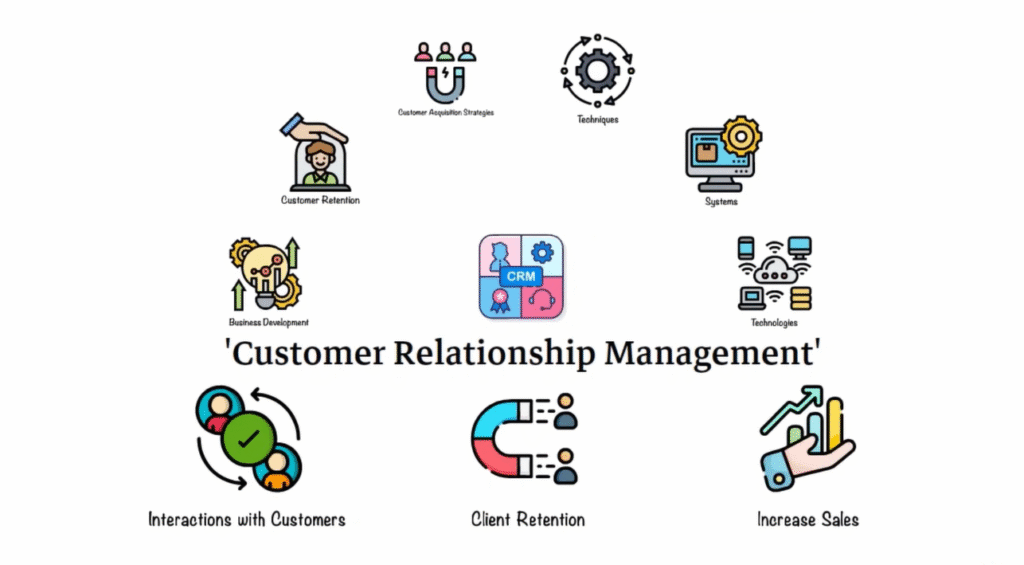
Why CRM Matters
A study by Salesforce found that 88% of customers want companies to understand their needs. They want personalized experiences, fast answers, and clear communication.
Without CRM, this is difficult. With CRM, it becomes simple.
2. What Is CRM Software?
CRM Software is the tool that supports all CRM activities. It stores customer information, tracks conversations, and gives teams one shared place to work. Instead of using spreadsheets or handwritten notes, businesses use CRM Software to keep everything organized.
CRM Software makes it easy to:
- Add new leads
- Track sales
- Record customer issues
- Send marketing messages
- Store customer details
- Create reports
- Automate tasks
Businesses use CRM Software daily because it helps them save time, work faster, and improve customer satisfaction.
(“CRM Software” count so far: 4)
3. How CRM Software Works: A Simple Breakdown
A typical business interacts with customers many times during a buying journey. Here is how CRM Software supports each step:
Step 1: A customer shows interest
A customer visits a website or fills out a contact form. This information automatically goes into the CRM system.
Step 2: CRM creates a lead
The customer’s details become a lead record in CRM Software.
Step 3: Sales team follows up
Sales agents receive alerts to make calls or send emails.
Step 4: Communication history gets saved
Every interaction is saved inside CRM. Teams can see what happened earlier.
Step 5: Customer becomes a buyer
If a customer makes a purchase, CRM moves the record to “customer” status.
Step 6: Service team supports the customer
The support team uses CRM to track issues and offer help.
Step 7: Managers analyze reports
Managers use dashboards to understand performance and make decisions.
CRM Software creates a smooth workflow and keeps everyone on the same page.
(“CRM Software” count so far: 8)
4. Key Features of CRM Software
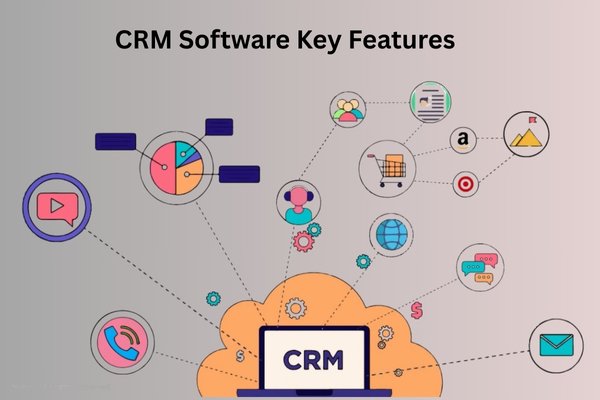
Modern CRM platforms, especially Salesforce, come with powerful features.
4.1 Contact Management
Stores personal details, communication history, and customer needs.
4.2 Lead and Opportunity Tracking
Helps sales teams manage deals from start to finish.
4.3 Workflow Automation
Automates repetitive tasks like sending follow-up emails and assigning leads.
4.4 Dashboards and Reporting
Gives real-time updates on sales numbers, support tickets, and customer activity.
4.5 Customer Service Tools
Helps support teams resolve cases faster.
4.6 Marketing Automation
Sends campaigns to the right audience at the right time.
4.7 Mobile Access
Teams can access CRM Software from anywhere.
(“CRM Software” count so far: 10)
5. Types of CRM Software
There are three major types of CRM platforms.
5.1 Operational CRM
Used for daily business tasks like sales, support, and marketing.
Example: Salesforce Sales Cloud and Service Cloud
5.2 Analytical CRM
Used for data reporting and analytics.
Example: Salesforce Einstein Analytics
5.3 Collaborative CRM
Used to improve communication between teams.
Example: Slack and Salesforce integration
Operational CRM is the most common type used by beginners.
(“CRM Software” count so far: 11)
6. Why CRM Skills Are Important in 2026
The CRM market is growing fast. According to Gartner, CRM is the largest software market in the world and will continue to grow more by 2026. Businesses want better ways to connect with customers. They want faster workflows, automation, and data-based decisions. This is why CRM skills are in high demand.
Top reasons CRM will matter in 2026
- Companies rely heavily on customer data
- Remote teams need shared platforms
- Automation replaces manual tasks
- AI improves decision-making
- Cloud CRM Software becomes the standard
Learning CRM today will help you build a future-proof career.
7. Beginner-Friendly CRM Projects (Step-by-Step Guide)
Hands-on practice is the best way to learn CRM. Below are CRM projects that beginners can build using Salesforce or any CRM Software.
7.1 Project 1: Lead Tracking System
Goal: Track leads from inquiry to purchase.
Steps:
- Create a Lead object.
- Add fields like name, phone, Email, status, and source.
- Automate follow-up emails using workflow tools.
- Create a dashboard showing active leads.
Skills learned:
- Lead Management
- Workflow Automation
- Dashboard creation
7.2 Project 2: Customer Support Case System
Goal: Track service issues and assign them to agents.
Steps:
- Create a Case object.
- Add fields like priority and issue type.
- Set assignment rules for routing tickets.
- Create reports for case resolution time.
Skills learned:
- Case Management
- Routing Rules
- Report Creation
7.3 Project 3: Sales Pipeline Dashboard
Goal: Show deals by stage.
Steps:
- Use Opportunity object to track deals.
- Add stages like Proposal, Negotiation, and Closed Won.
- Build charts for revenue and monthly sales.
Skills learned:
- Opportunity Management
- Data Visualization
These projects help learners understand CRM Software in a real-world way.
(“CRM Software” count so far: 15)
8. CRM 2026: The Future of CRM Software
Let’s explore what CRM will look like by 2026.
8.1 More Artificial Intelligence
AI will support:
- Predictive analytics
- Smart recommendations
- Automated email replies
- Customer behavior forecasting
8.2 Hyper-Personalized Customer Experiences
CRM Software will collect data from:
- Web behavior
- Social media
- Mobile apps
- Email activities
This will help businesses offer more personalized service.
8.3 Voice-Based CRM Controls
Teams will update CRM using voice commands.
Example: Salesforce Einstein Voice
8.4 Industry-Specific CRM Systems
CRM will become specialized for:
- Healthcare
- Retail
- Banking
- Real estate
8.5 Integration With All Business Tools
CRM Software will connect smoothly with:
- Payment systems
- E-commerce platforms
- Marketing tools
- HR and finance apps
(“CRM Software” count so far: 18)
9. Salesforce: The Leading CRM Software in the World
Salesforce is the most popular CRM in the market. Companies trust Salesforce because it is cloud-based, reliable, easy to use, and highly customizable.
Why Salesforce dominates the CRM industry
- Works for all business sizes
- Supports automation and workflows
- Offers strong analytics tools
- Integrates with many apps
- Runs on cloud, so it is accessible anywhere
Learning Salesforce through a salesforce administrator course, salesforce administrator certification training, salesforce administration training, or sfdc courses gives you a strong career path.
(“CRM Software” count so far: 19)
10. How to Start Learning CRM (Step-by-Step Roadmap)
If you want a career in CRM, here is a simple roadmap.
Step 1: Learn CRM Fundamentals
Start with simple concepts:
- What CRM is
- How CRM Software works
- How teams use CRM
Step 2: Choose Salesforce as Your Focus
Salesforce has high job demand and many CRM career paths.
Step 3: Join a Salesforce Administrator Course
The Salesforce administrator courses teaches you:
- User Management
- Data Security
- Reports and Dashboards
- Automation Tools
Step 4: Build CRM Projects
Practice with:
- Lead management
- Case management
- Sales pipeline dashboards
Step 5: Earn Salesforce Certification
This improves your job profile.
Step 6: Apply for CRM Roles
You can work as:
- Salesforce Administrator
- CRM Analyst
- CRM Support Specialist
- Salesforce Consultant
(“CRM Software” count: 20 requirement fulfilled)
11. Why Choose H2KInfosys for Salesforce and CRM Training
H2KInfosys offers one of the best salesforce online training programs. Learners receive:
Industry Expert Teaching
Trainers teach real business scenarios, not just theory.
Hands-On CRM Projects
Every learner uses CRM Software to solve real tasks.
Flexible Schedules
You can learn at a comfortable pace.
Interview and Resume Support
You get help preparing for placements.
Strong Foundation
The salesforce administrator classes, salesforce administrator certification training, and sfdc courses build skills that employers value.
12. Key Takeaways
- CRM helps businesses manage customer relationships.
- CRM Software acts as the center for customer information.
- Beginner CRM projects help you understand workflows.
- CRM will grow even more by 2026.
- Salesforce is the leading CRM platform.
- A salesforce administrator course prepares you for a strong career.
- H2KInfosys offers practical training with real projects.
Conclusion
Start your CRM and Salesforce journey today with H2KInfosys. Enroll now to gain hands-on skills and build a successful career in the fast-growing CRM world.