Introduction
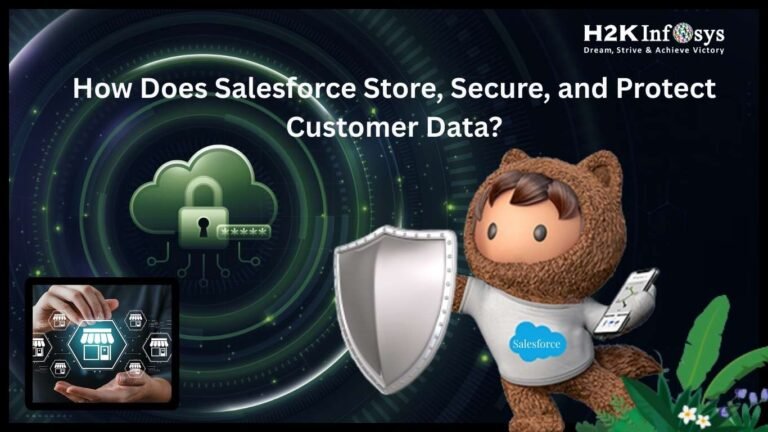
Salesforce is a cloud-based customer relationship management platform that stores, processes, and protects customer data using a combination of secure data centers, encryption, access controls, and compliance-driven governance models. It uses role-based security, automated monitoring, and real-time threat detection to ensure data remains private, available, and accurate.
In today’s digital economy, every business depends on trusted systems to handle sensitive customer information. From contact records and sales pipelines to healthcare data and financial details, organizations need platforms that offer strong protection without slowing down operations. This is where Salesforce Store plays a key role in helping companies manage and safeguard their data across global cloud environments.
For learners exploring a salesforce admin course or planning to enroll in Salesforce Admin Certification Classes, understanding how Salesforce Store works behind the scenes is a vital industry skill. It helps professionals manage compliance, design secure systems, and build trust with clients and stakeholders.
Why Data Security Matters in Salesforce Environments
Data security is not just a technical requirement. It is a business responsibility. Companies that use Salesforce often manage:
- Personal customer details
- Financial and billing records
- Sales forecasts and contracts
- Healthcare or legal data in regulated industries
A single breach can result in financial loss, legal penalties, and damaged brand trust. Salesforce Store is designed to help organizations avoid these risks by using layered security models that protect data at every stage of its lifecycle.
Industry studies show that over 80 percent of enterprise data breaches involve compromised credentials or misconfigured access settings. This highlights why Salesforce administrators and architects must understand both system design and daily security operations.
What Is Salesforce Store and How Does It Work?
Salesforce Store refers to the way Salesforce organizes, stores, and manages customer data within its secure cloud infrastructure. It does not operate as a single physical location. Instead, it uses a network of global data centers that follow strict compliance and performance standards.
When a user enters data into Salesforce, the system:
- Validates the user’s access rights
- Encrypts the data in transit
- Routes it to a secure storage environment
- Applies backup and recovery rules
- Monitors access and usage patterns
Salesforce Store ensures that each organization’s data remains isolated from other customers through a multi-tenant architecture. This design allows Salesforce to scale globally while keeping customer environments separate and protected.
How Salesforce Stores Customer Data in the Cloud
Salesforce uses a multi-layered cloud storage system. Each layer plays a role in performance, security, and reliability.
Core Storage Structure
Salesforce Store organizes data into structured objects, records, and fields. These include:
- Standard objects like Accounts, Contacts, and Opportunities
- Custom objects created by organizations
- Files and attachments stored in secure file systems
- Metadata that defines system behavior and layout
Multi-Tenant Architecture
In this model, many customers share the same infrastructure, but their data remains logically separated. Salesforce Store assigns unique organization IDs and access rules to ensure that one customer cannot see or access another customer’s data.
Global Data Centers
Salesforce operates data centers in multiple regions, including North America, Europe, and Asia. These centers follow strict physical security standards, such as:
- Biometric access controls
- 24/7 security monitoring
- Redundant power and cooling systems
- Disaster recovery sites
This global design helps Salesforce Store maintain uptime and performance even during regional outages.
How Salesforce Protects Data in Transit and at Rest
Security in Salesforce is based on two key stages: data in transit and data at rest.
Data in Transit
When users access Salesforce through a browser or API, Salesforce Store encrypts the connection using secure protocols such as TLS. This prevents attackers from intercepting or modifying data during transmission.
Data at Rest
Once stored, Salesforce Store uses encryption standards to protect data on servers. This ensures that even if someone gains physical access to storage systems, they cannot read the data without proper authorization.
Encryption keys are managed through secure key management systems that follow global compliance standards.
Role-Based Access Control in Salesforce
Access control is one of the most important features of Salesforce Store. It ensures that users only see what they need to perform their jobs.
Profiles and Permission Sets
Salesforce administrators assign profiles and permission sets to users. These define:
- Which objects users can access
- What actions they can perform, such as read, edit, or delete
- Which fields they can view or modify
Role Hierarchies
Salesforce Store uses role hierarchies to control record visibility. Managers can see their team’s data, while team members only see their own records.
Sharing Rules
Sharing rules allow organizations to open access to specific records based on business needs. For example, a support team can access customer cases across regions.
This structure helps maintain both security and collaboration.
Real-World Example: Financial Services Company
A financial services firm uses Salesforce Store to manage client portfolios and transaction records. The company sets up:
- Encryption for all financial fields
- Role-based access for advisors and managers
- Audit logs for every data change
- Automated alerts for unusual login activity
This setup allows the company to meet compliance standards such as SOC 2 and ISO 27001 while maintaining fast customer service.
Data Backup and Recovery in Salesforce
Salesforce Store includes built-in backup and recovery features that protect against accidental data loss.
Automated Backups
Salesforce runs regular system-level backups across its infrastructure. These backups help restore data after major system failures.
Data Export Tools
Organizations can schedule regular data exports. These exports allow administrators to store copies in external systems for added protection.
Recovery Scenarios
If a user deletes records by mistake, Salesforce Store provides tools like the Recycle Bin and restore options. For large-scale recovery, Salesforce support teams assist with system-level restoration.
Monitoring and Threat Detection
Salesforce Store uses automated monitoring systems that track system activity in real time.
Login Monitoring
The platform records login attempts, IP addresses, and device information. Administrators can block suspicious access.
Event Monitoring
Salesforce Store provides logs for actions such as data exports, API calls, and configuration changes. This helps organizations detect unusual behavior.
Alerts and Reports
Security teams can set alerts for events like multiple failed logins or access from new locations.
These tools help prevent breaches before they cause damage.
Compliance and Regulatory Standards
Salesforce Store supports a wide range of global compliance requirements, including:
- GDPR for data privacy in Europe
- HIPAA for healthcare data in the United States
- SOC reports for system controls
- ISO standards for information security
Salesforce provides documentation and audit reports that help organizations prove compliance during inspections.
How Salesforce Handles API and Integration Security
Many businesses connect Salesforce with other systems such as ERP platforms, payment gateways, and analytics tools.
Salesforce Store secures these connections by:
- Requiring authentication tokens
- Limiting API access by user role
- Encrypting API traffic
- Monitoring integration usage
This ensures that third-party systems do not become a weak point in the security chain.
Step-by-Step Guide: Securing Data as a Salesforce Admin
This guide helps learners in salesforce online course programs understand practical security setup.
Step 1: Review User Access
Check all profiles and permission sets. Remove unused access rights.
Step 2: Enable Login Controls
Set IP restrictions and session timeouts.
Step 3: Configure Field-Level Security
Protect sensitive fields like financial data or personal identifiers.
Step 4: Set Up Audit Logs
Enable event monitoring and review logs weekly.
Step 5: Schedule Data Backups
Use data export tools to create regular backups.
These steps show how Salesforce Store supports daily security operations.
How Salesforce Store Supports Industry-Specific Security
Healthcare
Salesforce Store helps healthcare organizations meet HIPAA requirements by encrypting patient data and limiting access to authorized staff.
Retail
Retail companies use Salesforce to manage customer loyalty programs and purchase history. Salesforce Store helps protect this data from unauthorized access.
Government
Public sector organizations rely on Salesforce for case management and citizen services. Salesforce Store meets strict compliance and audit standards.
Career Skills You Gain by Learning Salesforce Security
Professionals who understand Salesforce Store and security features develop skills that employers value, such as:
- Data governance planning
- Risk assessment
- Compliance management
- System configuration
- Incident response
These skills are often taught in structured salesforce training with placement programs that focus on real-world scenarios and job readiness.
Common Security Challenges and How Salesforce Solves Them
Challenge: Weak Password Practices
Solution: Salesforce enforces strong password rules and supports multi-factor authentication.
Challenge: Over-Permissioned Users
Solution: Role-based access and permission sets limit exposure.
Challenge: Data Loss
Solution: Backup tools and recovery options protect critical records.
Salesforce Store addresses these challenges through built-in tools and best practice frameworks.
Hands-On Example: Securing a Customer Object
Below is a simple example of how an admin might secure a custom object.
- Open Setup
- Go to Object Manager
- Select the custom object
- Click Field-Level Security
- Set visibility for each profile
- Save changes
This process shows how Salesforce Store enforces data protection at the object and field level.
How Salesforce Store Supports Business Growth
Security is not just about protection. It also supports growth. When customers trust a platform, they share more data, which helps businesses:
- Improve sales forecasting
- Enhance customer service
- Build better marketing campaigns
- Meet regulatory requirements
Salesforce Store provides the foundation for this trust by maintaining high standards of data protection.
Long-Term Trends in Salesforce Data Security
As cyber threats evolve, Salesforce continues to invest in:
- Artificial intelligence for threat detection
- Automated compliance checks
- Advanced encryption models
- Secure identity management
These trends ensure that Salesforce Store remains aligned with future business and regulatory needs.
Why Salesforce Security Knowledge Matters for Certification
Learners in salesforce admin certification classes often study security models as a core exam topic. Topics include:
- Role hierarchies
- Sharing rules
- Data access models
- Compliance standards
- Monitoring tools
Understanding Salesforce Store helps candidates perform better in exams and real-world roles.
Key Takeaways
- Salesforce Store uses global cloud infrastructure to securely store customer data.
- Encryption protects data in transit and at rest.
- Role-based access ensures users only see what they need.
- Monitoring and compliance tools help prevent and detect threats.
- Learning Salesforce security builds strong career skills for enterprise roles.
Conclusion
Build your expertise in secure system design and real-world Salesforce administration with hands-on learning at H2KInfosys.
Enroll today to gain job-ready skills through structured training, practical projects, and career-focused Salesforce programs.