Why Email Automation Matters in Salesforce Today
If you’ve ever worked inside a busy CRM, you know manual emails become impossible to manage after a certain point. Sales teams move fast. Support tickets stack up. Managers want real-time updates. That’s where a structured Email Automation and Notification Framework becomes essential.
From what I’ve seen in live environments, companies moving into advanced CRM maturity rely heavily on automation. Many professionals learning through Salesforce course online programs are surprised at how much real business communication is automated behind the scenes.
Think about:
- Lead assignment notifications
- Opportunity stage change alerts
- Case escalation emails
- Approval workflow messages
All of these typically run through an Email Automation and Notification Framework without human intervention.
How Salesforce Email Automation Actually Works
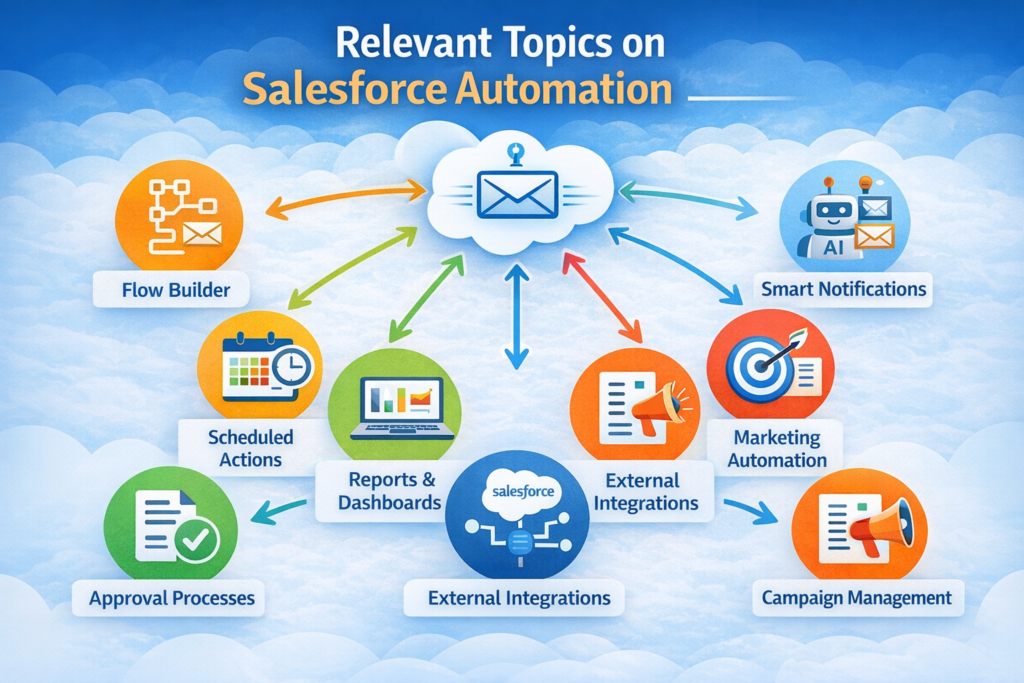
Salesforce uses multiple tools together rather than a single automation switch. When configured properly, they form a reliable Email Automation and Notification Framework that works across departments.
Core components include:
- Workflow Rules
- Process Builder (still used in legacy orgs)
- Flow Builder (modern automation standard)
- Email Alerts
- Approval Processes
In most modern implementations, Flow Builder drives the Email Automation and Notification Framework, especially with event-based triggers and scheduled paths.
Professionals taking Salesforce admin training courses usually start building automation using simple record-triggered flows, then expand into multi-step notification chains.
Real Business Use Case: Sales Pipeline Alerts
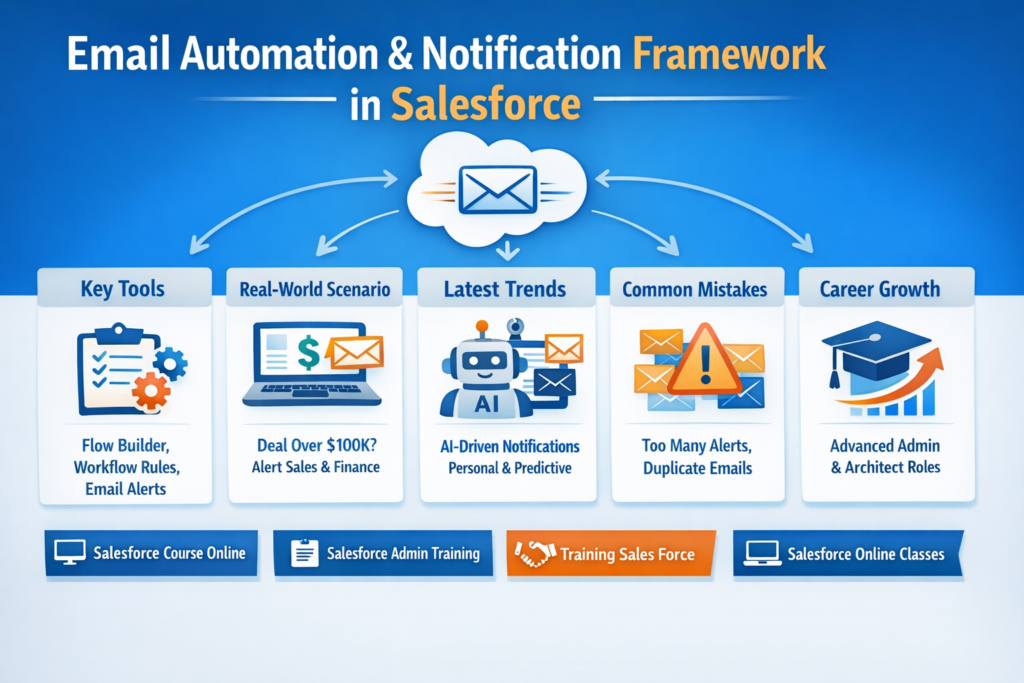
For instance, a company might want automatic alerts when a deal exceeds $100K.
And here’s how the Email Automation and Notification Framework would do it:
- Opportunity updated to high-value stage
- Flow sends an email alert to the Sales Director
- Finance team gets notification
- Slack or Teams integration triggers
- Activity task auto-created
If there were no Automation and Notification Framework, then someone would send 5 emails by hand. That rarely works consistently.
Current Trends in Salesforce Automation (2026 Reality)
One thing that’s changed recently is AI-assisted automation design. Many organizations now combine predictive insights with their Email Automation and Notification Framework.
Some 2026 trends I’m seeing:
- AI brings the notification schedule as per how the user receives the content
- Intelligent follow-up emails depending on the reply pattern
- Real-time personalized dynamic loadings of e-mail templates
- Integration with external automation platforms
Students attending Salesforce online training are now even being taught about automation and how to prepare for it as part of AI-driven CRM workflows, which kind of feels like the future of admin roles.
Common Mistakes While Building Automation Frameworks
Even experienced admins sometimes overbuild automation. I’ve personally seen orgs where five workflows send duplicate emails. Not fun.
Typical mistakes include:
- Too many overlapping triggers inside the Email Automation and Notification Framework
- No documentation of notification logic
- Hard-coded email addresses
- Ignoring bulk record processing
A clean Email Automation and Notification Framework should always be scalable and easy to troubleshoot.
Email Automation and User Experience
Something people forget automation affects employees, too. If the Email Automation and Notification Framework sends too many alerts, users start ignoring emails completely.
Good framework design means:
- Sending only necessary notifications
- Using digest emails instead of spam-style alerts
- Setting priority levels
Modern Training sales force programs now include notification governance as part of CRM optimization training.
Tools That Strengthen Email Automation Frameworks
When it comes to developing a solid Email Automation and Notification Framework, most of the admins tend to use Salesforce native tools in sync with third-party systems.
Popular integrations:
- Marketing automation tools
- Customer engagement platforms
- AI email response analyzers
- Business analytics dashboards
An enterprise-worthy Email Automation and Notification Framework typically ends up being the backbone of all the company’s communication.
Learning Email Automation Skills for Career Growth
Admins who master the Email Automation and Notification Framework usually move faster into architect or senior admin roles. It’s honestly one of the highest-value skills inside CRM operations.
Most modern Salesforce course online programs now teach:
- Flow-based email automation
- Event-driven notification design
- Exception handling logic
- Multi-channel alert strategy
And in advanced Salesforce admin training courses, learners build enterprise-scale mail Automation and Notification Framework projects using real datasets.
Real World Example: Escalating a Customer Support Case
Let’s go through an actual use case with support automation.
A user creates a high-priority ticket. Email Automation and Notification Framework Now:
- Sends confirmation email to customer
- Notifies support queue
- Alerts the manager if not addressed within 2 hours
- Triggers SMS if SLA breach risk
A well-structured Email Automation and Notification Framework saves you from customer escalations and SLA metrics.
Future of Salesforce Notification Automation
In the future, I can see a system such as the Email Automation and Notification Framework growing into predictive and interactive automation.
What I’m hearing from industry discussions:
- Voice-triggered CRM alerts
- AI-written context-aware emails
- Hyper-personalized workflow notifications
- Real-time cross-platform automation
Even entry-level admins taking Salesforce online classes are starting to get exposure to AI-assisted notification design.
Final Thoughts from Real CRM Experience
If you’re planning to work seriously in Salesforce administration, understanding how to design a scalable Email Automation and Notification Framework is not optional anymore. It directly affects sales velocity, customer satisfaction, and internal productivity.
The most successful admins I’ve worked with treat the Email Automation and Notification Framework like infrastructure, something you design carefully once, then optimize continuously as business needs evolve.