AI courses have, in a fairly quiet way, become one of the more practical moves a person can make for career growth. Not because they sound impressive on paper, and not because of the usual buzz around AI. Mostly because they help people build skills they can actually use. With platforms like H2K Infosys offering structured learning paths, it becomes easier to gain hands-on experience. When you start learning artificial intelligence seriously, you’re doing a lot more than picking up definitions or memorizing concepts. You’re learning tools employers care about, working through projects that resemble real business problems, and getting a better feel for how companies actually use data in everyday operations. That matters a lot, honestly.
This AI Course provides practical skills for career growth in various fields.
Completing an AI Course can significantly enhance your job prospects.
That’s also why an online AI certification can be helpful. For many people, learning AI on their own turns into a scattered process pretty quickly. One video leads to another, then a blog, then a course, and somewhere in the middle the learning path starts to feel messy. A structured certification helps bring some order to that. Instead of piecing everything together on the fly, you move through a sequence that makes sense. And for working professionals, that usually makes a big difference. It’s often less about beginning from scratch and more about building on existing experience, then shifting toward more valuable work in areas like data analysis, machine learning, or automation.
Understanding AI through an AI Course helps you recognize its applications in real-world scenarios.
What AI actually is, and why it matters for your career
At the simplest level, AI is about building systems that can perform tasks we normally associate with human intelligence recognizing patterns, making decisions, understanding language, and similar things. But in practice, AI is not just one isolated skill. You don’t “learn AI” once and then you’re done with it.
It’s really a mix of multiple areas working together, such as:
- Data science
- Machine learning
- Deep learning
- Natural language processing
- Automation and robotics
So when people say they want to learn AI, what they usually mean whether they realize it or not is that they want to understand how these areas connect and how they’re used in real work.
Why AI skills seem to be everywhere now
If you look closely, AI is already built into many of the tools and systems companies use every day. Sometimes it’s obvious. Sometimes it’s sitting quietly in the background. Either way, it’s becoming part of standard operations.
This AI Course helps bridge the gap between theory and practical application.
In today’s job market, an AI Course is crucial for staying competitive.
This AI Course equips you with the tools needed for modern business challenges.
Businesses use AI to:
- automate repetitive tasks
- improve decision-making with predictive models
- personalize customer experiences
- detect unusual behavior, including fraud or security risks
Once you go through structured Courses of Artificial Intelligence, you start to understand what’s happening behind those systems. More than that, you begin moving from being someone who simply uses the tools to someone who can improve them, adapt them, or help build them in the first place.
Why online AI certifications work so well for professionals
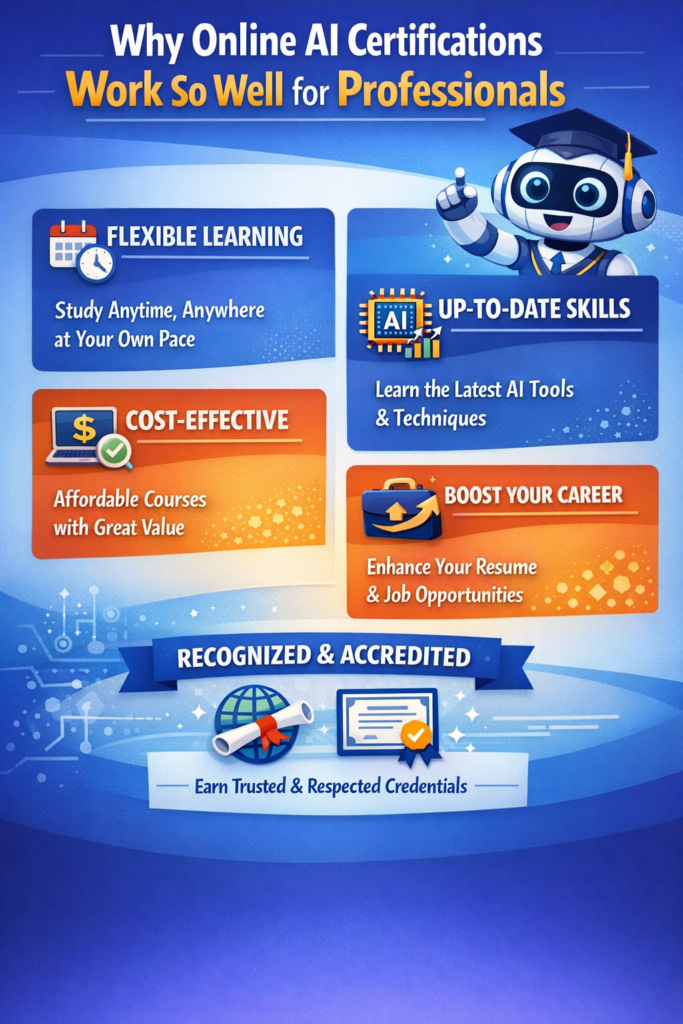
Most people learning AI are not doing it in the middle of a free, open schedule. They’re doing it while working full-time, handling deadlines, managing family responsibilities, or just trying to keep up with life. That’s exactly why online programs make sense.
After completing this AI Course, you’ll have a solid understanding of AI applications.
They tend to work well because:
- you don’t have to leave your current job
- the learning path is clearer
- the examples and tools are usually closer to real industry practice
An AI Course is ideal for busy professionals seeking to upgrade their skills.
There are practical benefits too. The material is organized, so you’re not constantly guessing what to study next. You can move at your own pace, which matters more than people admit. The content is often tied more directly to job tasks, and the certification gives you something concrete to show when you’re applying or interviewing.
Then there’s the part people don’t always talk about: confidence. The first time you build something on your own and it actually works, the subject starts to feel less distant. Less theoretical. More real.
Structured learning in an AI Course allows for efficient skill acquisition.
How AI works in real projects
From the outside, AI can sound overly technical or a bit abstract. In actual project environments, though, the process is usually more straightforward than people expect.
A typical AI workflow looks something like this:
This AI Course helps build confidence in your AI knowledge and skills.
Engaging with real-world projects in this AI Course enhances practical understanding.
- Define the problem
What exactly are you trying to solve? Fraud detection, churn prediction, demand forecasting? - Collect the data
Pull data from databases, APIs, logs, applications, or other sources. - Clean and prepare the data
Fix missing values, remove inconsistencies, and make the data usable. - Choose a model
This depends on the problem. You might use regression, decision trees, or neural networks. - Train the model
Give the model data so it can learn patterns from it. - Evaluate performance
Check how well the model performs using appropriate metrics. - Deploy it
Move it into an application, API, or production environment. - Monitor and improve it
Models change over time. Data shifts. Performance drifts. Maintenance matters.
Take fraud detection as a simple example. You begin with transaction data, apply a classification model, and generate a fraud probability score. That output can then trigger real-time alerts or route cases for review. Once you’ve worked through something like that yourself, AI feels a lot less abstract and a lot more practical.
What skills you really need
AI is not just about coding, even though coding is part of it. It pulls from several skill areas at once.
On the technical side, you’ll usually need:
- programming, especially Python
- basic math, including probability and linear algebra
- machine learning concepts
- data handling skills like SQL, cleaning, and visualization
You’ll probably work with tools like:
- Python
- Jupyter Notebook
- Scikit-learn
- TensorFlow
- PyTorch
- Pandas
- NumPy
- Matplotlib
- Docker
- APIs
And then there are the skills people sometimes underestimate:
- problem-solving
- explaining results clearly
- working with non-technical stakeholders
The better AI courses don’t treat these as separate categories that never touch each other. They combine them, which is much closer to how the work actually happens on the job.
Where AI shows up in business
AI is no longer limited to big tech companies or specialized research teams. It shows up across industries, often in surprisingly practical ways.
Common examples include:
- predictive analytics for sales or customer behavior
- NLP for chatbots and document analysis
- computer vision for inspections and image recognition
- recommendation systems for shopping or streaming platforms
- automation to reduce manual work
Of course, real business projects are rarely neat. There are privacy concerns, scaling issues, legacy systems that don’t cooperate, and a constant need to explain model decisions clearly enough for people to trust them. Those issues are easy to overlook when you’re only reading about AI. Once you work on actual projects, they show up fast.
Jobs that use AI skills
AI skills are useful across more roles than most people assume.
You’ll see them in positions like:
- Data Scientist
- Machine Learning Engineer
- Data Analyst
- AI Engineer
- Business Analyst
- Software Engineer
The work itself can involve training models, preparing data, collaborating with business teams, monitoring systems after deployment, or refining existing workflows. That’s one reason role-based learning paths are so useful they help people see where their skills fit and where they might want to grow.
Career paths after learning AI
Once you build a solid foundation, there are several directions you can take.
Entry-level roles might include:
- Junior Data Analyst
- AI Associate
- ML Intern
Mid-level roles often include:
- Data Scientist
- ML Engineer
- AI Developer
More advanced roles may include:
- AI Architect
- Data Science Lead
- AI Product Manager
Career transitions are possible too, and honestly, they’re more common than people think. A software developer may move into ML engineering. A business analyst might shift into data-focused work. Someone in IT support can move toward automation. The path won’t look identical for everyone, but the opportunity is there.
Usually, the difference-maker is not just learning the material. It’s showing that you can use it.
Why AI courses often feel faster than traditional learning
Traditional education can be strong on theory, which is useful. But sometimes it feels disconnected from the way work actually happens. Artificial intelligence Certification Online aimed at professionals usually put more weight on practice.
That often means:
- more project-based work
- exposure to real tools
- flexible pacing
- a clearer link to job outcomes
That’s part of why people often feel they’re progressing faster. The learning feels closer to real work, so the payoff becomes visible sooner.
What a typical AI learning path looks like
Most people shouldn’t start with deep learning. It sounds exciting, sure, but it usually makes more sense to build gradually.
A more realistic path looks like this:
Beginner
- Python
- basic statistics
Intermediate
- machine learning algorithms
- data processing
Advanced
- deep learning
- NLP
- deployment
A simple project at any of these stages might involve loading data, exploring it, training a model, evaluating results, and deploying the output. It may not sound glamorous, but it teaches the right habits and the right workflow.
Challenges people usually run into
Learning AI can be rewarding, but it’s rarely smooth from beginning to end.
Common challenges include:
- feeling overwhelmed by the math early on
- dealing with messy or incomplete data
- struggling to understand how a model reached its result
- trying to keep up with too many tools at once
What helps is usually pretty simple, even if it’s not always easy: follow a structured path, practice consistently, focus on the basics before rushing into advanced topics, and keep building projects.
Using AI skills early on
You really don’t need to wait until you feel like an expert before applying AI at work. In fact, waiting too long is usually a mistake.
Even basic skills can help with things like:
- automating reports
- building simple dashboards
- improving segmentation
- detecting anomalies in operational data
Say you’re working with system logs. You could train an anomaly detection model to flag unusual behavior and trigger alerts. That’s not some futuristic use case it’s practical, useful, and relevant right now in a lot of organizations.
Final thoughts
AI is no longer something happening off to the side. It’s becoming part of how real work gets done in a lot of industries. Learning it doesn’t mean you need to reinvent your career overnight or become an expert immediately. More often, it means learning how data, models, and systems come together to solve useful problems in a practical way.
Stick with it. Build things. Get some things wrong. Adjust. That’s usually how real progress happens.
And one thing becomes pretty clear once you’ve seen it a few times: people who actually practice and build tend to move ahead faster than people who only read about it.
Completing an AI Course prepares you for immediate application of skills.
With an AI Course, you’ll unlock new career opportunities in various fields.
Learning through an AI Course can lead to practical solutions in your work.
This AI Course is a step towards mastering critical skills in technology.
FAQs:
1. How can an AI course accelerate my career growth?
An AI course helps you build in-demand skills like machine learning, data analysis, prompt engineering, and automation. These skills can improve your job opportunities, increase your earning potential, and prepare you for AI-related roles across many industries.
2. Is an AI course worth it for career advancement?
Yes. As more companies adopt AI, professionals with AI knowledge are in high demand. An AI course can help you stay competitive, qualify for new roles, and enhance your current skill set.
3. What skills will I learn in an AI course?
Most AI courses cover AI fundamentals, machine learning, data analysis, Python programming, generative AI, prompt engineering, and practical projects that help you apply what you learn.
4. Which AI course is best for beginners and professionals?
The best AI course depends on your goals. Beginners should look for courses that cover AI basics and hands-on projects, while experienced professionals may benefit from advanced topics like deep learning and AI model deployment.
5. Can I get a high-paying job after completing an AI course?
Completing an AI course can improve your chances of landing well-paying roles, especially when combined with practical projects, certifications, and relevant experience. Employers often value hands-on skills as much as course completion.