Introduction: Why AI in Salesforce Matters Today
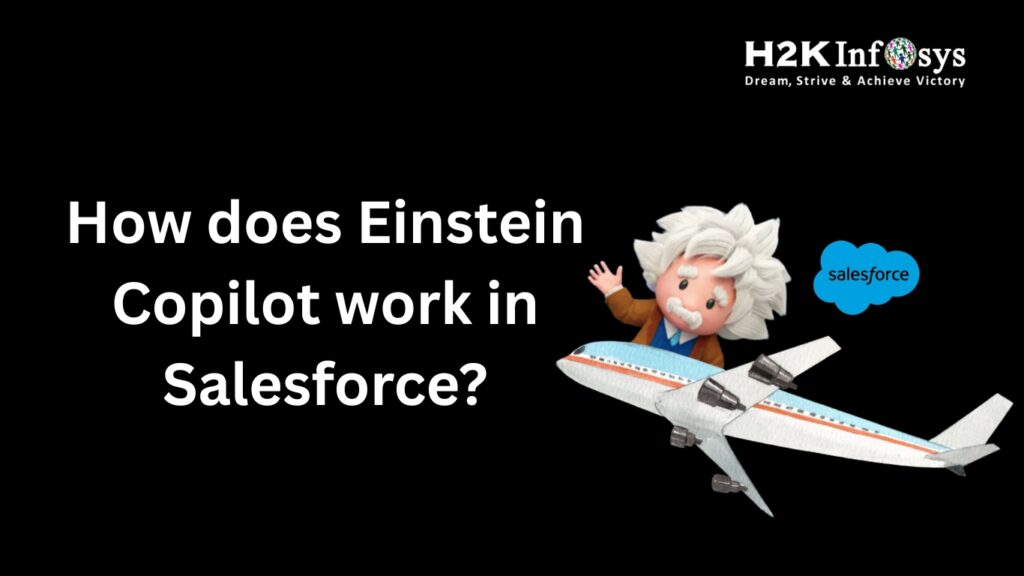
H2K Infosys is here to guide you in understanding how AI is impacting CRM systems. Today’s business world is heavily dependent on automated systems to increase efficiency and accuracy in business operations. Salesforce is leading the way in AI technology by introducing Einstein Copilot, a highly advanced AI tool.
Businesses today are using AI technology to reduce their workload and provide a better customer experience. According to Salesforce reports, more than 80% of customers are expecting faster and more personalized service from businesses. This has led businesses to adapt to using AI technology in CRM systems.
This blog is here to guide you in understanding how Einstein works in Salesforce, its importance, and how you can learn more about Einstein Copilot by pursuing Salesforce training courses and Salesforce admin training programs.
What is Einstein Copilot in Salesforce?
It is a tool in Salesforce using AI technology to help users complete tasks efficiently.
It is designed for sales, service, marketing, and admin professionals in Salesforce.
It is a tool integrated with Salesforce.
It can understand natural language and make smart suggestions.
Key Features:
- Natural language interaction
- Real-time data insights
- Automated workflows
- Custom prompts for tasks
- Integration with Salesforce apps
It can help users ask questions like:
“Show me top deals this month” or “Draft an email for this lead.”
How Einstein Copilot Works in Salesforce
To understand the functionality of Einstein in Salesforce, one can follow these simple steps:
Data Collection from Salesforce
- Customer Data
- Sales Pipelines
- Emails and Activities
- Reports and Dashboards
This data is collected in a secure manner in Salesforce.
Natural Language Processing (NLP)
It uses natural language processing technology to understand what the user has said.
For example:
The user types, “Create a follow-up email for a new client.”
Einstein uses natural language processing to understand what the user wants.
AI Model Processing
Einstein uses large language models. These models process the data and generate content.
The AI model processes the data to ensure:
- Contextual awareness
- Correct recommendations
- Personalized content creation
Action Execution
Einstein not only recommends but can also execute the action.
- Creation of records
- Editing fields
- Sending emails
- Creation of reports
Feedback and Learning
Einstein is not a one-time thing. It can learn and improve.
It learns from:
- Correcting the user
- Business rules
- Workflow updates
Real-Life Example of Einstein Copilot
Salesforce users can use Einstein to increase efficiency.
Scenario
The sales manager wants to increase efficiency.
The sales manager wants to:
- Generate a summary report based on the data available in the dashboards.
- Einstein generates the report.
- Einstein Copilot offers suggestions.
Benefits to Salesforce Users Using Einstein Copilot
1. Increased Productivity
Einstein Copilot reduces the workload. Einstein increases efficiency.
2. Better Decision Making
Einstein Copilot offers real-time data.
3. Improved Customer Experience
Einstein Copilot offers personalized customer interactions.
4. Automation of Routine Tasks
Einstein Copilot can execute routine tasks.
5. Easy Learning Curve
Einstein features simple language commands.
Einstein Copilot for Salesforce Admins
Einstein can help admins in a variety of ways.
Admin Use Cases:
- Build a workflow with prompts
- Generate reports instantly
- Manage users automatically
- Monitor system performance
This maximizes the value of Salesforce admin training.
Step-by-Step Guide to Utilizing Einstein Copilot
Step 1: Enable Einstein Copilot
To enable Einstein, follow these steps:
- Go to Setup
- Enable the AI feature
- Assign permissions
Step 2: Access Copilot Interface
To open Einstein Copilot, follow these steps:
Open Einstein through the Salesforce dashboard
Open chat interface
Step 3: Enter a Command
To enter a command, follow these steps:
Enter a simple language command, e.g.,
“Generate lead report.”
“Create a task for follow-up.”
Step 4: Review Output
To review output, follow these steps:
Review the output generated by Einstein Copilot
Make any required changes
Step 5: Execute Action
To execute action, follow these steps:
Confirm action
Save and send output
Sample Prompt Examples
Here are some simple prompts for Einstein Copilot:
“Create a draft email for a new customer.”
“Show me top opportunities this quarter.”
“Create case summary.”
“Update lead status to qualified.”
This demonstrates how simple it is to work with Einstein.
Code Snippet: Automating Workflow with Apex
Einstein Copilot can work with Apex code.

trigger UpdateLeadStatus on Lead (before update) {

   for (Lead l : Trigger.new) {

       if (l.AnnualRevenue > 1000000) {

           l.Status = 'High Priority';

       }

   }

}
This is an example of how to automatically classify leads. Einstein can help with this.
Why You Should Learn Einstein Copilot Using Salesforce Training Courses
Every business wants to hire people with AI and CRM skills.
Using Salesforce training courses can help you:
- Learn about the advantages of AI
- Get hands-on experience in scenarios
- Learn useful skills for your job
Salesforce Admin Training and Certification
Benefits of Salesforce Admin Training:
- Learn the fundamentals of Salesforce
- Learn how to manage users and data
- Learn how to create workflows
Salesforce Admin Certification Classes Include:
- Data Management
- Security Models
- Automation Tools
- Reporting
Einstein is included in the current Salesforce admin certification courses.
Career Opportunities with Salesforce AI Skills
The following career opportunities are available after learning Einstein Copilot:
- Salesforce Administrator
- Salesforce Developer
- CRM Analyst
- AI Specialist
Industry reports say Salesforce job roles will increase by 25% in the next five years, and certified employees will earn 30% more than non-certified employees.
Long-Tail Keyword Focus: Why It Matters
This blog has been written to cater to people who want to know more about:
- What is the best certification course available for a beginner in Salesforce?
- What are Salesforce admin certification courses, including AI tools?
- What are the hands-on training courses available in Salesforce?
These skills will enable people to remain competitive in their respective fields.
Challenges and Limitations of Einstein Copilot
Einstein Copilot has some limitations:
- Requires proper data setup
- Needs user training
- May need customization
However, training solves these issues.
Future of Einstein Copilot in Salesforce
Einstein Copilot will continue to improve. Future updates may include:
- More automation features
- Better predictive analytics
- Deeper integrations
AI will become a core part of Salesforce workflows.
Key Takeaways
- Einstein Copilot is an AI assistant in Salesforce
- It utilizes data, NLP, and AI to execute its functions
- It increases productivity and decision-making
- It is helpful to admins and business users
- It increases career growth
Conclusion
Einstein Copilot has completely transformed the way people work with Salesforce. It has made everything efficient.
You can join H2K Infosys Salesforce training courses to gain hands-on experience with Einstein and increase your career growth.