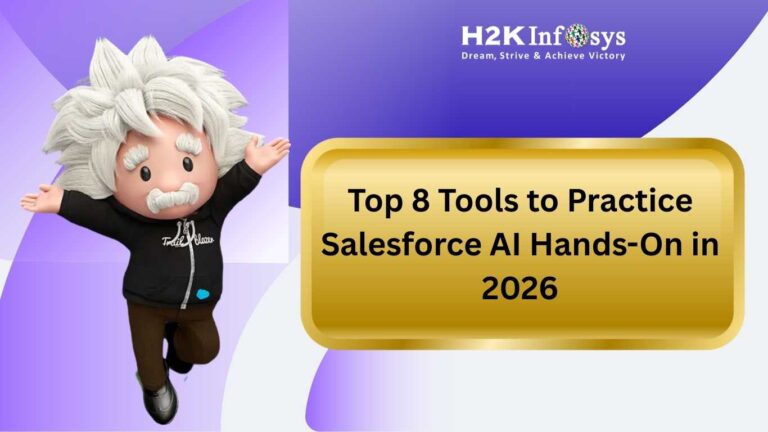
Salesforce AI will not be an option in 2026, if you want to stay engaged in the ecosystem since all companies are racing to embed intelligence into any workflow and we at H2kinfosys can speak about how exposure to hands-on changes the entire game. The real trick isn’t just about reading features, it is about getting hands dirty and experiencing how Salesforce AI really functions in live environments, messy datasets, and actual business problems.
The good news? You don’t need to wait for a job to start practicing. The tools below make it surprisingly practical to experiment, build, test, and even break things safely.
1. Salesforce Trailhead (AI-Focused Modules)
If you’re just stepping into Salesforce AI projects, Trailhead is still the cleanest starting point.
Salesforce has significantly expanded its AI-focused learning paths over the past two years, especially around generative AI, data grounding, and predictive analytics. The hands-on challenges are not theoretical they simulate real CRM scenarios like lead scoring, service case routing, and opportunity forecasting.
What I like most? You can see how the models behave inside a structured sandbox. For example, you might build a predictive model for opportunity closure rates and immediately test it against sample CRM data.
It’s not flashy. It’s practical. And that’s exactly what makes it powerful.
If you’re serious about building a foundation for Salesforce AI skills, Trailhead is still your base camp.
2. Einstein Discovery in Salesforce CRM
When people mention Salesforce and AI in the same breath, they’re usually talking about Salesforce Einstein.
Einstein Discovery is where prediction meets explanation. And that second part explanation is huge in 2026. With compliance standards tightening across industries, simply generating a prediction isn’t enough. You need to explain why.
I once worked with a sales operations team that used Einstein Discovery to predict churn risk. What surprised them wasn’t the churn score. It was the “top contributing factors” panel that broke down why certain customers were likely to leave. That changed their retention strategy overnight.
If you want to experiment with Salesforce AI predictions in real time, this tool gives you a safe but realistic environment.
3. Salesforce Data Cloud
Here’s something people underestimate: AI is only as good as the data behind it.
Salesforce Data Cloud (which evolved rapidly after the generative AI push) lets you unify customer data across sources marketing, commerce, service, and external databases and make it AI-ready.
In 2026, most serious AI Salesforce implementations revolve around clean, unified data layers. Data Cloud allows you to:
- Ingest structured and unstructured data
- Build identity resolution rules
- Activate data for predictive and generative use cases
If you’re practicing, try connecting multiple mock data sources and observe how unified profiles fuel Salesforce AI models. It’s one thing to read about data harmonization. It’s another to watch profiles merge in real time.
4. Developer Org + Einstein APIs
If you’re more technical (or want to become technical), a free Developer Org is gold.
You can experiment with:
- Apex integrations
- REST API calls
- Prompt templates for generative responses
- Custom AI workflows
This is where Salesforce and AI really break from configuration to creation.
I’ve witnessed admins become AI practitioners right from building mini Prototypes in their dev org like auto-generating account summaries to predictive case prioritization flows. It’s messy at first. You’ll break a few things. That’s normal.
But that’s also how real expertise builds.
5. Agentforce & AI Assistants
Salesforce’s push into AI agents has been one of the biggest ecosystem shifts lately. Agentforce allows businesses to deploy semi-autonomous AI agents for service, sales, and internal support.
Why practice here?
Because this is where Salesforce AI transitions from a feature to a digital colleague.
You can simulate:
- AI handling tier-1 support cases
- Automated follow-up email generation
- Intelligent nudges for sales reps in the flow of work
The trick isn’t just pressing the switch on, but refining prompts, setting guardrails and monitoring performance.
In real projects, most of the work is tuning and governance. Practicing that now gives you a serious edge.
6. Tableau + Predictive Insights
AI is powerful. But if stakeholders can’t understand it, adoption stalls.
That’s where Tableau comes in. Since deeper integration with Salesforce, Tableau dashboards now visualize predictive outputs more intuitively.
You can:
- Embed churn predictions into executive dashboards
- Compare AI forecast vs actual results
- Build explainable visual layers for stakeholders
When I worked with a finance team, visualizing AI-driven revenue forecasts made leadership trust the system faster. Seeing trends side-by-side built confidence.
Learning how to visualize what Salesforce AI produces is almost as important as building the model itself.
7. GitHub Copilot + Salesforce DX
For developers, pairing Salesforce DX with GitHub Copilot accelerates learning.
Copilot can suggest Apex code snippets for AI integrations or help draft LWC components connected to predictive APIs. It’s not perfect sometimes hilariously wrong but it speeds experimentation.
Practicing AI Salesforce development with code assistants mirrors what many enterprise teams now do daily. AI helping you build AI. Slightly meta, but very real.
8. Structured Training Programs (Like H2kinfosys)
Self-learning is great. Structured mentoring is different.
H2kinfosys integrates live projects, sandbox simulations, and AI-centered Salesforce case studies that reflect what companies are actively deploying in 2026.
What makes structured programs valuable isn’t the slides. It’s guided troubleshooting.
For example:
- Debugging why a prediction model fails
- Identifying bias in training datasets
- Aligning AI outputs with compliance policies
That kind of scenario-based practice builds confidence much faster than solo trial and error. Structured environments greatly reduce the learning curve if you’re seeking a guided path into Salesforce AI.
How Adding These Tools Together (The Real Practice Strategy)
Here is a straightforward workflow that I follow and recommend:
- Learn the basics with Trailhead Start.
- Start a Developer Org and create your first predictive use case.
- Feed unified data from Data Cloud.
- Visualize outcomes in Tableau.
- Refine prompts and automation using Agentforce.
That full loop mirrors what companies actually do when they deploy Salesforce AI in production.
And here’s something that most blogs won’t tell you: enabling the artificial intelligence features is the easiest part. It’s getting them aligned with business goals.
I’ve watched whole teams disable advanced AI Salesforce features because no one linked predictions to KPIs. Practice with intention. Link each experiment to a measurable result.
Current Trends You Should Pay Attention To (2026)
If you want to stay ahead, keep an eye on:
- AI governance and explainability regulations
- Industry-specific AI models (healthcare, finance)
- Prompt engineering as a CRM skill
- Hybrid human + AI workflows
Salesforce and AI innovation cycles are moving fast. In recent ecosystem conferences, the emphasis has shifted from “look what AI can do” to “prove the ROI and control the risk.”
That shift matters.
Practicing Salesforce AI today means learning not just how to build—but how to justify and manage it responsibly.
Final Thoughts
There’s never been a better time to experiment.
You don’t need a corporate license or a massive budget to start building with Salesforce AI today. Between free dev orgs, AI modules, integrated analytics tools, and structured mentorship programs, the ecosystem is surprisingly accessible.
If you work hands-on, consistently even 5-7 hours a week it will not be long until the moniker goes from “AI curious” to “AI confident.”
And know, in 2026, confidence with Salesforce AI is not a nice-to-have. It’s quickly becoming the baseline.