
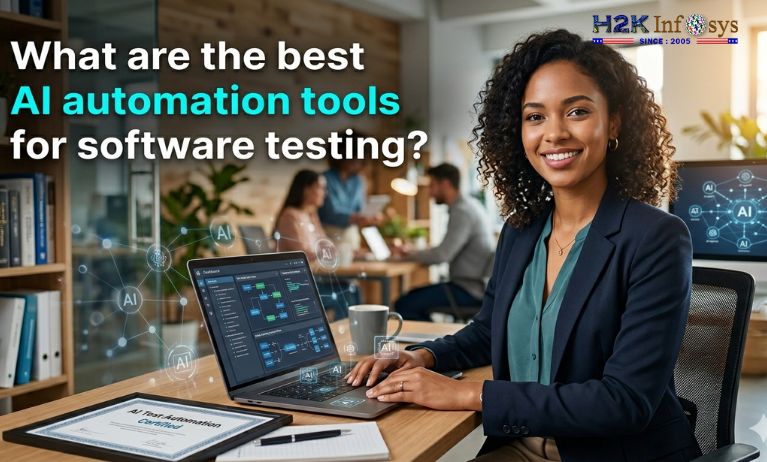
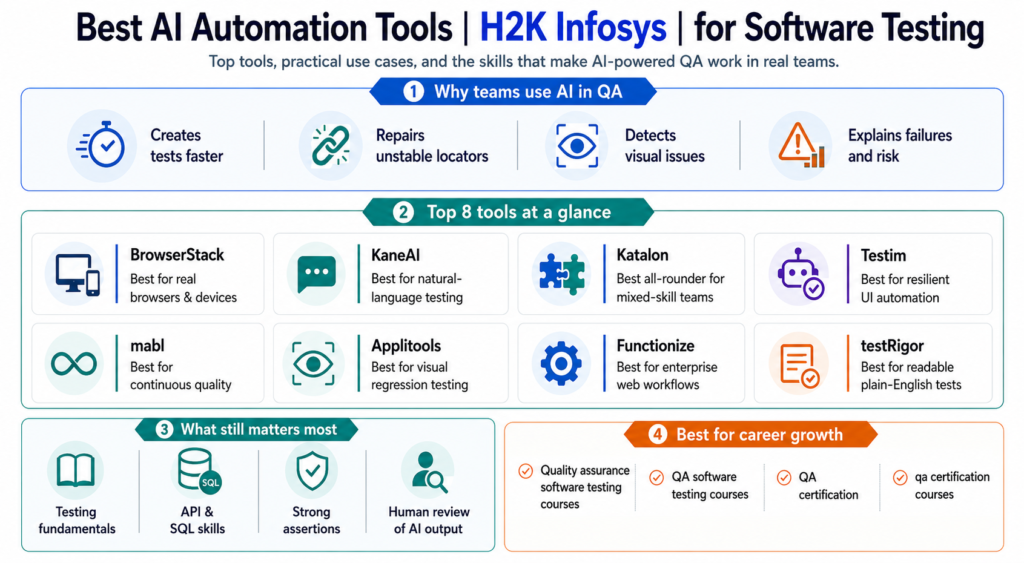
The best AI automation tools for software testing generate test cases, repair unstable locators, detect visual regressions, prioritize risky changes, and explain failures. They do not replace skilled testers; they reduce repetitive work that keeps testers from investigating real product risk.
Traditional automation can become a maintenance project. A label changes, twenty scripts fail, and someone spends an afternoon proving the application is fine. Good QA software testing courses, AI automation tools for software testing cut that tax.
BrowserStack’s 2026 survey offers a useful reality check: 61% of surveyed teams used AI across most testing workflows, yet only 12% reported fully autonomous testing. For 37% of QA managers, integration with the existing stack was the biggest challenge. Adoption is real; “set it and forget it” testing is not.
What makes AI automation tools for software testing genuinely useful?
I compare tools on creation, stability, debugging, integration, and cost. Can a tester describe a real flow? Will it survive a normal UI update? Can the team explain a failure? Does it fit CI/CD and remain affordable at scale?
No platform wins every category. A visual-heavy retail site needs something different from a banking system with APIs, databases, audit requirements, and tightly controlled workflows.
1. BrowserStack: best for real browsers and devices
BrowserStack suits web and mobile teams needing broad browser-and-device coverage. Its platform places AI agents across test creation, selection, duplicate detection, failure analysis, and maintenance. Teams already using BrowserStack can add AI without rebuilding their infrastructure.
Among AI automation tools for software testing, BrowserStack is strongest when environment coverage is the bottleneck. A checkout may pass in desktop Chrome and fail on an older iPhone; real-device execution catches that gap.
2. KaneAI: best for natural-language testing
KaneAI, presented under TestMu AI, lets teams plan, author, run, and evolve tests in plain language. Its official materials describe web, mobile, API, database, network, and accessibility coverage, plus export to Selenium, Playwright, Cypress, and Appium.
For teams evaluating AI automation tools for software testing, KaneAI suits manual testers who know the business flow but are still building coding confidence. They can describe a journey, review the plan, and correct the agent when needed.
3. Katalon True Platform: best all-rounder
Katalon supports web, mobile, API, and desktop testing through no-code, low-code, and full-code workflows. Its 2026 True Platform emphasizes AI agents that plan, author, execute, analyze, file bugs, and surface root causes. It also documents AI-assisted test generation from requirements.
Katalon belongs on a shortlist of AI automation tools for software testing because mixed-skill teams can share it: manual testers start visually, engineers add code, and leads track coverage.
4. Tricentis Testim: best for resilient UI automation
Testim uses AI-powered smart locators to reduce maintenance when interfaces change. It also provides visual authoring, TestOps features, and AI assistance for custom JavaScript steps. Tricentis positions it for web, mobile, and Salesforce automation.
Within AI automation tools for software testing, Testim fits fast-moving teams with brittle UI suites. Smarter locators cannot fix a weak strategy, but they can stop harmless DOM changes from breaking dozens of tests.
5. mabl: best for continuous quality
mabl focuses on AI-native automation and agentic workflows with human review at important points. Its training material highlights AI-assisted assertions, flaky-test identification, and fewer false negatives.
The appeal of mabl among AI automation tools for software testing is continuous feedback. For a SaaS team shipping several times daily, the key question is, “What changed, and is the evidence strong enough to release?”
6. Applitools: best for visual regression testing
Applitools Eyes uses Visual AI to detect visual and functional regressions across web, mobile, and desktop applications. Applitools Autonomous adds functional, visual, and API test creation with AI-assisted recording and natural-language authoring.
Not all AI automation tools for software testing catch what users see. An assertion may confirm that a button exists while missing that a banner covers it. Visual AI finds clipped text, layout shifts, and responsive breakage.
7. Functionize: best for enterprise web workflows
Functionize presents itself as an independent testing agent for full web UI workflows. Its architecture uses reasoning where interpretation helps and deterministic behavior where results must be exact a sensible distinction for enterprise QA.
Functionize stands out among AI automation tools for software testing when an organization wants autonomous web coverage without giving up governance. Test it with changing data, permissions, and third-party integrations, not a polished login demo.
8. testRigor: best for readable plain-English tests
testRigor lets users write free-flowing English instructions that are translated into executable steps. This makes tests easier for product owners, analysts, and manual testers to review than selector-heavy scripts.
For beginners exploring AI automation tools for software testing, readability matters. “Add the laptop to the cart and verify the discount” states intent clearly. Teams still need reusable flows, controlled data, and strong assertions. Plain English can become messy English fast.
Quick comparison
| Main requirement | Strong starting point |
|---|---|
| Real browsers and devices | BrowserStack |
| Natural-language agent and framework export | KaneAI |
| Mixed manual and automation team | Katalon |
| Stable UI locators and TestOps | Testim |
| Continuous quality workflows | mabl |
| Visual regression accuracy | Applitools |
| Enterprise web automation | Functionize |
| Business-readable tests | testRigor |
When comparing AI automation tools for software testing, run the same pilot in two or three platforms: a happy path, changing UI, negative test, and diagnosable failure. Measure authoring, maintenance, false failures, debugging, speed, and total cost. Demos show creation; pilots expose maintenance.
Why training still matters more than the tool
AI can draft a test, but it may generate ten shallow variations and miss the one scenario that loses money. Strong testers understand requirements, boundaries, equivalence classes, APIs, SQL, Agile delivery, defects, and automation design.
That is why Quality assurance software testing courses should teach fundamentals before promising “AI-powered QA.” The same warning applies to QA software testing courses built around clicking through one platform. Tools change. Testing judgment travels with you.
H2K Infosys is relevant because its current QA offerings combine manual and automated testing, while its QA-with-AI course describes intelligent test generation, defect prediction, AI-assisted workflows, and real-time project experience. Its QA pages also promote live instruction, project exposure, certification, resume preparation, mock interviews, and placement support.
A sensible path is testing fundamentals, SQL and APIs, Selenium or Playwright concepts, then one or two AI automation tools for software testing. Build a portfolio with test design, execution evidence, defects, CI integration, and a note explaining what the AI got wrong.
For career changers, QA certification is strongest when it represents hands-on work. Look for qa certification courses with live projects, feedback, mock interviews, and realistic defects. H2K Infosys follows that job-oriented model, giving learners more structure than disconnected tutorials.
Final thought
The best AI automation tools for software testing fit your product risk, delivery pipeline, team capability, and evidence requirements. BrowserStack is strong for device coverage; KaneAI for agent-led authoring; Katalon for mixed-skill teams; Testim for resilient UI tests; mabl for continuous quality; Applitools for visual accuracy; Functionize for enterprise workflows; and testRigor for readable tests.
The career lesson is simple: learn the tool, but train the tester’s mind. H2K Infosys connects QA foundations, automation practice, AI-assisted testing, and employment preparation. That foundation makes AI automation tools for software testing more useful in real projects.
FAQs
1. What are AI automation tools for software testing?
AI automation tools for software testing use machine learning, natural-language processing, computer vision, or AI agents to create, execute, maintain, prioritize, and analyze tests. Human review remains essential for risk and release decisions.
2. Which AI automation tools for software testing are best for beginners?
Katalon, KaneAI, and testRigor are approachable because they offer visual or plain-language workflows. The best choice depends on whether you test web, mobile, API, desktop, or enterprise applications.
3. Will AI replace QA testers?
No. It reduces repetitive authoring, locator repair, and failure triage while increasing the value of exploratory testing, domain knowledge, data validation, security awareness, and communication.
4. Is QA certification necessary?
QA certification is not mandatory for every employer, but it can provide structure and evidence of learning. It is stronger when paired with projects, test cases, automation code, defect reports, API collections, and SQL queries.
5. What should good QA certification courses include?
Good QA certification courses should cover manual testing, SDLC, Agile, test design, defect lifecycle, SQL, APIs, automation, CI/CD, AI-assisted testing, real-time projects, and interview preparation.
6. Can a non-programmer learn AI-based automation?
Yes. AI automation tools for software testing with low-code or natural-language interfaces lower the entry barrier. Basic programming logic, selectors, APIs, Git, data handling, and debugging still make you more capable.