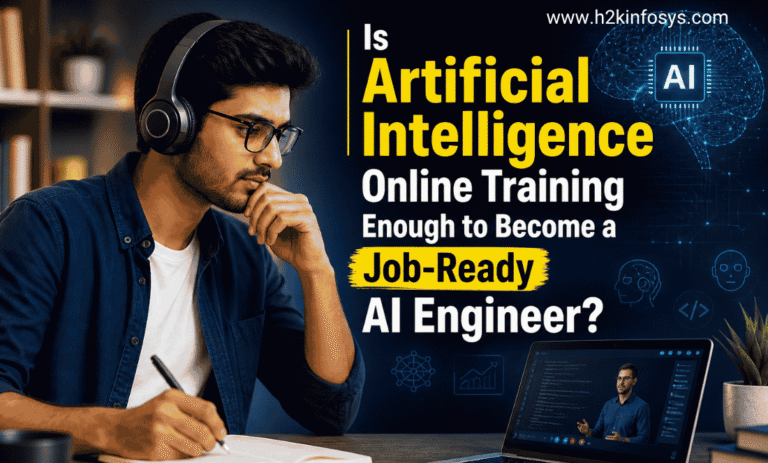
H2K Infosys Artificial Intelligence Engineer Course can definitely give you a solid starting point no question about that. You’ll pick up the fundamentals, get familiar with tools, and begin to understand how things fit together. But if the goal is to be fully job-ready? That usually takes more than just finishing a course. Real-world projects, messy data, and actual problem-solving that’s where things start to click. In practice, becoming an Artificial Intelligence online training is less about completing a course and more about combining structured learning with hands-on work and, honestly, a fair bit of trial and error.
What is Artificial Intelligence Online Training?
At its core, AI online training is just structured learning delivered digitally. You go through modules that cover things like machine learning, deep learning, NLP, and data engineering step by step.
Most courses include a mix of:
- Video lectures (some great, some… less so)
- Guided exercises and coding assignments
- Tool demos—usually in Python notebooks
- Quizzes or small assessments to check understanding
It’s a pretty guided environment, which helps early on.
Core Areas Covered in Artificial Intelligence online training
If you’ve seen a few Ai learning Courses, they tend to follow a similar pattern. Here’s what usually shows up:
- Machine Learning – supervised vs unsupervised algorithms
- Deep Learning – neural networks, CNNs, RNNs
- Data Processing – cleaning, transforming, feature engineering
- Model Deployment – APIs, sometimes cloud basics
- Mathematics – linear algebra, probability, stats
Some go deeper than others, but that’s the general structure.
Why AI Training Matters for Working Professionals
AI isn’t some isolated field anymore it’s baked into how a lot of industries operate now. Finance, healthcare, retail, logistics… all of them use it in different ways.
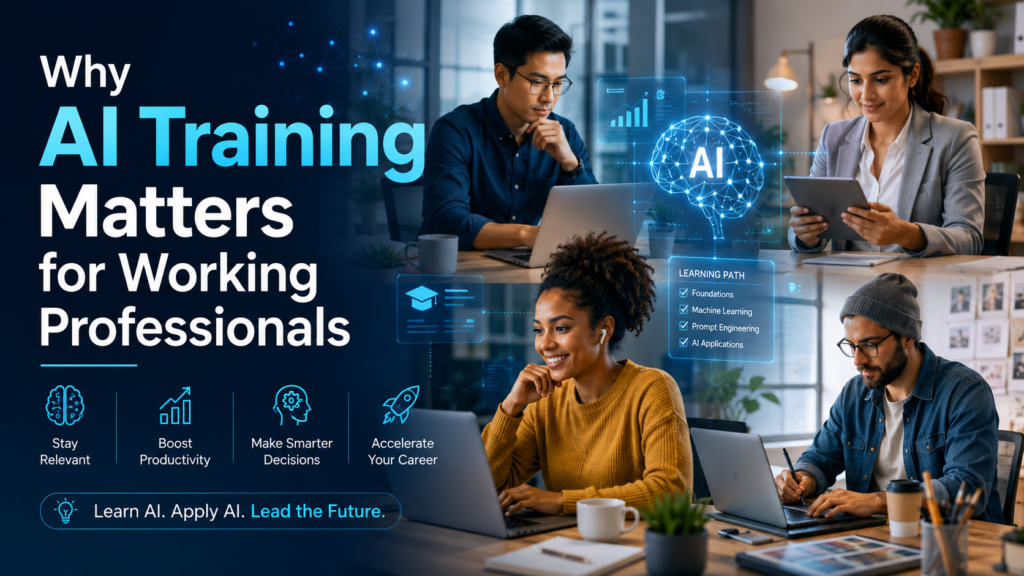
For someone already working, learning AI can mean:
- Automating repetitive work (which is honestly a big win)
- Making better decisions using data instead of guesswork
- Understanding how data pipelines and systems actually work
- Communicating better with data teams
It kind of shifts how you think about problems.
Where AI Shows Up in Real Life
You’ve probably interacted with AI more than you realize:
- Fraud detection in banking systems
- Product recommendations while shopping online
- Predictive maintenance in factories
- Chatbots and virtual assistants
Once you start learning Artificial Intelligence online training, you begin to notice these patterns everywhere.
How AI Actually Works in Real Projects
Courses often focus on building models, but in real-world IT projects, it’s more of a pipeline—a lifecycle.
A typical workflow looks something like this:
- Data collection – pulling data from multiple sources
- Preprocessing – cleaning, normalizing, shaping it
- Model training – running algorithms
- Evaluation – checking performance (accuracy, precision, etc.)
- Deployment – exposing models via APIs or batch jobs
- Monitoring – watching for performance drops or drift
For example, a recommendation system might start with user data, turn it into usable datasets, train a model, deploy it through an API, and then continuously update it based on user behavior.
Tools you’ll run into often:
- Python
- TensorFlow / PyTorch
- Scikit-learn
- Apache Spark
Skills You Actually Need
AI engineering isn’t just one skill—it’s a mix of several areas working together.
Programming
- Python is the main language
- Libraries like Pandas and NumPy for data work
Math (yes, it matters)
- Linear algebra
- Probability and statistics
- Optimization basics
Machine Learning Concepts
- Regression, classification, clustering
- Model evaluation techniques
Data Engineering Basics
- Data pipelines
- ETL processes
Deployment & Systems
- REST APIs
- Docker
- Cloud platforms like AWS or Azure
It can feel like a lot at first. That’s normal.
Is Artificial Intelligence online training Enough?
Short answer: not really. But it’s still important.
Artificial Intelligence online training helps with:
- Understanding core concepts
- Getting comfortable with tools
- Practicing in a structured way
Where it falls short:
- Real-world complexity (things break… often)
- Working with messy, incomplete data
- Building full systems instead of isolated models
- Collaborating with teams
That gap becomes obvious pretty quickly once you try building something on your own.
What AI Looks Like in Enterprise Environments
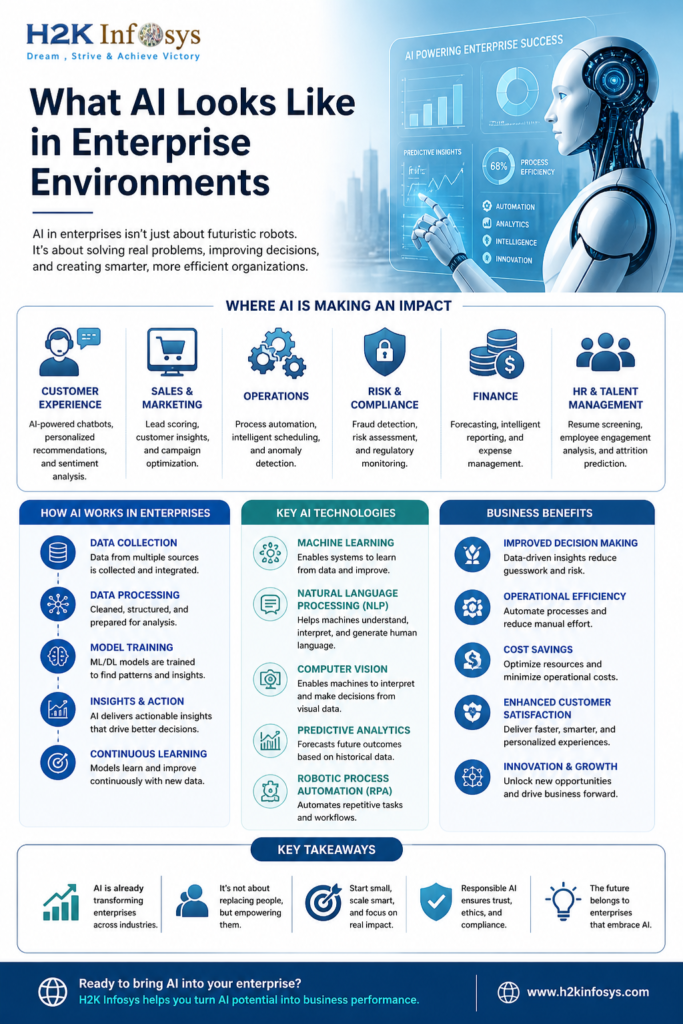
In companies, AI is part of a larger system—not just a model sitting in isolation.
You’ll typically see:
- Data sources (databases, APIs, logs)
- Pipelines (batch or streaming)
- Training environments
- Model serving infrastructure
- Monitoring and logging tools
A common stack might include:
- Storage – Hadoop, SQL databases
- Processing – Apache Spark
- Modeling – TensorFlow, PyTorch
- Deployment – Flask APIs, Kubernetes
- Monitoring – Prometheus, Grafana
And then there are real constraints:
- Data privacy laws (GDPR, HIPAA)
- Scaling to large systems
- Latency requirements
- Model explainability
These are things Artificial Intelligence online training rarely simulate well.
Roles That Use AI Daily
AI skills aren’t limited to one job title. Different roles use them in different ways:
- AI Engineer – builds and deploys models
- Data Scientist – analyzes data, creates predictions
- Machine Learning Engineer – scales and optimizes systems
- Data Engineer – builds pipelines
- AI Product Manager – defines what to build and why
So there’s flexibility in career paths.
Career Paths After Learning AI
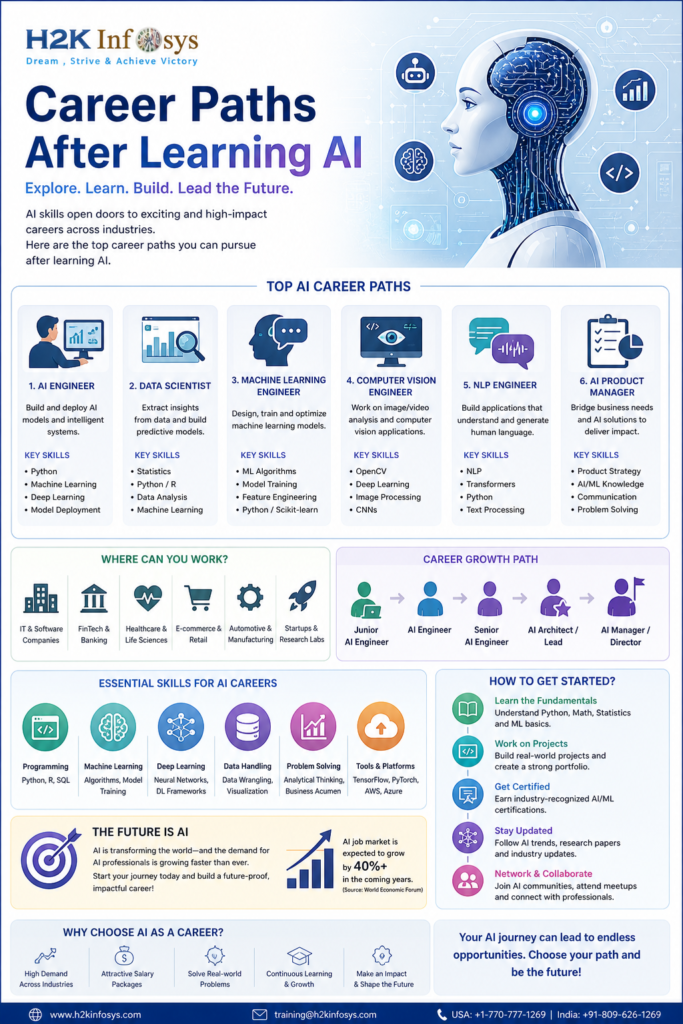
Once you’ve got both learning + some real experience:
Entry-level:
- Junior AI Engineer
- ML Intern
- Data Analyst (with ML exposure)
Mid-level:
- Machine Learning Engineer
- AI Developer
- Data Scientist
Advanced:
- AI Architect
- Research Scientist
- MLOps Engineer
Progression depends a lot on what you actually build, not just what you study.
How People Actually Become Job-Ready
There’s a rough path many people follow:
- Finish structured Artificial Intelligence online training
- Build hands-on projects
- Learn deployment and cloud basics
- Work with real datasets (messy ones)
- Understand system design and scaling
It’s not always linear, though. People loop back, relearn things, hit roadblocks.
Projects That Make a Difference
Projects are where everything starts to stick.
Some good ones to try:
- Recommendation systems
- Fraud detection models
- NLP-based chatbots
- Image classification
- Time-series forecasting
A typical project flow:
- Define the problem
- Collect and clean data
- Train a model
- Evaluate results
- Deploy via API
- Monitor performance
Simple in theory… but each step has its own challenges.
Online Learning vs Real-World Work
There’s a noticeable gap:
- Data: clean vs messy
- Scale: small vs large distributed systems
- Tools: simplified vs enterprise-grade
- Deployment: basic vs complex pipelines
- Collaboration: solo vs team-based
That transition is where most learning happens, honestly.
Quick FAQ
Is an Artificial Intelligence online training enough to get a job?
Not by itself. You’ll need projects and practical experience.
How long does it take?
Usually 6–12 months, depending on consistency and depth.
Do courses include coding?
Yes—mostly Python-based exercises.
Most important skill?
Solving real problems with data.
Can non-IT professionals learn AI?
Yes, but expect to spend extra time on programming and math basics.
Final Thoughts
Artificial Intelligence online training is a great entry point it gives you direction and structure. But becoming job-ready comes from applying that knowledge, building things, breaking things, fixing them, and repeating that cycle.
If you’re exploring structured programs, it helps to look for ones that include hands-on projects and simulate real-world scenarios. Some Artificial Intelligence online training providers, like H2K Infosys, focus on that practical angle, which can make the transition into actual work a bit smoother