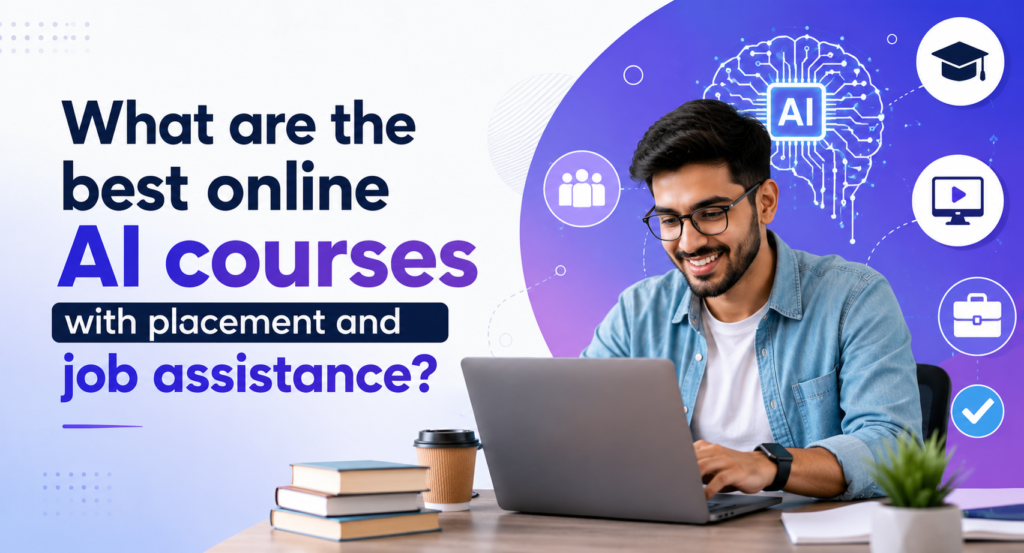
best AI training online is usually described as a structured set of courses delivered through virtual platforms. That’s technically true but if you’ve actually explored a few programs, you’ll notice it’s not just about logging in and watching videos. It’s more layered than that, especially in programs offered by H2K Infosys, where guided instruction, hands-on projects, and real-world use cases are integrated into the learning experience.
Most of these courses try to walk you through the core building blocks machine learning, data science, deep learning and then gradually move into how AI systems are built, tested, and used in real-world environments. Some do this well. Others… not so much.
The difference usually comes down to how practical the learning feels. The best AI training online stronger programs don’t stop at theory. They mix in hands-on work projects, tools, messy datasets things that resemble what you’d deal with on an actual job. And choosing the right one? It’s rarely straightforward. It depends on where you’re starting, what kind of role you’re aiming for, and honestly, how deep you want to go technically.
What Is AI Training Online?
At a basic level, Online Ai Programs is just a flexible way to learn remotely. That flexibility matters more than people expect especially if you’re juggling a full-time job or other commitments.
Most programs tend to cover areas like:
- Machine Learning (ML)
- Deep Learning (DL)
- Natural Language Processing (NLP)
- Computer Vision
- AI engineering and deployment
The format usually includes a mix of different learning components. best AI training online You’ll see video lectures (some short and focused, others… a bit of a marathon), coding exercises, guided labs, and projects using real datasets. There are often quizzes, assignments, sometimes even a capstone project at the end.
On the tools side, Python shows up everywhere. Along with it, you’ll likely work with Jupyter Notebook, maybe Google Colab, and sometimes cloud platforms depending on the course.
One thing that stands out compared to traditional classrooms you’re not tied to a single pace. Some learners move quickly through basics they already understand. Others slow down, revisit topics, and take their time. That freedom can be helpful… but it also means you need a bit of discipline. It’s easy to fall behind when no one’s really chasing you.
What Should You Look for in Beginner best AI training online?
If you’ve tried searching for beginner AI courses, you’ve probably noticed something—they all claim to be “the best.” Which doesn’t help much.
A few practical checks usually cut through the noise:
Curriculum depth
Does it actually start from the basics? Python, data handling, simple ML concepts—those should be there. If a course jumps too quickly into complex topics, it can get frustrating fast.
Hands-on experience
This one’s big. If it’s mostly videos and very little practice, it’s going to feel disconnected. Real understanding comes when you start building things even small ones.
Tools used
Look for tools that show up in real work environments: Python, Pandas, NumPy, Scikit-learn. Frameworks like TensorFlow or PyTorch are a plus, but they don’t need to come immediately.
Learning format
Self-paced or live sessions it’s not about which is “better,” it’s about what suits you. Some people thrive with flexibility; others need structure.
Industry relevance
This part gets overlooked. Are the examples tied to real use cases? Or are they purely academic problems that don’t translate well outside the course?
For beginners, a practical-first approach usually works better. Too much theory too early—especially heavy math can slow things down or even discourage you. It’s easier to build confidence first, then go deeper.
How Does AI Actually Work in Real Projects?
This is where best AI training online things start to feel more grounded. In real-world systems, AI isn’t just about building a model and calling it a day. There’s a workflow and it’s fairly structured, even if it doesn’t always look neat.
It usually starts with data collection. Pulling data from APIs, databases, logs sometimes spreadsheets someone forgot to clean up.
Then comes preprocessing, which honestly takes more time than most people expect. Cleaning data, handling missing values, formatting things correctly it’s not glamorous work, but it matters.
After that, you move into model building. Choosing algorithms, training them, adjusting parameters. This is the part most courses focus on but it’s just one piece.
Next is evaluation. Checking how well the model performs using metrics like accuracy, precision, recall. Sometimes the results look great on paper but don’t hold up in real usage.
Then there’s deployment integrating the model into an application, often through APIs. This step is where many learning projects stop, but in real systems, it’s critical.
And finally, monitoring. Models don’t just stay accurate forever. Data changes, patterns shift, and performance can degrade over time. So they need to be tracked, updated, sometimes retrained.
Take a simple example a customer support system. AI might classify incoming tickets, flag urgent ones, maybe even suggest responses. It’s not flashy, but it’s useful. That’s where a lot of real-world AI lives—quietly improving processes.
Why AI Training Matters for Working Professionals
Even if you’re not planning to become a data scientist, best AI training online is slowly showing up in almost every IT role. Not always in obvious ways but it’s there.
At first, it might look like small improvements automation scripts, better analytics, smarter dashboards. Over time, those small pieces start to add up.
A few practical benefits:
- Making better decisions using data
- Automating repetitive tasks
- Improving system performance
- Opening up new, in-demand roles
Different roles interact with best AI training online in different ways. best AI training online A software engineer might integrate machine learning APIs into an application. A data analyst might start working with predictive models instead of just reports. Even DevOps engineers are using AI for monitoring and anomaly detection now.
It’s not always about switching careers overnight. For many people, it’s more of a gradual shift toward more data-driven work.
What Skills Do You Actually Need?
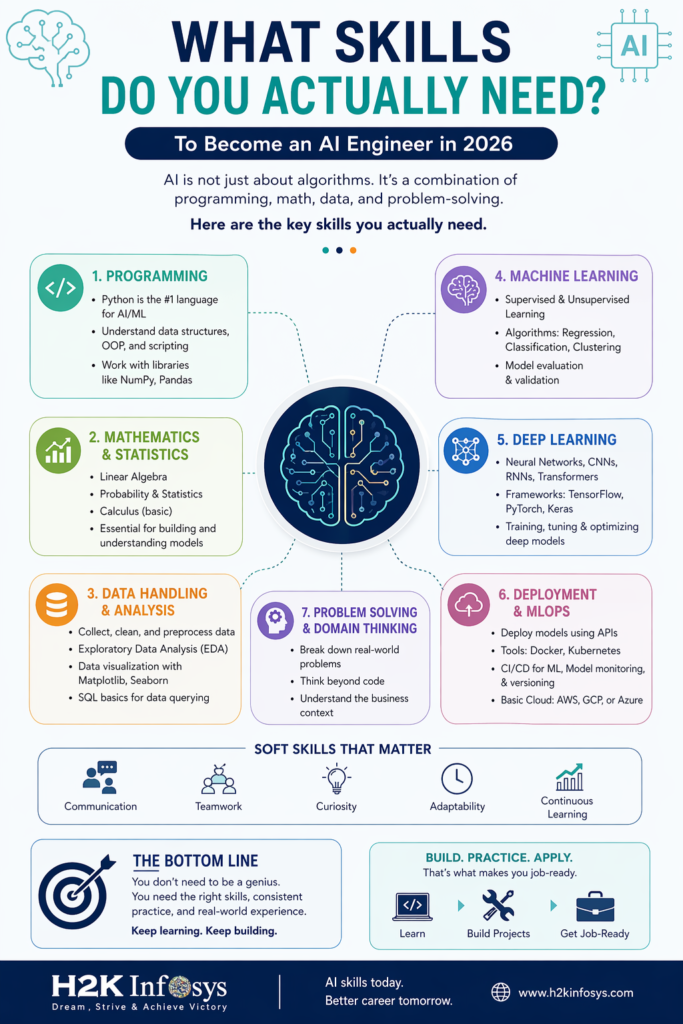
AI sits somewhere in between coding and math. You don’t need to be an expert in either right away but you do need a bit of both.
On the technical side:
- Python programming
- Basic data structures
- Statistics and probability
- Some linear algebra (nothing extreme at the beginning)
In terms of tools:
- NumPy, Pandas, Scikit-learn
- TensorFlow or PyTorch (later on)
- Jupyter Notebook or Google Colab
But there’s another side that doesn’t get talked about enough practical best AI training online thinking.
- Problem-solving
- Debugging (a lot of it, honestly)
- Understanding the business context
Because building a model is one thing. Knowing why you’re building it that’s what makes it useful.
How AI Fits into Enterprise Systems
In real organizations, best AI training online doesn’t exist in isolation. It’s part of a larger system, and it has to work within that environment.
Typically, you’ll see layers like:
- Data layer (data lakes, warehouses)
- Processing layer (pipelines, transformations)
- Model layer (ML algorithms)
- Deployment layer (APIs, microservices)
- Monitoring layer (logging, alerts, retraining)
And then there are the challenges—which are very real.
Data is often messy or incomplete. Models can lose accuracy over time. Integrating with older systems can be tricky. There are also security and compliance concerns, especially in regulated industries.
That’s why practices like version control, CI/CD pipelines, and tools like MLflow become important pretty quickly. It’s not just about building something it’s about maintaining it.
Job Roles That Use AI
AI isn’t tied to a single job title anymore. best AI training online Different roles interact with it at different levels.
- Data Scientist – builds and analyzes models
- AI Engineer – focuses on deployment and optimization
- Machine Learning Engineer – handles production systems
- Data Analyst – works with reporting and predictions
- Business Analyst – uses data for decision-making
Each role requires a different depth of knowledge. So the “right” Best Ai Courses for Beginners depends a lot on where you see yourself fitting in.
Career Paths After AI Training
There’s a range of directions you can take, depending on how far you go.
Some of the more core roles include:
- Machine Learning Engineer
- Data Scientist
- AI Developer
- NLP or Computer Vision Engineer
If you’re just starting out, entry-level roles might look like:
- Junior Data Analyst
- AI support roles
- Data associate positions
Over time, best AI training online with experience, people move into roles like AI Architect or Head of Data Science. But that usually comes from hands-on work not just certifications.
What Do AI Programs Typically Include?
Most structured best AI training online follow a similar flow, even if they package it differently.
- Introduction to best AI training online
- Data preprocessing
- Supervised and unsupervised learning
- Basics of deep learning
- Model deployment
Along the way, you’ll usually work on projects like:
- Prediction models
- Recommendation systems
- Classification problems
Assessments vary quizzes, coding assignments, sometimes a final capstone project that pulls everything together.
Self-Paced vs Live Training — Which One Works Better?
This question comes up a lot, and the honest answer is… it depends.
Self-paced learning gives you flexibility. best AI training online You can learn when it suits you, revisit topics, move faster or slower. But it also requires discipline. Without structure, it’s easy to drift.
Live classes bring structure. You can ask questions in real time, interact with instructors, stay on track. The downside is less flexibility you have to follow a schedule.
A mix of both often works well. Learn concepts on your own, then use live sessions to clear doubts and go deeper.
Common Mistakes When Choosing best AI training online
There are a few patterns that show up again and again:
- Choosing courses with no real projects
- Ignoring prerequisites and struggling later
- Focusing only on theory
- Jumping into advanced topics too early
- Not checking if the content reflects real-world use
Avoiding these can save you a lot of time and frustration.
Quick FAQs
What’s the best AI training online?
Usually one that starts with Python, explains machine learning clearly, and includes hands-on projects without overwhelming you with math right away.
How long does it take to learn best AI training online?
Roughly 3–6 months for basics. Closer to 6–12 months if you want to feel job-ready.
Do you need coding experience?
It helps, but many courses start from scratch with Python.
Which tools should you learn first?
Python, Pandas, NumPy, and Scikit-learn are good starting points. Then you can move into TensorFlow or PyTorch.
Are certifications important?
They help, but in most cases, projects and practical skills matter more.
Key Takeaways
Good best AI training online balance theory with hands-on practice.
Beginners should start simple Python and core ML concepts first.
Real-world AI involves workflows, deployment, and monitoring not just models.
Career paths go beyond data science.
And the “best” course? It really depends on your goals, background, and how you prefer to learn.
Call to Action
If you’re considering structured best AI training online, look for programs that go beyond theory and actually show you how things work in real scenarios. Some platforms, like H2K Infosys, lean toward guided, hands-on learning with practical use cases which can make the transition from learning to working feel a bit less overwhelming.