A Playwright Training Course in USA teaches you how to automate real web application testing using Playwright, build reliable end-to-end test scripts, debug failures, run cross-browser tests, and connect automation into modern CI/CD pipelines. In a good Playwright Training Course in USA you do not just learn commands; you learn how real QA teams test applications before they reach customers.
And honestly, that is where Playwright has become interesting. A few years ago, many testers were still mostly talking about Selenium. Selenium is still important, no doubt. But in 2026, Playwright is showing up more often in QA automation conversations because teams want faster feedback, fewer flaky tests, better debugging, and automation that works well with modern JavaScript-heavy applications.
Playwright Test offers official support for end-to-end testing with a built-in test runner, assertions, browser isolation, parallel execution and rich tooling across Chromium, Firefox and WebKit. It also supports local and CI execution, headed and headless testing, and mobile emulation for Chrome on Android and Mobile Safari.
So, what exactly will you learn in a Playwright Training Course in USA program, especially if you are planning to build a QA automation career in the USA? Let’s break it down in a practical way.
Why Playwright Training Matters in 2026
Modern software teams release updates fast. Sometimes daily. Sometimes several times a day.That means manual testing alone cannot keep up.
Think about a banking app. A small change in the login page might break password reset. A checkout update in an e-commerce site might affect coupon codes. A healthcare portal may work fine in Chrome but fail in Safari. These are not “small bugs” when real users are involved.
That is why companies want QA professionals who can automate repeatable checks and catch issues early. Playwright fits that need because it is built for modern browser automation and end-to-end testing.
Another thing worth noticing: many current QA job descriptions now expect automation engineers to know more than one tool. Selenium, Playwright Training Course in USA, Cypress, API testing, Git, Jenkins, GitHub Actions, Agile workflows it is becoming a mixed skill market. Salary sources in 2026 show strong compensation for QA automation roles in the USA, with mid-level automation engineers often benchmarked around six figures depending on skills, location, and employer.
That is a big reason structured training matters. Watching random videos can help, but a guided Playwright Training Course in USA gives you a cleaner path from basics to job-ready project work.
What You Learn in a Playwright Course
A strong playwright course usually starts with the foundation. Not the fancy stuff first. The basics.
You will learn what automation testing is, when to automate, when not to automate, and how testing fits into the software development lifecycle. This part matters more than beginners realize. Automation is not just “record and run.” It is about deciding what should be tested, how stable the test should be, and how that test helps the team.
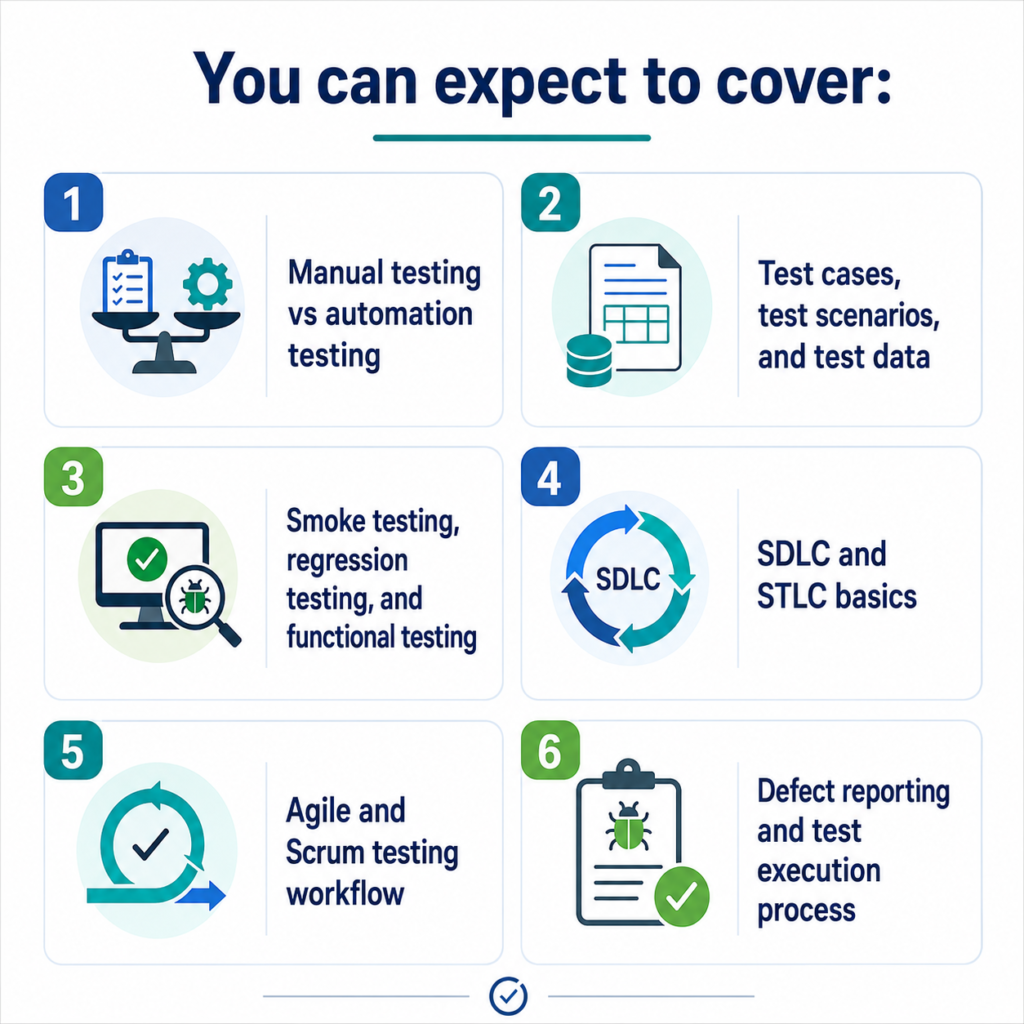
You can expect to cover:
- Manual testing vs automation testing
- Test cases, test scenarios, and test data
- Smoke testing, regression testing, and functional testing
- SDLC and STLC basics
- Agile and Scrum testing workflow
- Defect reporting and test execution process
At H2K Infosys, the training approach leans toward real-time QA learning rather than only theory. Their course ecosystem includes QA testing, Selenium automation, QA with AI, DevOps-related training, and a dedicated “Playwright with Java + Gen AI Testing” course listing, which fits the current shift toward automation plus AI-assisted testing.
Learning Playwright Setup and Core Concepts
Once the foundation is clear, you move into Playwright itself.
You will learn how to install Playwright, set up your project, understand the folder structure, and run your first test. This is usually where beginners get excited because they finally see the browser open, click around, and validate something automatically.
A goodPlaywright Training Course in USA will teach you:
- Installing Playwright
- Setting up Node.js, Java, or another supported stack depending on the course
- Understanding test files and configuration
- Running tests in headed and headless modes
- Using browser contexts and pages
- Writing your first end-to-end automation script
- Running tests across Chrome, Firefox, and WebKit
Playwright’s official documentation explains that Playwright Training Course in USA Test includes the test runner, assertions, isolation, parallelization, and reporting tools in one framework. That is one reason many QA teams like it: you do not always need to glue together too many external tools just to start testing.
Small practical example: suppose you are testing an online shopping website. Your first Playwright Training Course in USAscript may open the homepage, search for a product, add it to the cart, verify the cart count, and check whether the checkout button appears. Simple? Yes. But that same pattern becomes the base for real regression testing.
Playwright Training Course Modules You Can Expect
A career-focused Playwright Training Course in USA should go beyond basic clicking and typing. It should teach how QA automation works on real projects.
Here are the major modules you can expect.
1. Locators and Web Element Handling
Locators are one of the most important parts of Playwright. If your locator is weak, your test breaks easily.
You will learn how to identify elements using:
- Text
- Role-based locators
- CSS selectors
- XPath where needed
- Test IDs
- Labels and placeholders
Playwright’s test generator can also generate tests while you interact with a browser. It chooses locators by looking at the page and prioritizing role, text, and test ID locators where possible.
That is useful, but here is the real-world lesson: generated code is a starting point, not the final framework. A trainer who has worked on real projects will usually tell you to clean up generated scripts, rename variables, improve locators, and organize reusable functions.
2. Auto-Waiting and Reliable Test Execution
This is one of the reasons people talk about Playwright Training Course in USA so much.
In older automation frameworks, testers often had to add manual waits. Wait for 2 seconds. Wait for 5 seconds. Wait until visible. Wait until clickable. You know the headache.
Playwright automatically waits for actionability checks before performing actions, which reduces race conditions and flaky timing issues. Its assertions are also designed to wait until expected conditions are met.
In plain English, this means Playwright Training Course in USA is better at understanding when a button is actually ready to be clicked.
You will learn how to use:
- Auto-waiting
- Explicit expectations
- Timeout handling
- Retry logic
- Assertions
- Stable test design
Real scenario: imagine a dashboard page loads charts after an API call. A weak test may fail because the chart takes three seconds longer today. A better Playwright Training Course in USA test waits for the right element or network condition instead of blindly sleeping.
3. Cross-Browser Testing
Users do not all use the same browser. Your application may look perfect in Chrome and behave strangely in Safari. That is not rare.
In Playwright Training Course in USA, you learn how to run the same test across:
- Chromium
- Firefox
- WebKit
- Microsoft Edge-style browser environments
- Mobile browser emulation
This is especially useful for companies in e-commerce, finance, healthcare, education, and SaaS products where user experience matters across devices.
A simple example: a “Pay Now” button may work fine on desktop Chrome but shift below the fold on mobile Safari. Cross-browser testing helps catch that before customers complain.
4. Test Assertions and Validation
Automation is not just performing actions. The real value comes from validation.
You will learn how to verify:
- Page titles
- URLs
- Text messages
- Error messages
- Form validation
- Table data
- API responses
- Download/upload behavior
- Cart totals or transaction status
A practical trainer will usually make you test both positive and negative scenarios. For example, not just “login works,” but also “invalid password shows correct error message,” “locked account shows warning,” and “empty username field blocks submission.”
That is what separates script writing from actual QA thinking.
5. API Testing with Playwright
Many modern applications are API-driven. The front end is only one part of the system.
A good Playwright Training Course in USA should introduce API testing so you can validate backend behavior without always depending on the browser UI.
You may learn how to:
- Send GET, POST, PUT, and DELETE requests
- Validate response codes
- Check response body data
- Use API calls for test setup
- Combine UI and API testing
- Create faster test flows
Example: instead of using the UI to create a user every time, your test can create the user through an API, then log in through the browser and verify the dashboard. That saves time and makes tests cleaner.
6. Framework Design and Page Object Model
This is where training becomes job-oriented.
Companies do not want hundreds of messy test files with repeated code. They want maintainable automation frameworks.
You will learn:
- Page Object Model
- Reusable methods
- Test data management
- Folder structure
- Configuration files
- Environment handling
- Utility functions
- Reporting setup
In real teams, this matters a lot. When the login page changes, you should update one page object, not 80 separate test scripts.
This is also where H2K Infosys-style training can help beginners, because structured practice gives you a framework mindset instead of leaving you with scattered sample scripts.
7. Debugging, Trace Viewer, Screenshots, and Reports
Debugging is where many beginners struggle. The test fails, but why? Was the locator wrong? Did the page load slowly? Was the test data invalid? Did the backend fail?
Playwright gives you strong debugging tools, including trace viewing, screenshots, videos, UI mode, and HTML reports. Recent Playwright Training Course in USA release notes also highlight improvements in UI Mode, Trace Viewer filtering, HTML Reporter filtering, and trace retention for failed or retried tests.
In training, you should learn how to:
- Read failure reports
- Capture screenshots
- Use trace viewer
- Debug step by step
- Analyze flaky tests
- Record videos
- Improve failed test scripts
A common workplace situation: your test passes locally but fails in the CI pipeline. Instead of guessing, trace files and reports help you inspect the exact browser state during failure.
8. CI/CD Integration
In 2026, automation testing is tightly connected to DevOps. Many teams expect tests to run automatically whenever developers push code.
A solid Playwright Training Course in USA program teaches how to integrate tests with:
- Git
- GitHub
- GitHub Actions
- Jenkins
- Azure DevOps
- Docker basics
- Build pipelines
- Test reports in CI
This is a career booster. A QA engineer who can write automation is valuable. A QA engineer who can plug automation into a release pipeline is even more valuable.
H2K Infosys also positions its broader training catalog around QA, automation, AI testing, DevOps, and job-focused IT learning, which makes this kind of connected skill path easier for learners who want to grow beyond one tool.
Skills You Gain After Playwright Training
By the end of a practical Playwright Training Course in USA, you should be able to:
- Build automated UI tests
- Write reliable locators
- Handle dynamic web elements
- Test modern web applications
- Run cross-browser tests
- Perform API validation
- Design reusable automation frameworks
- Debug test failures using traces and reports
- Connect tests to CI/CD pipelines
- Work more confidently in Agile QA teams
You also gain something less obvious: the habit of thinking like an automation engineer. That means asking, “Is this test stable? Is it worth automating? Will it help the release team? Can someone else maintain it later?”
That mindset is what employers look for.
Career Outcomes After a Playwright Training Course in USA
After learning Playwright Training Course in USA, you can target roles such as:
- QA Automation Engineer
- Software Test Engineer
- SDET
- Automation Tester
- Test Automation Developer
- QA Engineer with Playwright
- Manual Tester transitioning to Automation
- QA Analyst with automation skills
In the USA, automation testing remains a strong career path because companies keep investing in faster releases, better product quality, and fewer production defects. Salary ranges vary widely based on location, experience, domain, and coding ability, but current 2026 market sources show strong demand and competitive pay for QA automation professionals with tools like Playwright Training Course in USA
For beginners, the first goal is usually to become confident with testing concepts, Java or JavaScript basics, Playwright Training Course in USA, and real-time project scenarios. For experienced testers, the goal may be upgrading from manual QA or Selenium into a more modern automation stack.
Common Mistakes Beginners Make While Learning Playwright
Let’s be honest. Most people do not struggle because Playwright Training Course in USA is impossible. They struggle because they skip the basics.
Here are common mistakes:
- Starting automation without understanding manual testing
- Copying generated code without cleaning it
- Using unstable locators
- Adding unnecessary hard waits
- Ignoring test data design
- Writing long scripts with repeated code
- Not learning Git
- Avoiding debugging tools
- Skipping framework design
- Not practicing real project scenarios
One small tip: do not just automate happy paths. Real QA work includes broken logins, missing fields, invalid payments, expired sessions, empty search results, and permission issues. That is where your testing skill actually shows.
Why Choose H2K Infosys for Playwright Training?
If you are serious about learning Playwright Training Course in USA for career growth, structured training can really help. H2K Infosys is a strong option for learners in the USA because its training model focuses on practical IT skills, flexible weekday and weekend schedules, course recordings, and course completion certificates.
What makes H2K Infosys especially relevant is its QA-focused ecosystem. Their course catalog includes QA Testing with AI, Selenium Automation with Java + Gen AI, QA Testing Online Training, and Playwright with Java + Gen AI Testing. That matters because Playwright Training Course in USA does not exist in isolation. In real jobs, you often need automation, Java, Agile, CI/CD, AI-assisted testing, and interview preparation together.
For many learners, especially those switching careers or moving from manual testing to automation, that structure can save months of confusion.
You get a cleaner learning path, guided practice, and exposure to workplace-style scenarios like e-commerce workflows, banking applications, healthcare portals, insurance platforms, login systems, and regression suites. H2K Infosys’ own Playwright Training Course in USA content mentions these kinds of real-world project scenarios as part of practical training exposure.
Practical Example: What a Real Playwright Project Looks Like
Imagine you are assigned to automate an e-commerce application.
Your test suite may include:
- User registration
- Login and logout
- Product search
- Add to cart
- Apply coupon
- Checkout validation
- Payment error handling
- Order confirmation
- API validation for order status
- Cross-browser execution
- CI/CD test run after deployment
That is the kind of project that makes your resume stronger because it shows more than tool knowledge. It shows that you understand business workflows.
This is why aPlaywright Training Course should not stop at syntax. Syntax is only the surface. The real skill is knowing how to apply Playwright Training Course in USA to testing problems companies actually care about.
Related Topics You Can Explore Next
You can also explore topics like:
- Selenium vs Playwright: Which Automation Tool Should QA Testers Learn in 2026?
- How to Become a QA Automation Engineer in USA
- Playwright with Java: Complete Roadmap for Beginners
- QA Testing with AI: How Automation Testing Is Changing
- CI/CD for QA Testers Using Jenkins and GitHub Actions
These topics can be internally linked as part of a Playwright and QA automation content cluster.
FAQs
1. Is Playwright easy for beginners?
Yes Playwright Training Course in USA is easy for beginners and taught stepwise. If you already have some basic testing concepts and some Java or JavaScript knowledge, it will be much easier to learn.
2. Do I need coding experience for a Playwright course?
Basic coding knowledge is helpful, especially in Java, Javascript or typescript. A good training course will usually start on the basics and then proceed to advanced automation.
3. Is Playwright better than Selenium?
Playwright is commonly used to build modern web apps because of auto-waiting, fast execution, strong debugging tools and cross-browser support. Selenium is still very popular, so having both can be a nice edge to your career.
4. What jobs can I get after Playwright Training?
You can apply for roles such as QA Automation Engineer, SDET, Automation Tester, Software Test Engineer, or QA Analyst with automation skills.
5. Why should I choose H2K Infosys for Playwright Training?
H2K Infosys offers structured online IT training, flexible scheduling, recordings, certificates and QA focused course options. Their Playwright Training Course in USA + Java + Gen AI Testing direction is particularly helpful for learners seeking current, job-appropriate automation skills.
Final Thoughts
A Playwright Training Course in USA in the USA teaches you how to test modern web applications like real QA teams do today: automation scripts, cross-browser testing, API checks, debugging tools, framework design & CI/CD integration.
If you’re looking to break into QA automation, move up from manual testing or boost your resume for SDET-style roles, Playwright Training Course in USA is a practical skill to learn in 2026. If you’re looking for a guided path instead of jumping around tutorials, then you should consider H2K Infosys as the training is geared towards real-time projects, career readiness and current automation trends.
The next step is easy: learn the fundamentals, practise with real applications, build a small project portfolio, and if you want a faster, cleaner path, opt for structured training.