

Learning programming can seem intimidating, especially when you have never written a line of code. Terms such as variables, functions, loops, and algorithms may sound highly technical at first. However, you do not need a computer science degree or previous programming experience to start learning Python. With beginner-friendly training, practical exercises, and expert guidance from H2K Infosys, you can understand Python concepts step by step and gradually develop the confidence to write your own programs.
Learn Python is widely considered one of the most beginner-friendly Python Certification Course programming languages. Its syntax is relatively easy to read, it has a large learning community, and it can be used in fields ranging from web development and automation to data analysis, artificial intelligence, and cybersecurity.
The key is not to learn everything at once. A structured approach, regular practice, and small projects can help you build programming skills gradually.
This guide explains how to learn Python from scratch, even when you have no programming knowledge.
Why Python Is a Good First Programming Language
Python is often recommended to beginners because its code looks closer to ordinary English than many other programming languages.
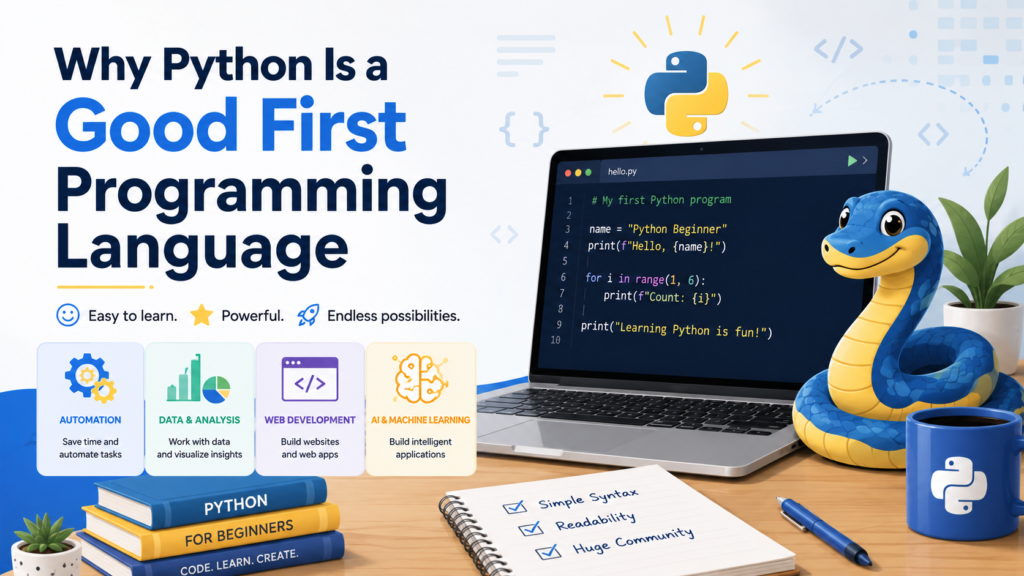
For example, a basic Python instruction can look like this:
print("Hello, world!")This command simply tells the computer to display the words “Hello, world!” on the screen.
Learn Python also avoids much of the complicated punctuation found in some other languages. This allows Learn Python beginners to focus on programming concepts instead of spending excessive time memorizing syntax rules.
Another advantage is Learn Python’s versatility. Once you understand the fundamentals, you can use Python for:
- Website and application development
- Data analysis and visualization
- Artificial intelligence and machine learning
- Task automation
- Software testing
- Scientific computing
- Cybersecurity
- Game development
You do not need to decide on a specialization immediately. Learn Python Begin with the basics and explore different applications later.
1. Understand What Programming Actually Means
Before Learn Python syntax, understand the basic purpose of programming.
Programming means giving a computer a sequence of instructions. Computers follow instructions exactly. They do not automatically understand what you intended to do, so your instructions must be clear and logically organized.
Consider a simple daily task such as making tea. The instructions might be:
- Fill a kettle with water.
- Boil the water.
- Place tea in a cup.
- Pour the hot water into the cup.
- Wait for the tea to brew.
- Add milk or sugar if required.
A computer program works in a similar way. It consists of ordered instructions designed to produce a particular result.
You do not need advanced mathematics to begin Learn Python programming. Basic logical thinking, curiosity, and patience are more important during the early stages.
2. Set Up a Simple Python Learning Environment
You need a place where you can write and run Python code.
One option is to install Python on your computer from the official Python website. You can then write code using an editor such as Visual Studio Code, PyCharm, or IDLE.
However, beginners do not have to install anything immediately. Browser-based coding platforms allow you to write and run Python online. These environments are useful because they remove setup-related complications.
Choose one environment and stay with it while learning the fundamentals. Constantly switching between tools can create unnecessary confusion.
At this stage, your objective is simple: type Python code, run it, observe the result, and correct errors.
3. Learn the Basic Python Concepts in Order
Avoid jumping directly into advanced topics such as artificial intelligence or web frameworks. Build a strong foundation first.
Start with the following concepts.
Variables
Variables store information that a program can use.
name = "Anita"
age = 25
In this example, name stores text and age stores a number.
Data Types
Python works with different types of data, including:
- Strings for text
- Integers for whole numbers
- Floats for decimal numbers
- Booleans for true-or-false values
- Lists for collections of items
- Dictionaries for key-value information
Understanding data types helps you organize and process information correctly.
Input and Output
Programs often receive information from users and display results.
name = input("What is your name? ")
print("Welcome,", name)
This program asks the user for a name and displays a greeting.
Conditional Statements
Conditional statements allow programs to make decisions.
age = 18

if age >= 18:
    print("You are eligible to vote.")
else:
    print("You are not yet eligible to vote.")
The program checks a condition and chooses the appropriate response.
Loops
Loops repeat a set of instructions.
for number in range(1, 6):
    print(number)
This code prints the numbers from one to five.
Functions
Functions group reusable instructions.
def greet(name):
    print("Hello,", name)

greet("Rahul")
Functions help make programs easier to organize, understand, and maintain.
Learn Python hese topics one at a time. Do not move forward until you can write and modify simple examples without copying every line.
4. Practice by Typing Code Yourself
Watching tutorials can help you understand a concept, but watching alone will not make you a programmer.
Programming is a practical skill. You must type code, run it, make mistakes, and fix those mistakes.
When you see an example in a lesson, type it manually instead of copying and pasting it. After the example works, modify it.
For instance, if a tutorial shows a program that adds two numbers, try changing it so that it subtracts, multiplies, or divides them. Then make the program accept numbers from the user.
This process develops problem-solving ability and helps you understand how the code works.
A productive learning session may include:
- Twenty minutes of studying a concept
- Thirty minutes of writing examples
- Twenty minutes of completing an exercise
- Ten minutes of reviewing errors and notes
Even thirty focused minutes per day can produce meaningful progress when practiced consistently.
5. Build Small Projects as Early as Possible
You do not need to complete an entire Learn Python course before building projects.
Small projects combine multiple concepts and show you how programming is used to solve real problems. They also make learning more interesting.
Beginner Python project ideas include:
Number Guessing Game
The computer selects a number, and the user tries to guess it. This project teaches variables, loops, conditions, and user input.
Basic Calculator
Learn Python program that performs addition, subtraction, multiplication, and division. This project introduces functions and numerical operations.
To-Do List
Build a simple application that allows users to add, view, and remove tasks. This project helps you work with lists and menus.
Password Generator
Generate random passwords based on a selected length. This introduces libraries, strings, and randomness.
Expense Tracker
Allow users to enter expenses and calculate the total amount spent. Later, you can expand the program by saving information to a file.
Your first projects will not be perfect. That is normal. The objective is to apply your knowledge and identify areas that require further study.
6. Learn How to Read Error Messages
Errors are an unavoidable part of programming. Professional developers encounter them regularly.
Beginners often interpret an error message as proof that they are not capable of coding. In reality, an error message is information. It tells you that Python could not execute a particular instruction.
Common beginner errors include:
- Misspelling a variable name
- Forgetting a colon
- Using incorrect indentation
- Mixing incompatible data types
- Forgetting to close quotation marks or brackets
Read the final lines of the error message carefully. Python usually identifies the type of error and the approximate location where it occurred.
When troubleshooting, check:
- The line mentioned in the message
- The spelling of names and commands
- Indentation
- Missing punctuation
- The type of data being used
Developing the habit of investigating errors will make you a more independent programmer.
7. Avoid Trying to Memorize Everything
You do not need to memorize every Python command.
Experienced programmers frequently consult documentation, search for syntax, and review examples. The important skill is knowing what you want the program to do and understanding how to locate the required information.
Focus on understanding concepts rather than memorizing individual lines.
For example, understand that a loop repeats instructions. You may occasionally forget the exact syntax, but you can look it up. Once you use the syntax repeatedly, it will become familiar naturally.
Keep notes containing:
- Important concepts
- Common syntax patterns
- Errors you have solved
- Useful examples
- Questions for further study
Writing your own explanations is more effective than collecting large amounts of copied material.
8. Follow One Structured Course at a Time
Beginners often collect dozens of tutorials, books, and courses. This creates the feeling of progress without producing consistent learning.
Choose one structured Learn Python beginner course and complete it. Use other resources only when you need a different explanation of a difficult concept.
A useful Learn Python beginner curriculum should cover:
- Python installation and basic syntax
- Variables and data types
- Operators
- Input and output
- Conditional statements
- Loops
- Functions
- Lists, tuples, sets, and dictionaries
- File handling
- Error handling
- Modules and libraries
- Basic object-oriented programming
- Small practical projects
Do not judge a course only by its length. A shorter course with regular exercises can be more valuable than a long course that encourages passive watching.
9. Create a Realistic Study Schedule
Consistency is more important than intensity.
Studying Python for eight hours on one day and then stopping for three weeks is less effective than studying for thirty to sixty minutes several times per week.
A simple weekly schedule might look like this:
- Monday: Learn a new concept
- Tuesday: Practice basic exercises
- Wednesday: Review and modify examples
- Thursday: Continue a small project
- Friday: Solve programming challenges
- Saturday: Review weak areas
- Sunday: Rest or explore a topic of interest
Set small, measurable goals. Instead of saying, “I will learn Python,” say, “This week, I will understand variables, input, and conditional statements.”
Specific goals make progress easier to track.
10. Develop Problem-Solving Skills
Programming is not only about writing code. It is primarily about solving problems.
Before coding, divide a problem into smaller steps.
Suppose you want to create a program that calculates the average of three numbers. The steps are:
- Ask the user for three numbers.
- Convert the input into numerical values.
- Add the numbers.
- Divide the total by three.
- Display the result.
Once the problem is divided into steps, translating it into Python becomes easier.
When facing a difficult task, ask:
- What information do I have?
- What result do I need?
- What steps connect the information to the result?
- Can I solve a smaller version first?
- Which part of the problem is unclear?
This approach is useful in every area of software development.
11. Choose a Direction After Learn Python the Fundamentals
After gaining confidence with basic Python, explore an area that matches your goals.
For web development, you can learn HTML, CSS, databases, and Python frameworks.
For data analysis, focus on working with datasets, spreadsheets, statistics, and visualization libraries.
For automation, learn how to work with files, folders, web pages, emails, and repetitive computer tasks.
For artificial intelligence and machine learning, first strengthen your Python fundamentals and then study mathematics, data processing, and relevant libraries.
You do not need to choose the perfect path. Select one direction, complete a few projects, and adjust your goals as you gain experience.
Common Mistakes Beginners Should Avoid
Several habits can slow your progress:
- Switching between too many learning resources
- Watching tutorials without practicing
- Attempting advanced projects too early
- Comparing your progress with experienced programmers
- Copying code without understanding it
- Quitting when errors appear
- Studying irregularly
- Trying to memorize every command
Progress in programming is rarely linear. Some concepts will make sense immediately, while others may require repeated practice.
Confusion is part of the learning process, not evidence of failure.
How Long Does It Take to Learn Python?
The time required depends on your goals, schedule, and practice habits.
With consistent study, many beginners Learn Python can understand basic Python concepts within several weeks. Building confidence with projects may take a few months. Becoming professionally capable usually requires longer-term practice, deeper technical knowledge, and experience solving real problems.
Instead of focusing only on how many months it will take, measure progress by what you can build.
For example:
- Can you write a program without following a tutorial?
- Can you understand basic Learn Python code?
- Can you identify and correct common errors?
- Can you divide a problem into logical steps?
- Can you complete a small project independently?
These are better indicators of progress than course completion certificates.
Frequently Asked Questions
Can I learn Python without any programming experience?
Yes. Python is considered one of the easiest programming languages for beginners because its syntax is simple and readable. You can start with basic concepts such as variables, data types, conditions, loops, and functions.
How long does it take to learn Python?
Most beginners can understand Python fundamentals within a few weeks of consistent practice. Developing job-ready skills may take several months, depending on your study schedule, project experience, and career goals.
Do I need strong mathematics skills to learn Python?
No. Basic mathematics is sufficient for learning general Python programming. Advanced mathematics may be required later for specialized fields such as data science, machine learning, or artificial intelligence.
What is the best way to practice Python?
The best approach is to combine structured lessons with regular coding practice. Write code yourself, solve beginner exercises, review errors, and build small projects such as calculators, password generators, to-do lists, and expense trackers.
Can H2K Infosys help beginners learn Python?
Yes. H2K Infosys offers structured Python training designed to help beginners understand programming concepts through instructor-led sessions, practical exercises, real-time examples, and project-based learning.
Final Thoughts
You can learn Python Training Course without any previous programming knowledge. Start with basic concepts, practice regularly, and build small projects from the beginning.
Do not wait until you feel completely prepared. Learn Python Programming skills develop through experimentation. Write code, test your ideas, examine errors, and improve your programs gradually.
Your first Learn Python program may only print a sentence. Your next project may calculate expenses or manage a task list. Over time, those small exercises will develop into useful applications and valuable technical skills.
The most important step is to begin. Open a Python environment, write your first instruction, and continue learning one concept at a time.



















2 Responses