A professional AI training program like the ones offered by H2K Infosys usually gives you a blend of skills, and not all of them feel “academic” in the traditional sense. Some are technical, sure. what Others are more about how you think through problems. And a lot of it only really starts to make sense once you’ve actually tried doing the work yourself.
It’s not just about understanding how models behave in theory. You spend time working with messy data, building machine learning models, testing them, fixing what breaks, and slowly figuring out how any of it fits into real-world use. The better online AI courses don’t stop at concepts they show you how things actually happen in IT environments. Real tools, real workflows, small but practical challenges that feel… familiar to actual work.
What is an Professional AI Training Program?
At its simplest, an Best Artificial Intelligence Course Online is just a structured way to learn how intelligent systems are built and used. It usually starts off gently some programming basics, a bit of statistics and then moves into areas like machine learning, deep learning, and working with data at scale.
The format can vary quite a bit, depending on the provider:
- Live, instructor-led sessions where you can ask questions in real time
- Self-paced courses you squeeze in between work or late at night
- Hybrid setups that mix lessons with projects and a bit of mentoring
Most good programs try to strike a balance. You don’t just learn what something is—you try it, get stuck, fix it (or think you fixed it), and then move forward. That hands-on part ends up mattering more than people expect.
Why AI Training Matters for Working Professionals
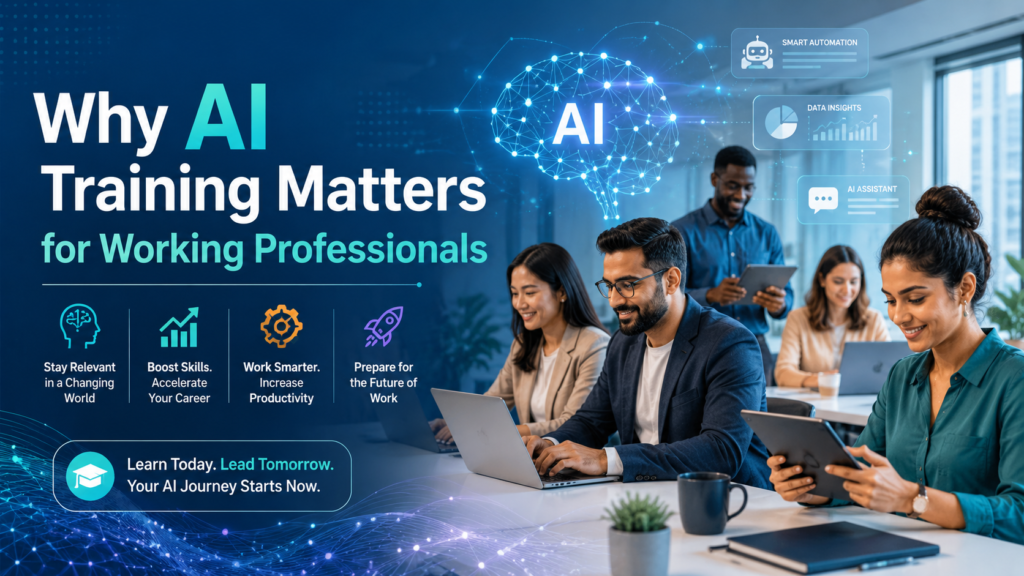
AI isn’t some distant idea anymore it’s already woven into everyday business processes. Finance teams use it for risk scoring. Retail platforms rely on it for recommendations. Healthcare systems use it for predictions. It’s kind of… everywhere, whether you notice it or not.
For someone already working especially in IT, but even outside it Professional AI Training Program helps you stay relevant. Not in a dramatic, overnight way. More like a gradual shift in what’s expected from your role.
A few things driving that change:
- Routine tasks are increasingly automated
- Decisions lean more on data than intuition
- AI skills show up across roles not just in development
So it’s less about jobs disappearing and more about them evolving. You’re expected to at least understand how data and models play into your work.
What Skills Do You Actually Gain?
1. Programming for AI
Most people start with Python and yeah, there’s a reason for that. It’s widely used and not too intimidating at first. You might also run into R or SQL along the way.
You’ll learn to:
- Write scripts to clean and prepare data
- Use libraries like NumPy, Pandas, and Scikit-learn
- Build simple algorithms
At some point, you’ll probably spend an hour just cleaning a messy dataset and oddly enough, that’s when things start to click.
2. Data Handling and Preprocessing
This is where a surprising amount of time goes. More than modeling, honestly.
You’ll work on:
- Cleaning datasets (they’re almost never clean)
- Handling missing or inconsistent values
- Transforming raw data into something usable
- Working with structured and unstructured data
A typical workflow might involve pulling data from a database, reshaping it, cleaning it, and storing it again. Not glamorous but absolutely essential.
3. Machine Learning Basics
This is the core of most programs.
You’ll get comfortable with:
- Supervised vs. unsupervised learning
- Regression and classification
- Clustering methods
- Model evaluation
Algorithms like linear regression, decision trees, and random forests come up a lot. Predicting customer churn, for example, is a pretty common starting point.
4. Deep Learning and Neural Networks
Once you’ve got the basics down, things get a bit more… layered.
You’ll explore:
- Neural networks (ANNs)
- CNNs for image-related tasks
- RNNs for sequence data
Frameworks like TensorFlow or PyTorch usually show up here. This is where applications like image recognition or language processing start to feel less abstract.
5. Data Visualization
Building a model is one thing. Explaining it is another.
You’ll learn to:
- Create charts and dashboards
- Spot trends and patterns
- Present insights clearly
Tools like Matplotlib, Seaborn, or Tableau come into play. Sometimes a simple graph says more than a complex model ever could.
6. Model Evaluation and Optimization
Most models don’t work well on the first try. Actually—almost none do.
You’ll work with:
- Accuracy, precision, recall
- Confusion matrices
- Cross-validation
And then try to improve things using:
- Hyperparameter tuning
- Feature selection
- Regularization
It’s a bit of trial and error. Over time, you start to develop a feel for what works and what doesn’t.
7. Deployment and MLOps
This part catches people off guard. Building a model is only half the job—the rest is getting it into production and keeping it there.
You’ll see things like:
- Deploying models through APIs
- Using cloud platforms like AWS or Azure
- Monitoring performance over time
A typical flow might be: train locally → package the model → deploy it → watch how it behaves in the real world (and fix things when it doesn’t).
8. Problem-Solving and Analytical Thinking
This one’s harder to measure—but probably the most valuable.
AI training pushes you to:
- Break down complex problems
- Spot patterns in data
- Make decisions backed by evidence
These skills don’t stay limited to AI. They tend to carry over into almost any technical role.
How AI Fits Into Real Projects
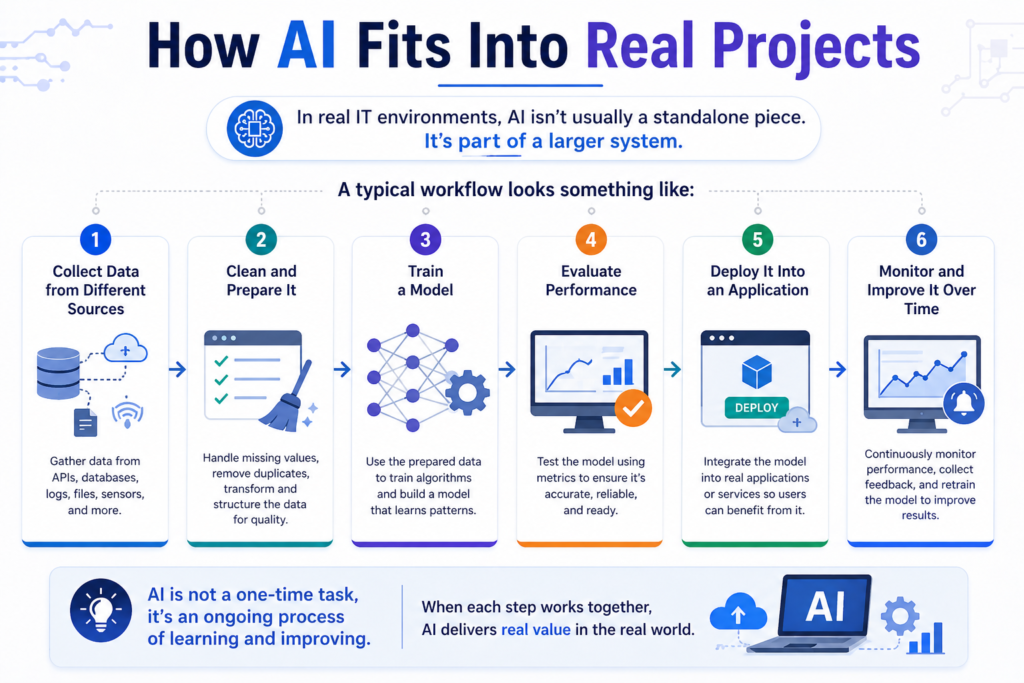
In real IT environments, Professional AI Training Program isn’t usually a standalone piece. It’s part of a larger system.
A typical workflow looks something like:
- Collect data from different sources
- Clean and prepare it
- Train a model
- Evaluate performance
- Deploy it into an application
- Monitor and improve it over time
On paper, it sounds straightforward. In practice… each step has its own quirks.
Do You Need Prior Knowledge?
It helps to have:
- Basic programming knowledge
- Some familiarity with statistics
- A general sense of how data works
That said, a lot of Professional AI Training Program start from the ground up. You don’t need to be an expert before you begin.
Where AI Shows Up in Enterprises
AI tends to show up in places like:
- Customer analytics (recommendations, behavior prediction)
- Automation (chatbots, workflow tools)
- Risk management (fraud detection, credit scoring)
- Operations (forecasting, maintenance predictions)
Sometimes it’s visible. Other times, it’s just quietly doing its job in the background.
Common Tools You’ll Work With
- Programming: Python, R
- Data processing: Pandas, NumPy
- Machine learning: Scikit-learn, TensorFlow
- Visualization: Matplotlib, Tableau
- Deployment: Docker, Kubernetes
- Cloud: AWS, Azure
You don’t need to master everything right away. Most people pick things up gradually—usually while working on projects.
Career Paths After Professional AI Training Program
Once you’ve built some hands-on experience, a few roles start to open up:
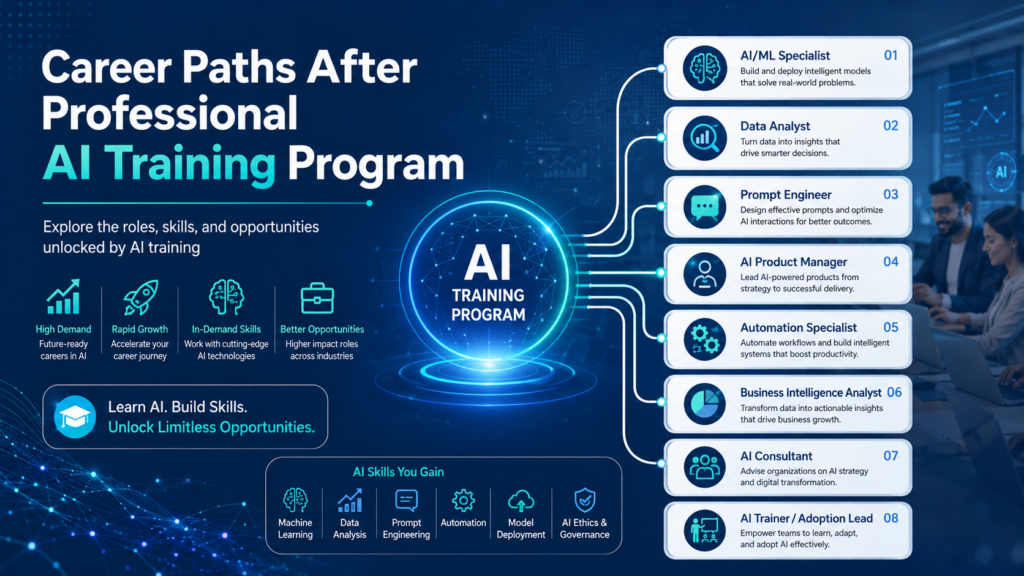
- Data Analyst
- Machine Learning Engineer
- AI Developer
- Data Scientist
Progress really depends on what you’ve built. Projects matter—a lot more than people think.
A Simple Example: Customer Churn Prediction
A typical Professional AI Training Program beginner project might involve:
- Collecting customer data
- Cleaning and preparing it
- Selecting useful features
- Training a classification model
- Evaluating results
- Deploying it for predictions
It’s not a huge project, but it touches almost every skill you learn along the way.
Challenges You Might Run Into
Learning Professional AI Training Program isn’t always smooth. Some common hurdles:
- Wrapping your head around math concepts
- Handling large or messy datasets
- Debugging models that don’t behave as expected
- Bridging the gap between theory and actual practice
What tends to help:
- Working with real datasets
- Building complete, end-to-end projects
- Focusing on understanding—not just tools
Learning Path (Roughly Speaking)
- Beginner: Python, basic statistics
- Intermediate: Machine learning
- Advanced: Deep learning, deployment
- Expert: MLOps, system design
People don’t always follow this exactly but it’s a decent guideline.
FAQs
What’s the best Professional AI Training Program for beginners?
Usually one that balances fundamentals with hands-on work. Structure matters more than hype.
Do you need coding?
Yes—mostly Python. It starts simple but builds over time.
How long does it take?
A few months for the basics. Getting comfortable takes longer, depending on practice.
Are AI skills in demand?
Yes—especially where data and automation are involved.
Can non-IT Professional AI Training Program learn AI?
Absolutely. Many programs are designed to start from scratch.
Final Thoughts
Professional AI Training Program isn’t just about learning algorithms it’s more about learning how to approach problems using data. You build technical skills, sure, but also a kind of mindset that sticks with you.
If there’s one thing that really makes a difference, it’s this: hands-on work. Reading about models is one thing. Building them, breaking them, fixing them that’s where the real learning happens.
And if you’re looking at structured Courses of Artificial Intelligence Programs, something like H2K Infosys tends to focus more on practical, real-world applications which, honestly, can make the transition into AI roles feel a bit less overwhelming.